AI Tweet Generator

Describe what you want to say and get a post for X. Paste a tweet instead and remix it into a new tone, or into your own voice.

  • Generate from a topic, or remix a post you pasted, bookmarked or already published
  • 18 tones to pick from, or a voice trained on up to 50 of your own posts
  • Copy a finished post, open it in X, or send it straight to the scheduler

No card required.

Or write posts and replies inside X

Write a post for X, or rewrite one you already have

The AI tweet generator writes posts for X from a topic you describe, and rewrites posts you already have. Pick one of 18 tones, name the keywords you want in, and decide on hashtags and emojis. A short post costs 1 credit, and the free plan gives you 20 a month.

The second half is the part most generators skip. Anything you have already written or saved can be the starting point: a post you paste, a thread you bookmarked on X, something you published months ago, or a half-formed idea. On a paid plan it comes back in a voice trained on your own posts.

18

tones to write in

4

places a remix can start

50

of your posts read to learn your voice

20

free credits every month
Two ways in

Start from nothing, or from something you already have

Typing a topic solves the blank page. It does nothing for the draft you already like, the bookmark worth reposting, or the note you jotted at midnight and never finished. Those need a rewrite, not a fresh idea.

Generate from a topic

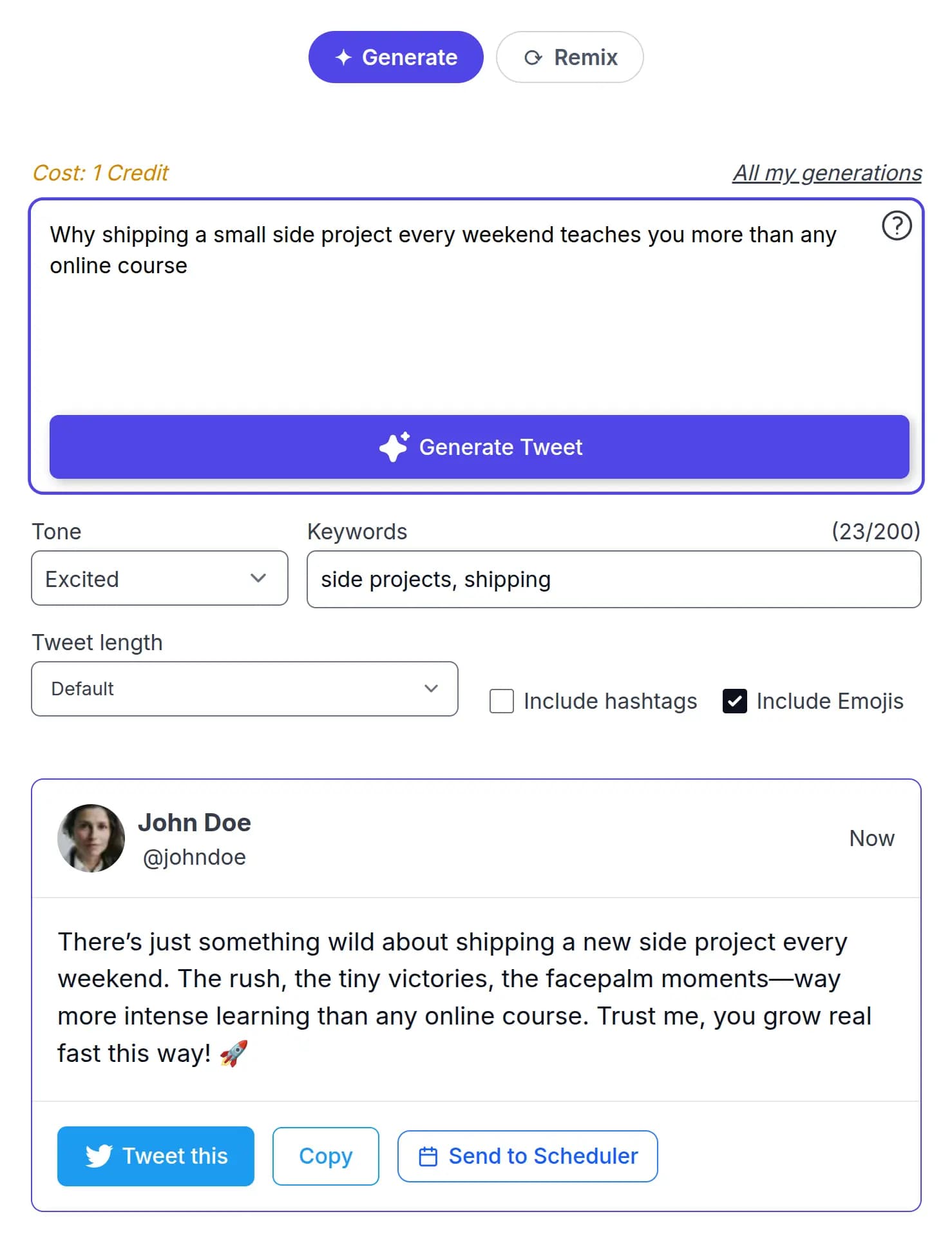
Type what you want to say. Pick one of 18 tones, add keywords you want included, and choose whether to include hashtags and emojis. Short posts cost 1 credit.

Remix something that exists

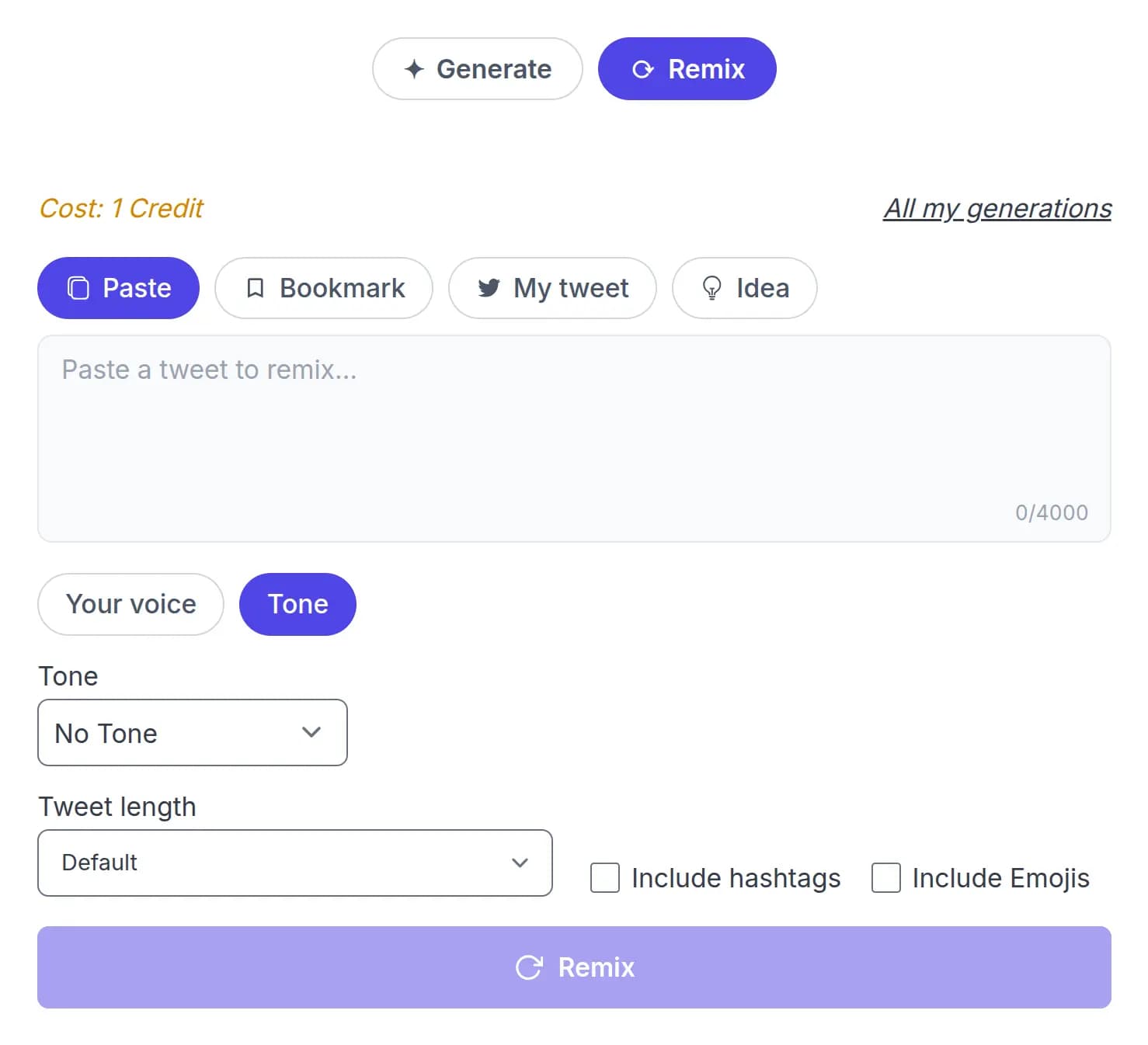
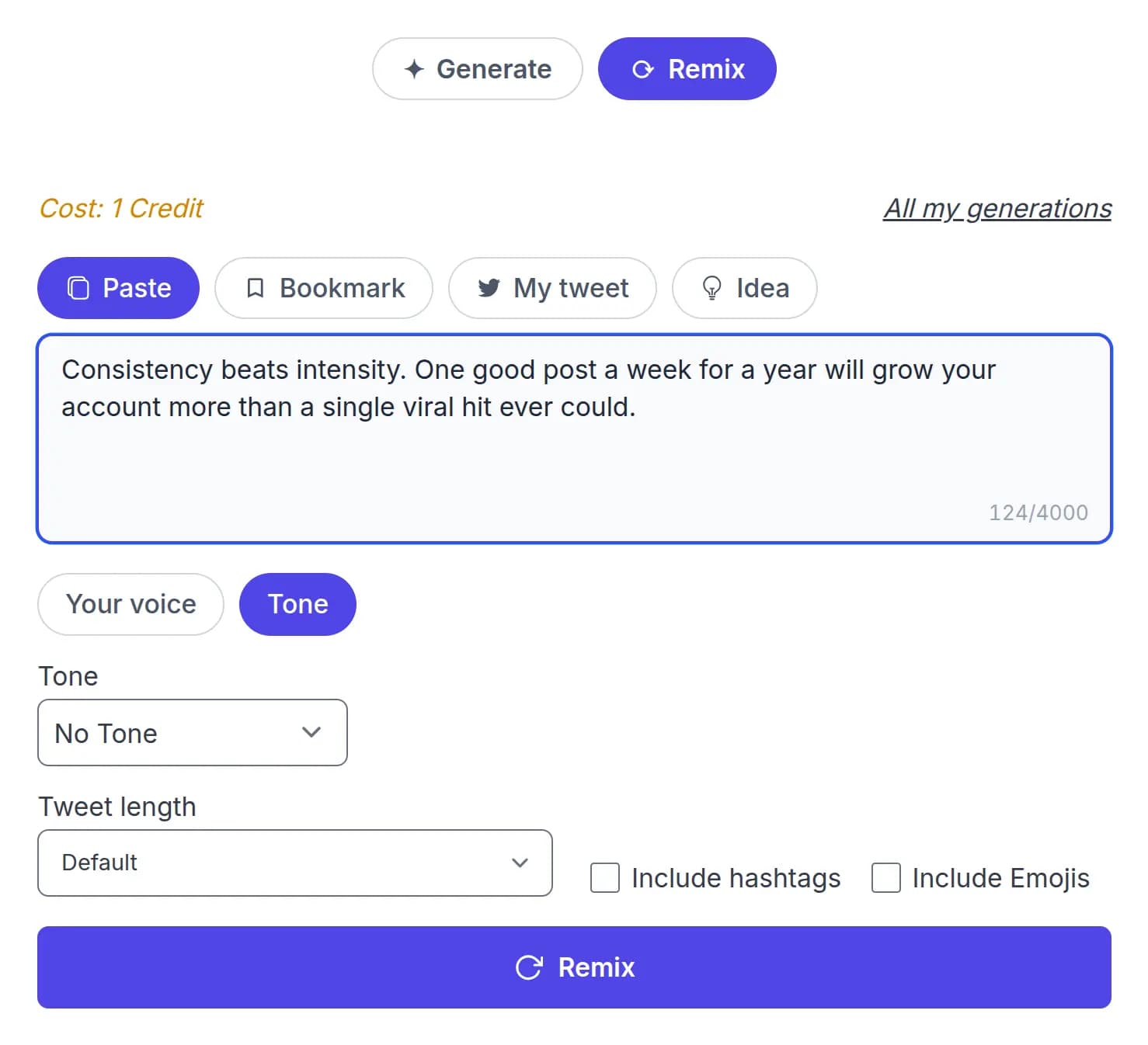
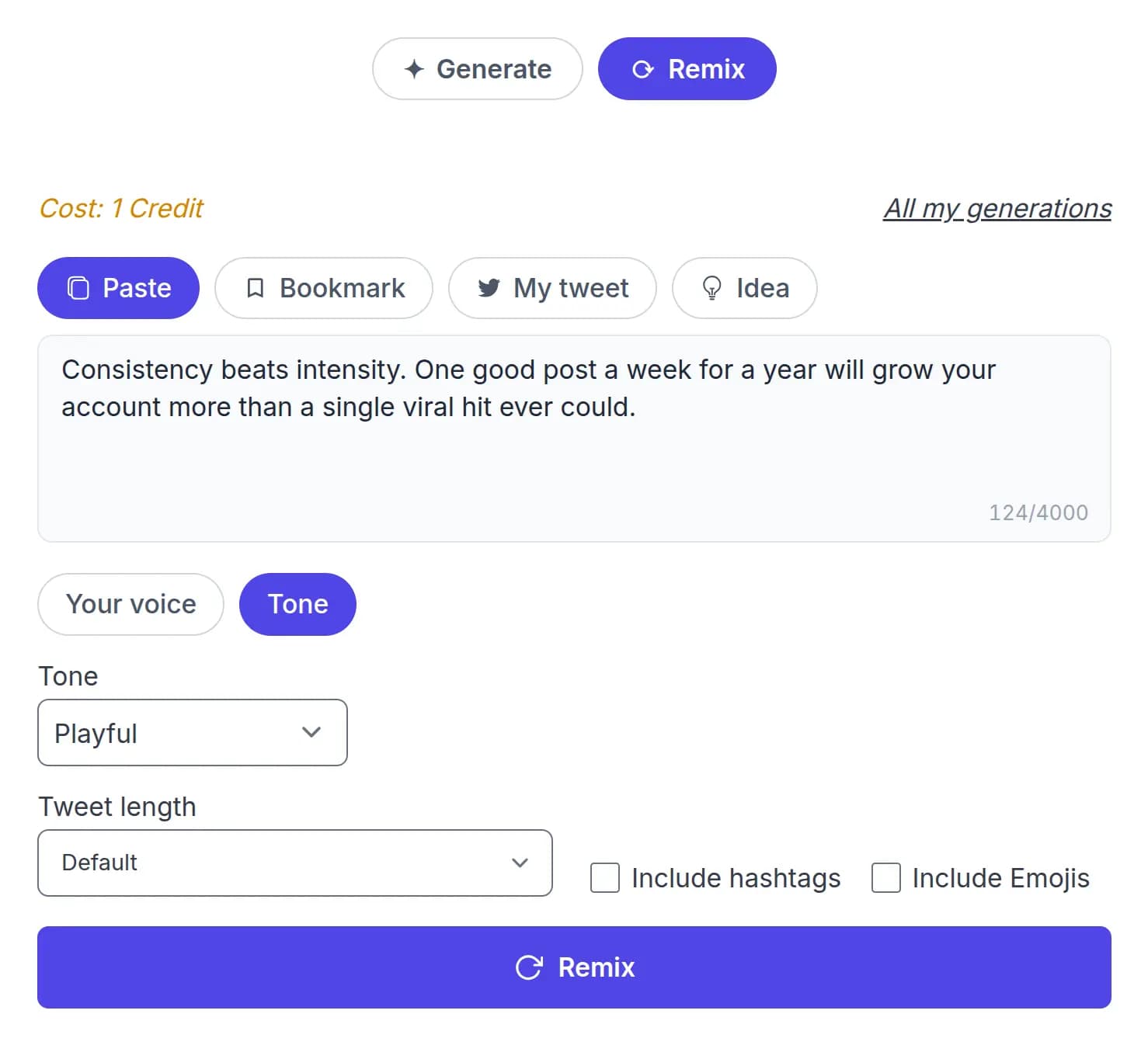
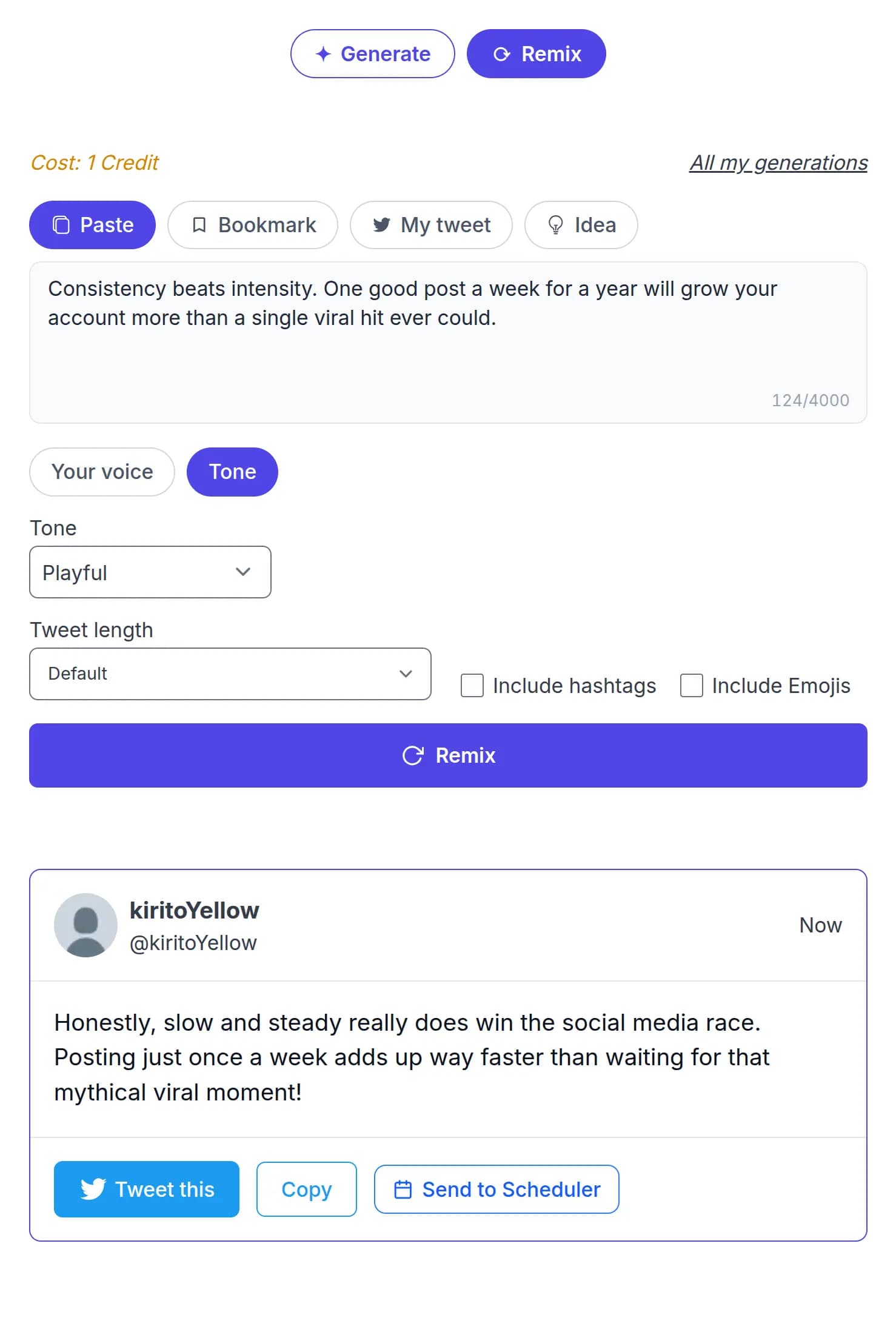
Paste a post, pick one you saved, or start from a rough idea. Choose a tone, or write it in a voice trained on your own posts. Any remix costs 1 credit.

Remix a paste, an idea, a bookmark, or your own past post

A remix is only as good as what it starts from. Pick where yours comes from.

Paste

Drop in any post, up to 4,000 characters, and rewrite it.

Idea

Start from a rough note and let the tool shape it into a post.

Bookmark

Pick a post you saved on X and turn it into something of your own.

My post

Reach back into your published and generated posts and rework one.

Bookmarks reach the generator through the X bookmark manager, and finished posts can go straight to the tweet scheduler.

Real output

The same idea, in six different tones

One source post, rewritten. Nothing here is a mockup: every version below came out of the tool.

Source post

Spent most of today working on a feature that I thought would take maybe an hour. Three hours later, I was still debugging it. The funny thing is, the actual implementation wasn't even that difficult. I kept looking in the wrong place because I was convinced the problem had to be somewhere in the business logic. Turns out it was a stupid little edge case I completely overlooked. That's probably one of the most annoying parts of programming. Sometimes you don't need to know more. You just need to stop staring at the same piece of code and look at it differently.

Today reminded me just how much time you can lose chasing bugs in the wrong spot. I kept assuming the issue was in the business logic, when it was really a tiny edge case I missed. Sometimes a fresh perspective is more valuable than brute force debugging.

That is 6 of 18 tones. The full list runs from professional and informative through to sarcastic, playful and controversial.

Trained on your writing

Can AI write posts that sound like you?

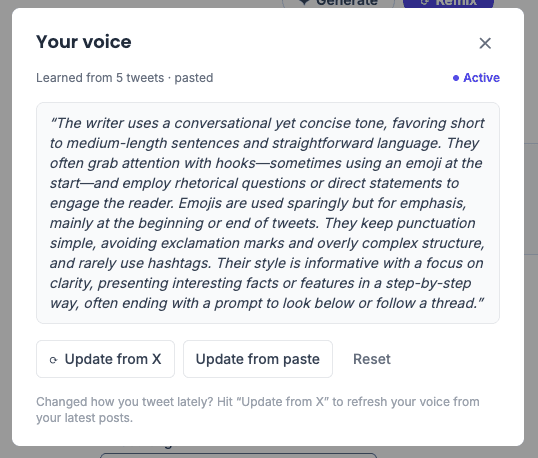
Yes, once it has read enough of you. Point it at your X account and it learns your style from up to 50 of your recent posts. It needs at least 5 to work with. If you would rather not connect an account, paste writing you are happy with and it matches that instead.

What you get back is not a tone preset. It is a written description of how you write, which you can read and judge before a single post comes out of it. Refresh it whenever your style moves on.

  • Trains from your X posts, or from writing you paste.
  • Reads up to 50 posts, and needs at least 5.
  • Voice profiles by plan: 2 on Professional, 5 on Agency, 10 on Elite.
  • Refreshes a month: 4 on Professional, 10 on Agency, 20 on Elite.
  • Free plan includes tone remix. Voice needs a paid plan.

Compare what each plan includes

The Your voice panel showing a written analysis of a user's posting style

What a general AI chatbot cannot do

A general chatbot writes a good post from a good prompt. The gap is everything that depends on your account, and it is not a gap in writing quality.

Start from a post you saved on X

A general AI chatbot: You paste it in every time

This tool: Pick it from your bookmarks

Start from something you published before

A general AI chatbot: You paste it in every time

This tool: Pick it from your past posts

Write in your voice

A general AI chatbot: You supply examples in every conversation

This tool: Trained once from up to 50 of your posts, reusable after that

Reply inside X

A general AI chatbot: Copy out, paste back

This tool: Generated in place by the browser extension

Send a finished post to a queue

A general AI chatbot: Copy it somewhere else

This tool: One step to the scheduler

Find a post you generated last month

A general AI chatbot: Scroll your chat history

This tool: Filterable generation history

None of this makes a chatbot worse at writing. It makes it a worse place to run a posting habit. Everything above is available on the free plan except the trained voice.

How to use the AI tweet generator

Three things people come here to do. Pick the one you need.

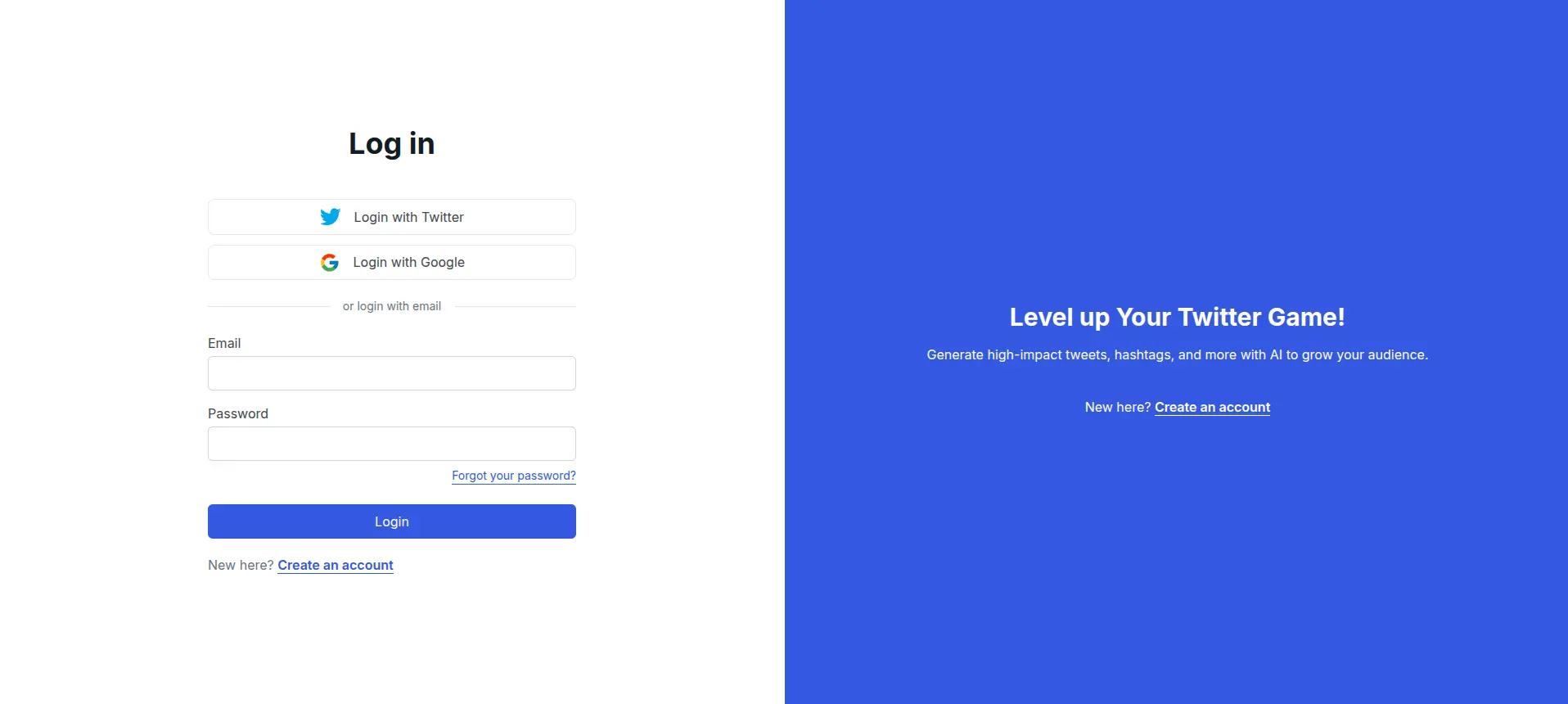
  1. STEP 1

    Log in to TweetStorm

    Create a free account or log in. It takes under a minute, needs no card, and the free plan includes 20 credits a month.

    TweetStorm login screen with X, Google, and email sign-in options
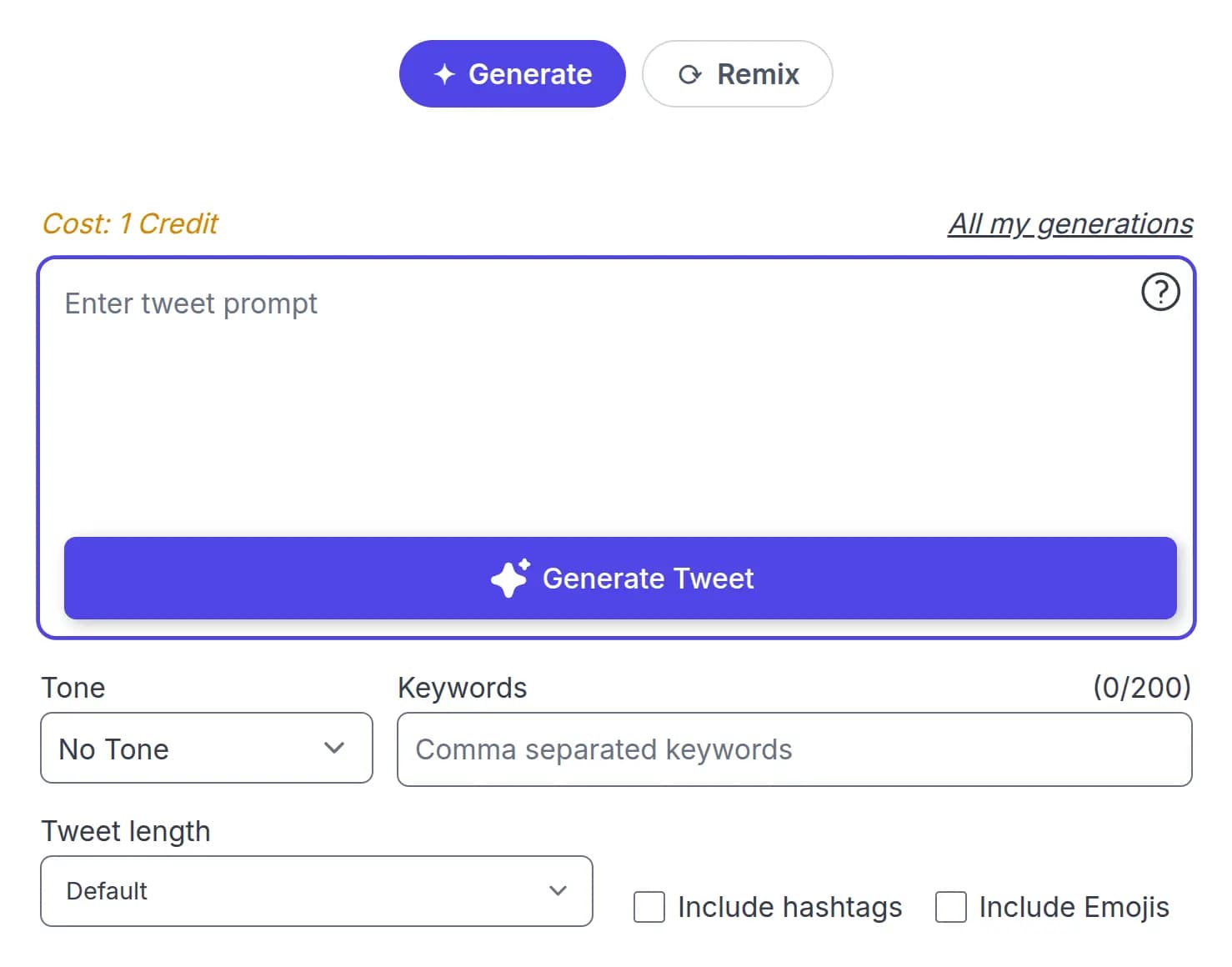
  2. STEP 2

    Leave the mode on Generate

    Generate writes a new post from a topic. It is the mode the tool opens on, so there is nothing to switch.

    The AI tweet generator open in Generate mode with an empty topic box
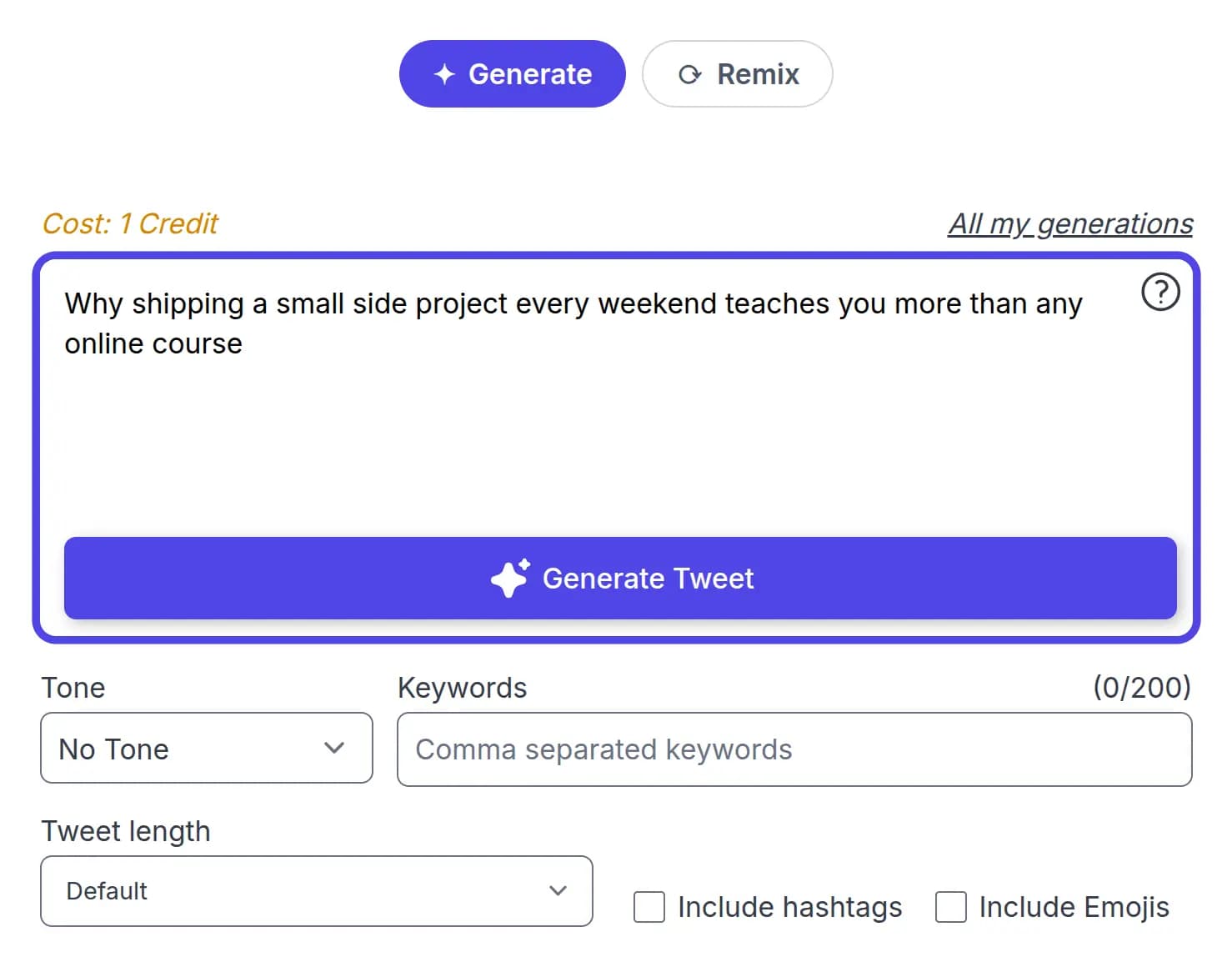
  3. STEP 3

    Describe what you want to say

    Type the idea in a sentence rather than a single word. The more specific the description, the closer the first draft lands.

    A specific post idea typed into the generator topic box
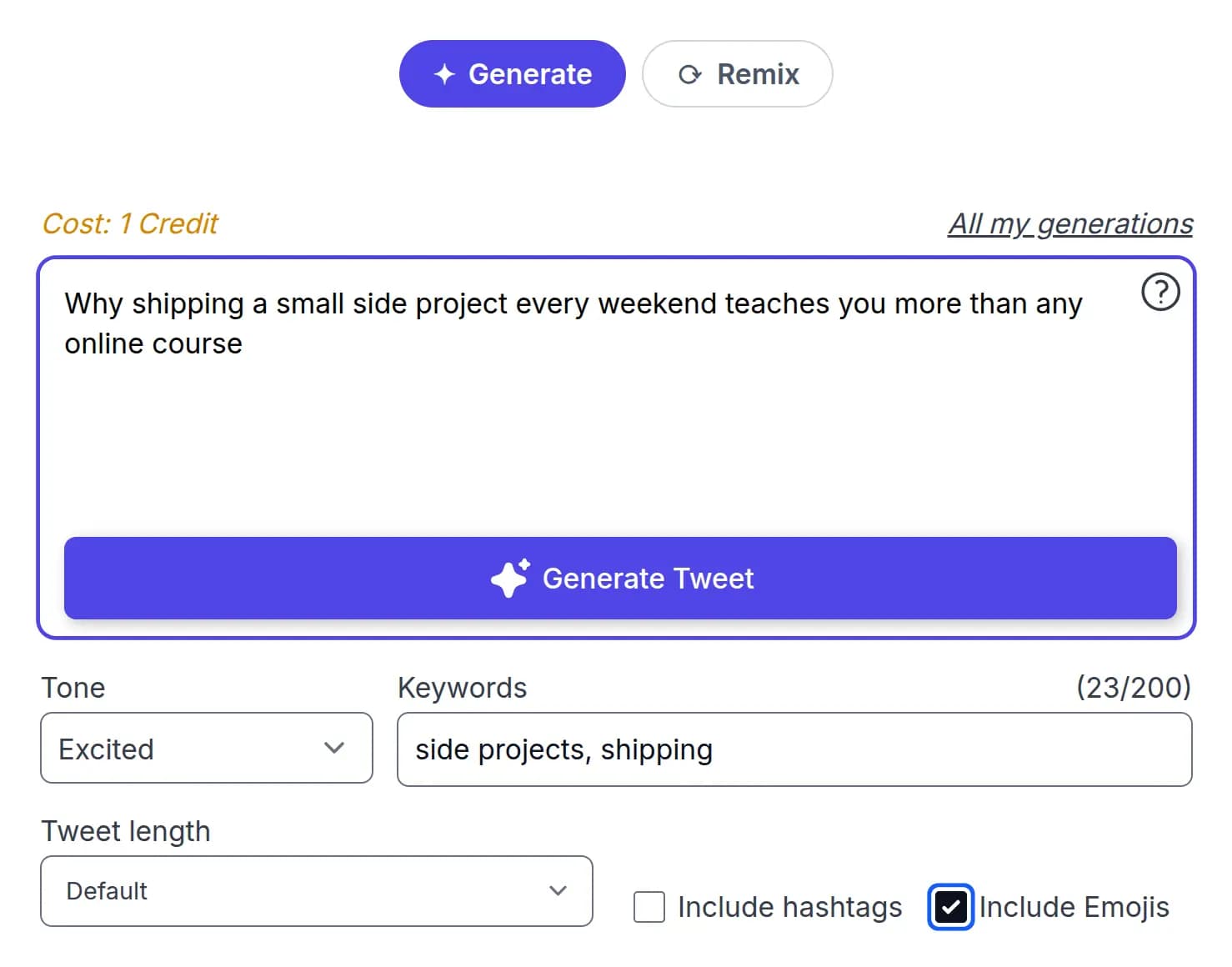
  4. STEP 4

    Set the tone and the details

    Choose one of 18 tones, name any keywords you want worked in, and decide on hashtags and emojis. On a paid plan you also choose short, medium or long.

    The Excited tone selected with keywords entered and emojis switched on
  5. STEP 5

    Publish it or queue it

    Click Generate Tweet. Copy the result, open it straight into X, or send it to your scheduler to go out later.

    A generated post shown below the form with Copy and Send to scheduler buttons

Everything you generate is saved either way, website or extension. The free plan keeps your last 5 generations, and paid plans keep all of them.

Generate replies without leaving X

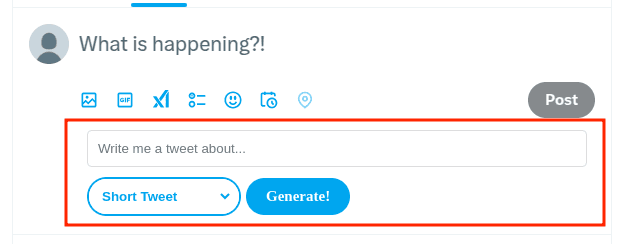
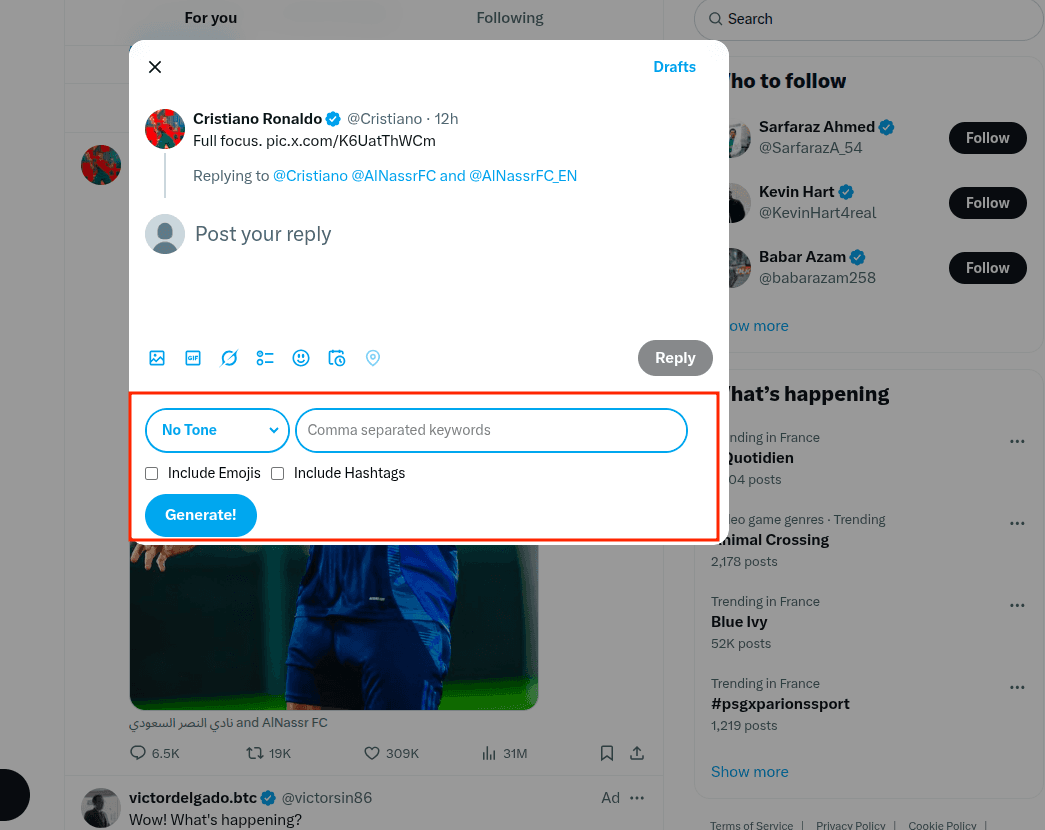
Replies are the part of X that eats the most time and gets the least planning. The browser extension puts a generator directly into X's own interface, so you can answer a post in the tone you want without switching tabs. Pick a tone, add keywords, decide on hashtags and emojis. A reply costs 1 credit.

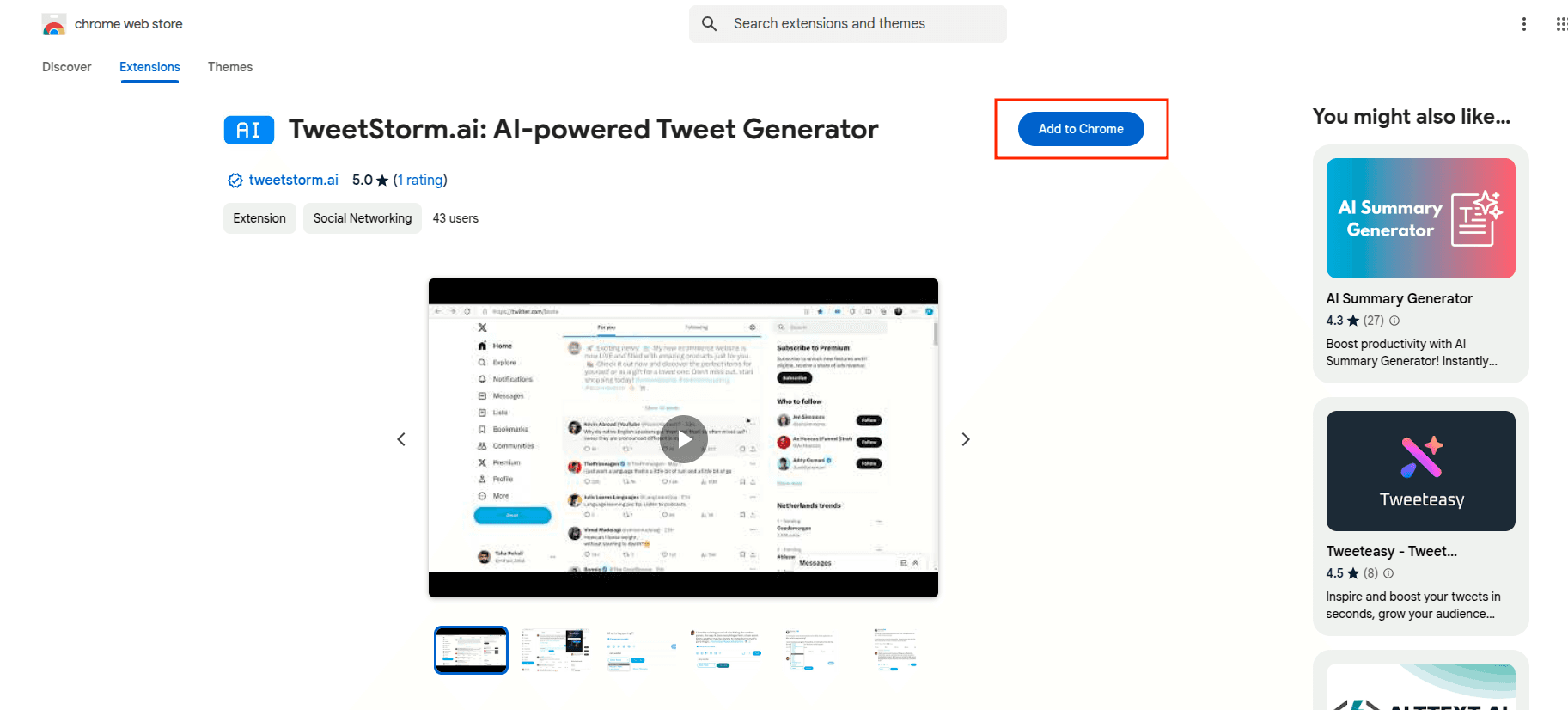
  • Available for Chrome and Firefox, which covers Edge, Brave and Opera through the Chrome Web Store.
  • Generates posts and replies from inside X. Reply generation is extension-only.
  • Remix and your voice are web-only, and are not in the extension.
  • Activated by pasting your extension API key from your profile page.

Read the browser extension guide.

The reply generator injected into X's interface below a post, with a generated reply

Everything you generate is saved

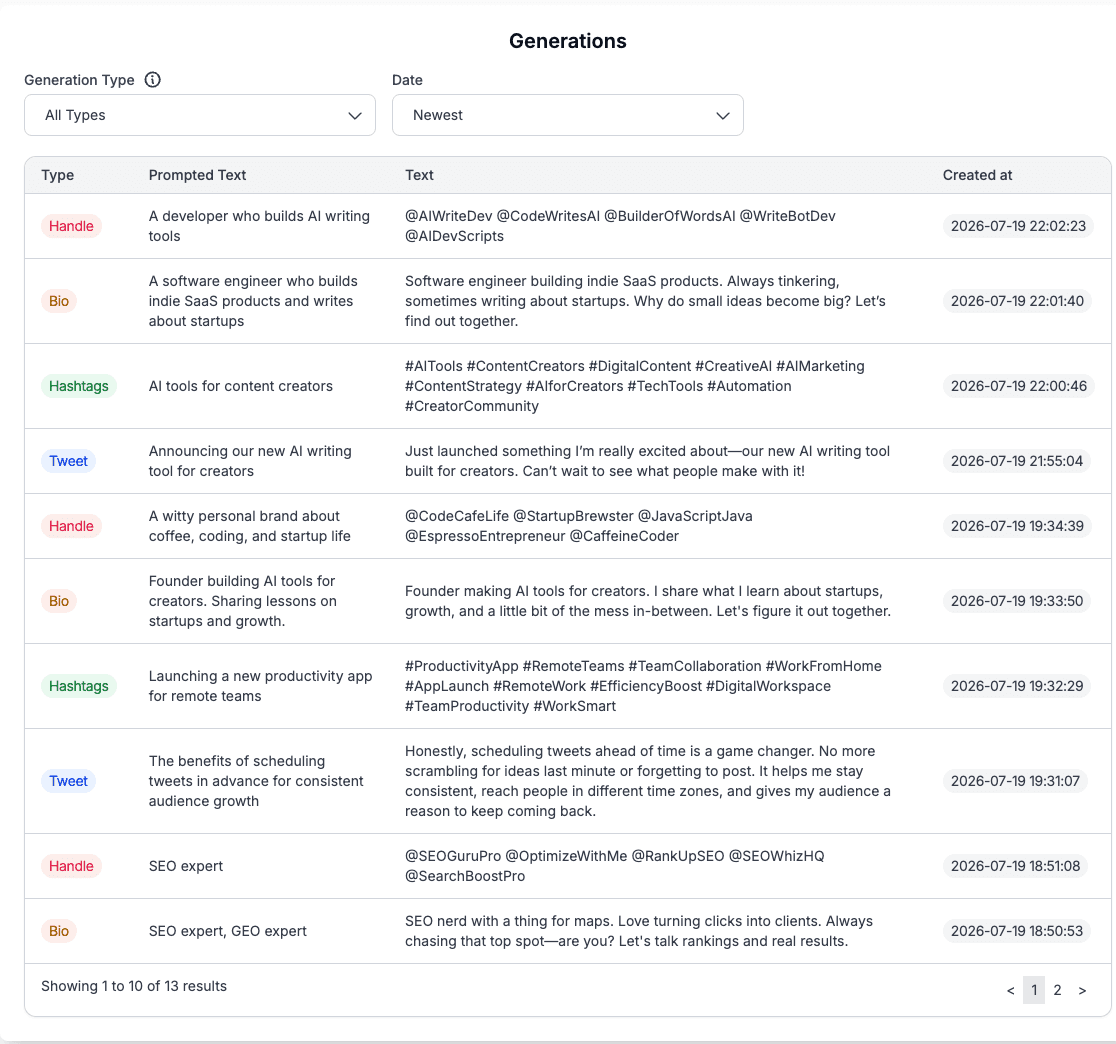
Posts, replies, remixes, hashtags, bios and handles all land in one table, whether you wrote them on the website or through the extension inside X. Each row keeps the prompt you gave, the text that came back, and the date. Filter by type when you are hunting for a specific one.

When one of them is worth publishing, you can schedule it with the X tweet scheduler without leaving your history.

  • One history for the website and the extension together.
  • Filter by generation type: post, reply, remix, hashtags, bio, handle.
  • Keeps the prompt alongside the output, so you can see what produced what.
  • Free plan shows your latest 5. Paid plans show all of them.
The generations history table showing past posts, replies and remixes with their prompts

What a post costs, and what each plan includes

Generations run on credits. One credit is one short post, so the free plan's 20 credits is 20 posts a month before you pay anything.

  • Short post: 1 credit
  • Medium post: 3 credits
  • Long post: 6 credits
  • Remix: 1 credit
  • Reply: 1 credit
What each TweetStorm plan includes for the AI tweet generator
FeatureFree$0
Credits a month20
Short post (280 characters)1 credit
Medium post (about 1,000 characters)Not included
Long post (about 2,500 characters)Not included
Remix1 credit
Reply1 credit
Tone remixIncluded
Your voiceNot included
Voice profilesNone
Voice refreshes a monthNone
Generation historyLatest 5

Full plan detail sits on the pricing page. Need more credits than Elite allows? Email support@tweetstorm.ai.

Built for accounts that publish on a schedule

Posting most days

You need volume without sounding like a robot. 20 free credits covers 20 short posts a month; Professional's 250 covers roughly eight a day.

Running one brand account

Tone consistency matters more than volume. Train a voice once from the account's existing posts and every remix comes back on-brand.

Running several client accounts

Each client needs its own way of writing. Agency gives 5 voice profiles and 700 credits; Elite gives 10 profiles and 1,500.

Three things that make a post land

01

Earn the first line

Nobody opens a post out of politeness, so the opening has to create some tension: a question, a number, or a claim people want to argue with. Generate a few versions and compare them on their first line alone, because everything after it is easy to edit.

Compare openers

“I spent 3 hours today…”

“Why do bugs always hide…”

02

Match the length to the point

A short post travels further than a long one, and 280 characters is usually enough for one idea. Reach for medium or long only when the idea genuinely needs the room.

Typical length

Short
Long
03

Pick a tone on purpose

The same sentence lands differently as informative, sarcastic or empathetic, and the wrong choice reads worse than no tone at all. Try two tones on the same source before you publish either.

Try a few

InformativeSarcastic

Explore more X tools

Try powerful Twitter/X tools to automate, clean up and optimize your account.

AI tweet generator FAQs

No. The generator on this page runs without one, so you can write a post and copy it before signing up. An account adds your generation history, saved bookmarks and past posts as remix sources, and the scheduler.

A short post of up to 280 characters costs 1 credit. A medium post of about 1,000 characters costs 3 credits, and a long post of about 2,500 characters costs 6. A remix costs 1 credit and so does a reply. The free plan includes 20 credits a month.

Generate writes a post from a topic you describe. Remix reworks something that already exists: a post you paste, one you bookmarked on X, one you published before, or a rough idea. Generate starts from nothing, remix starts from a source.

Yes, on a paid plan. Point it at your X account and it learns your style from up to 50 of your recent posts, and it needs at least 5 to work from. You can also paste writing you like instead of connecting an account. It gives you back a written description of your style, which you can read before using it, and you can refresh it whenever your writing changes.

Yes. Pick Bookmark as the remix source and choose from the posts you have saved. Your bookmarks reach the generator through the X bookmark manager, which syncs them from X with the bookmark extension.

For a one-off post, a general chatbot is fine. It falls short on the parts that depend on your account: it has never read your posts, so it cannot write in your voice; it cannot see the threads you bookmarked, so you have to paste them in every time; and it cannot put a finished post into a publishing queue. This tool is built around those three things.

No. The extension generates posts and replies from inside X, and reply generation is only available there. Remix and your voice are on the website.

Three. Short is up to 280 characters, medium is about 1,000, and long is about 2,500. Short works on any plan. Medium and long need a paid plan and suit accounts with X Premium, which allows longer posts.

Yes. Send a finished post to the tweet scheduler and it publishes automatically at a time you choose, in your account's own time zone. The free plan includes 10 scheduled posts a month.

Write your next post free

Twenty credits a month, free, no card. That is 20 short posts to find out whether the output is worth publishing.

Get started freeSee plans from $12/month