Creating a thread on X/Twitter: A step-by-step guide with examples
Ejaz Ahmed
8 Dec 2025 | 6 min read
People often want tips on building a thread for X, the platform once called Twitter, that really takes off and spreads fast.
This guide lays out steps for crafting threads that draw folks in and encourage shares. It focuses on handling those deeper concepts or narratives in a way that keeps attention.
What are X/Twitter threads?
X threads, which used to be on Twitter, connect a bunch of tweets together. This setup lets people share content that goes way beyond the character limit. It pretty much acts like a detailed blog post in tweet form.
Differentiating a thread from a single tweet
A tweet basically means one short post on the platform. It has a limit of characters. A thread works by linking several of those tweets together. That way you can cover longer material, give detailed breakdowns or tell full stories.
How to make a thread on X/Twitter: Step-by-step guide
Creating an X/Twitter thread is a straightforward process, whether you are using the mobile app or the web version.
Here are the simple steps to follow to create a thread:
1. Initial tweet post
Begin composing your initial, individual tweet after opening Twitter.
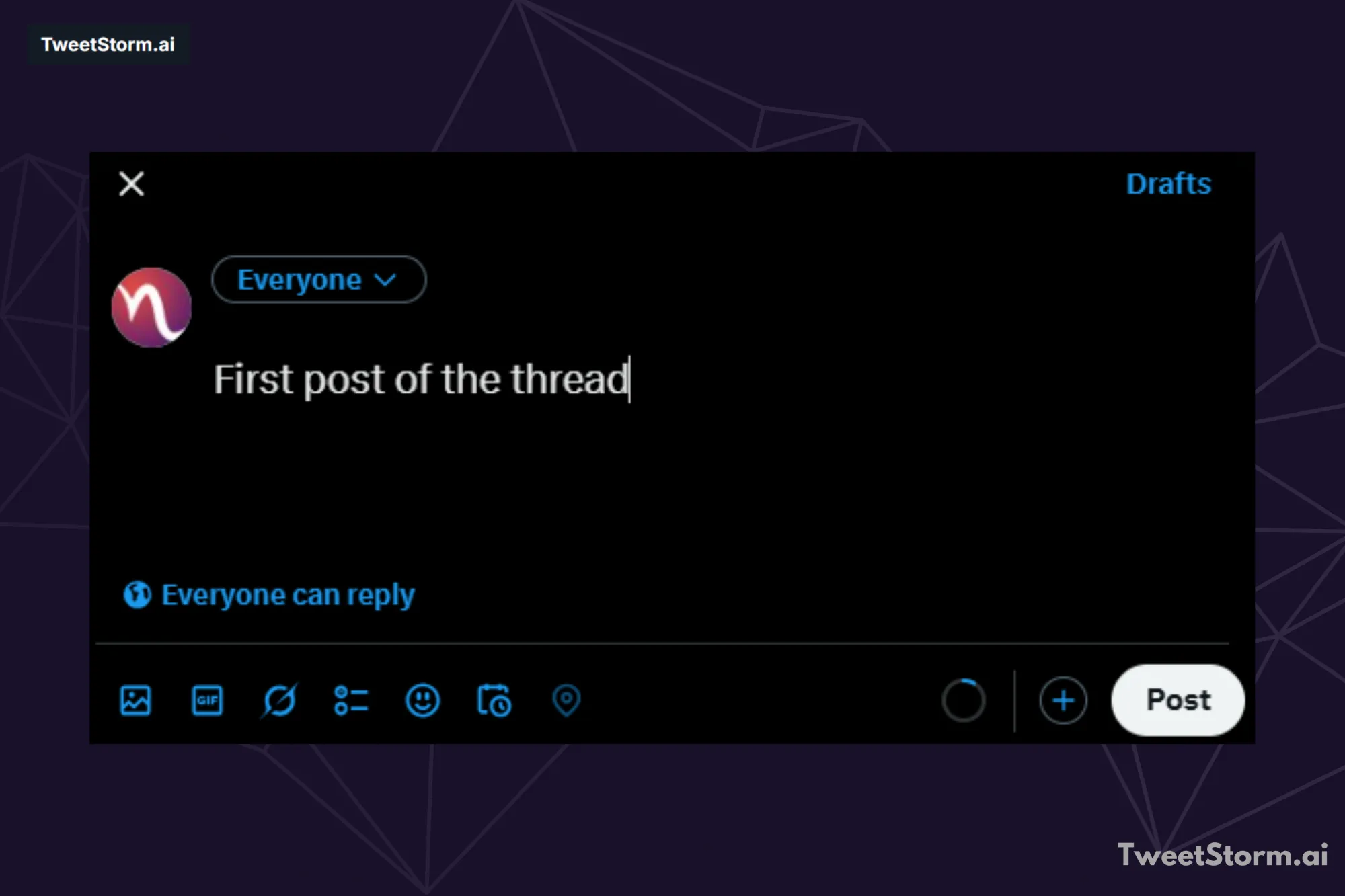
2. Add a new tweet by clicking the + button
To add another tweet before posting, select the "+" button located below your current tweet.
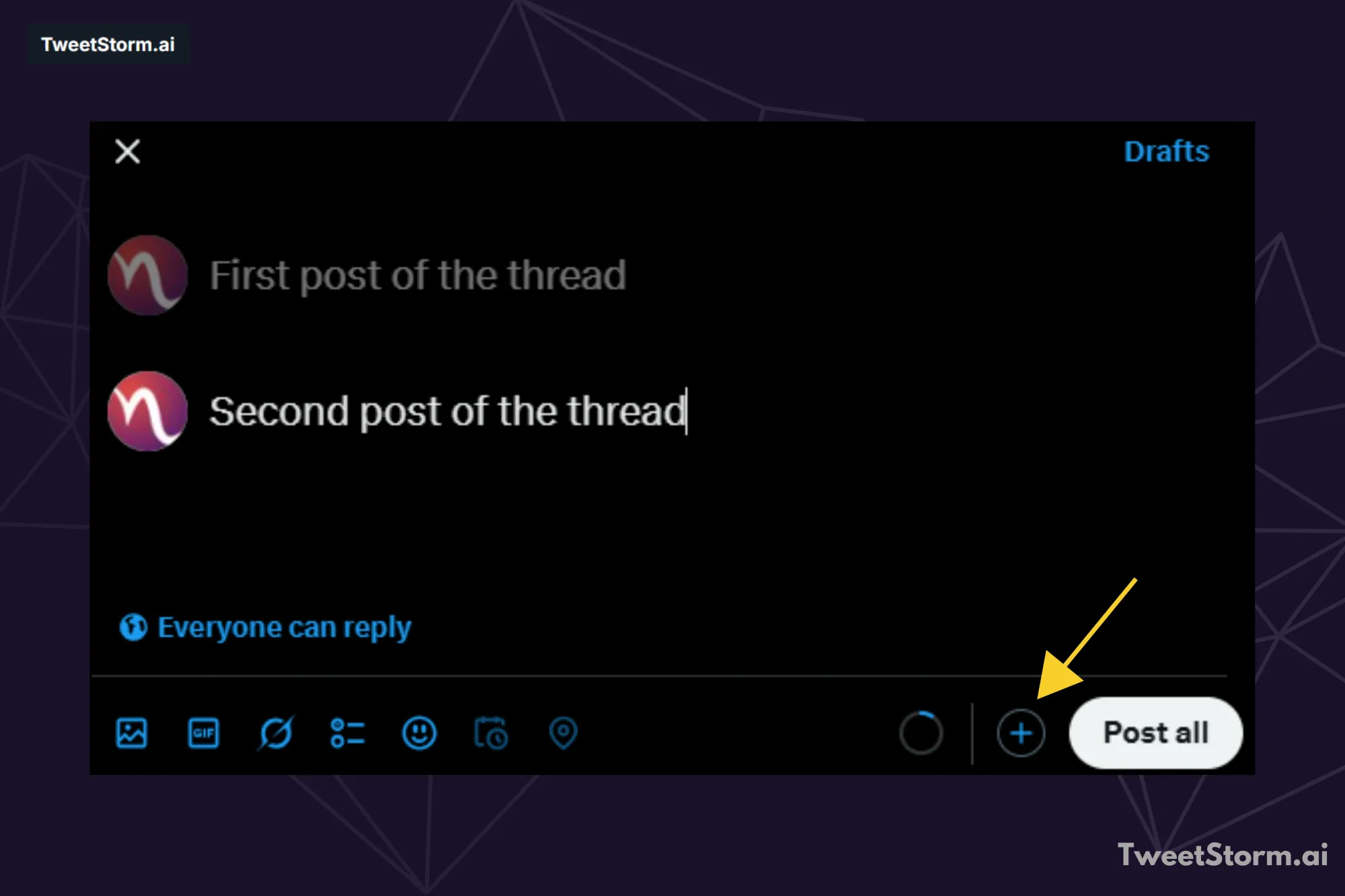
Continue this process for the necessary number of tweets.
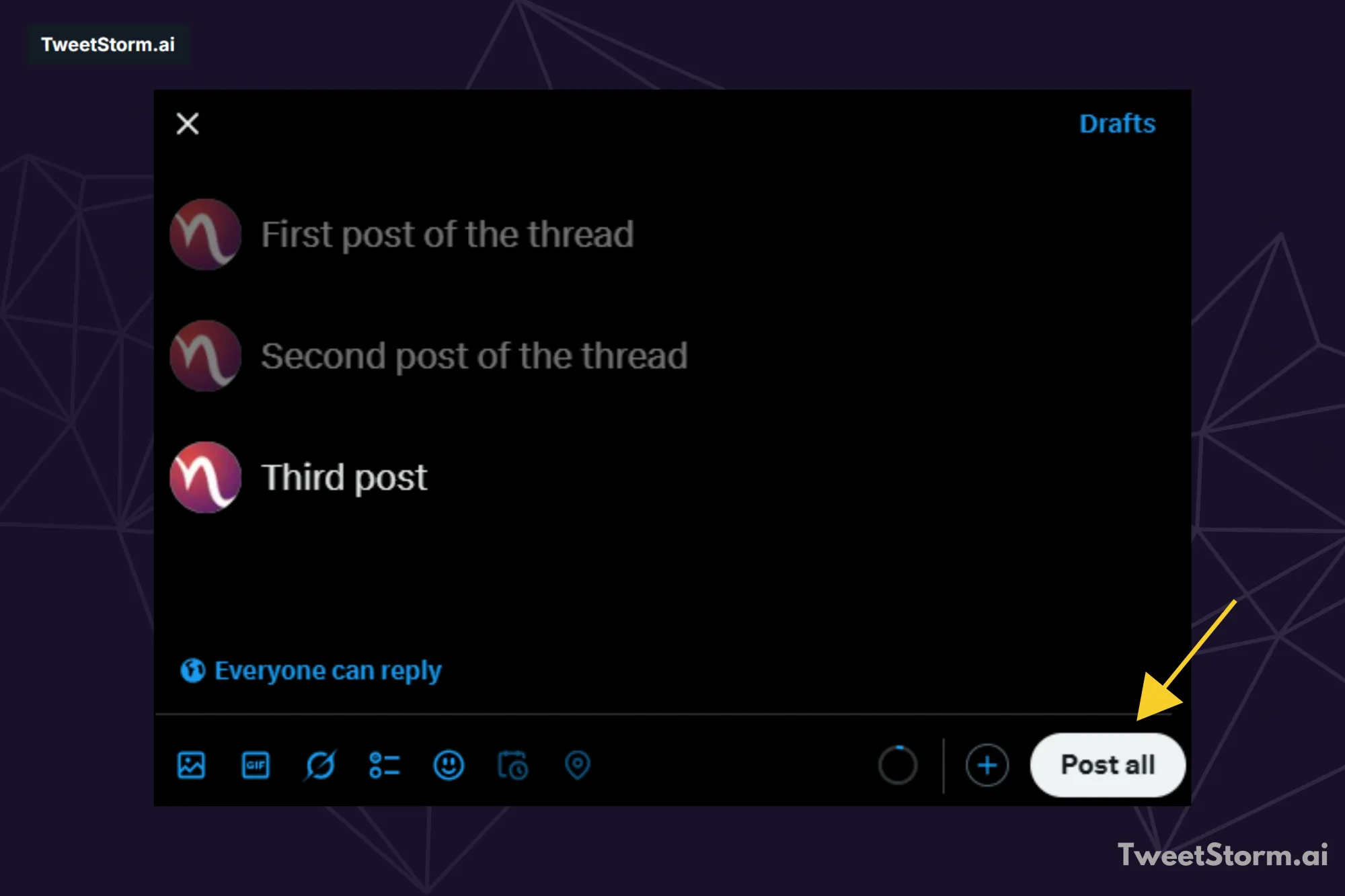
3. Go live with the thread
When your tweets are finalized, select "Post All" to publish the complete thread.
To add new content to an existing Twitter thread, simply reply to the last tweet in the series.
Deleting a post within a X/Twitter thread
To delete a specific post within a Twitter thread, follow these steps:
- Locate the individual tweet in the thread that you wish to remove.
- Click the "More" icon (represented by three dots) on that tweet.
- Select the "Delete" option and confirm the action.
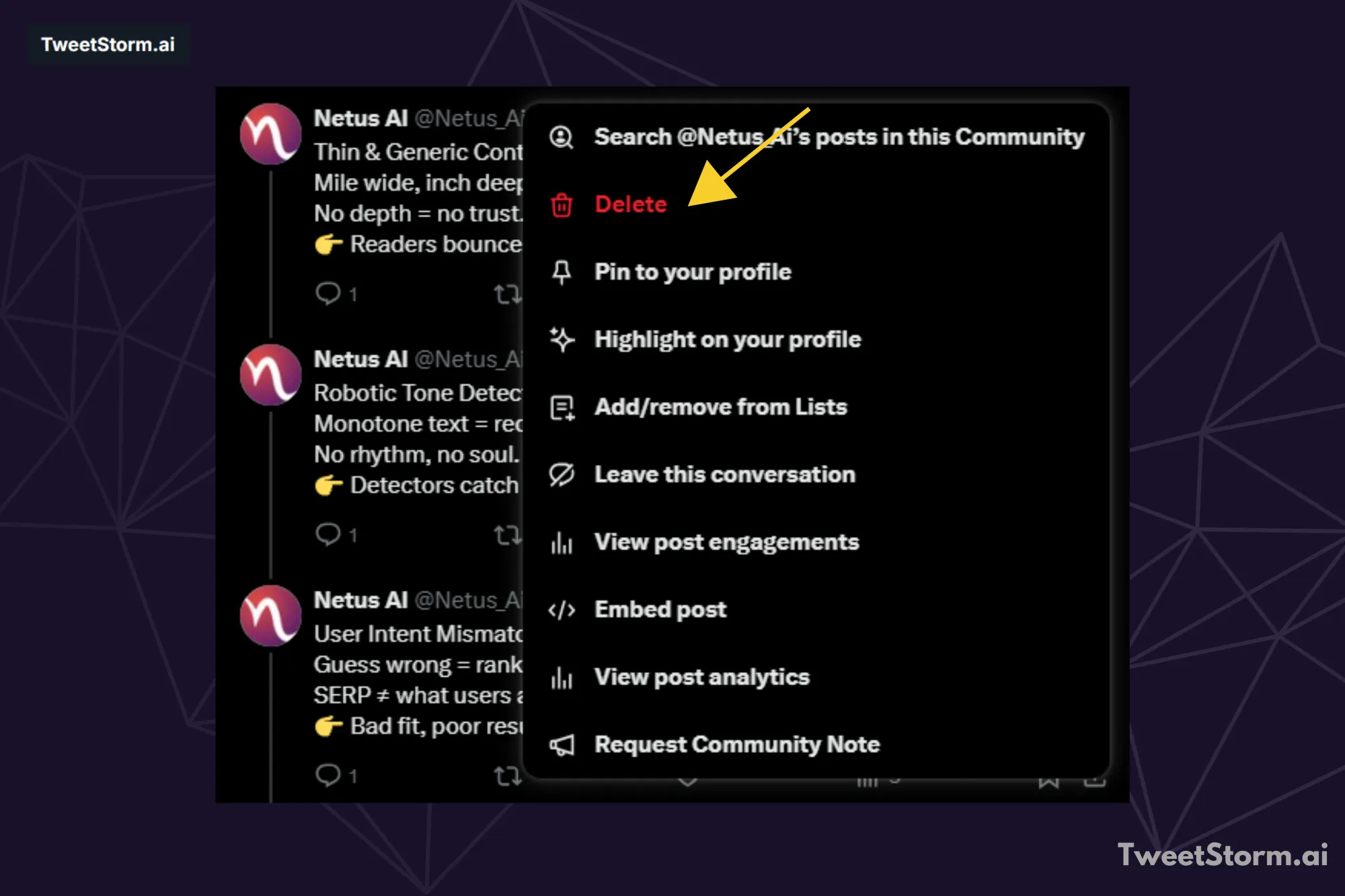
Although the deleted tweet will no longer be visible, the remainder of the thread will remain intact.
How to create successful Twitter threads?
Want to create impactful X/Twitter threads? This guide provides actionable tips and examples to help you stand out and build a personalized timeline.
Here are 7 tips for viral threads on X/Twitter:
1. Start with a compelling hook to instantly engage the reader
The hook (first tweet) is the thread's headline. Make it bold/intriguing to grab attention. E.g., "You’re doing Twitter threads wrong. Here’s how to fix it!"
2. Guide readers through your thread by using numbers
Numbered threads (e.g., "5 ways to...") offer clear structure. Each tweet should cover one linked idea (hook to visuals, etc.). See NetusAI for an example.
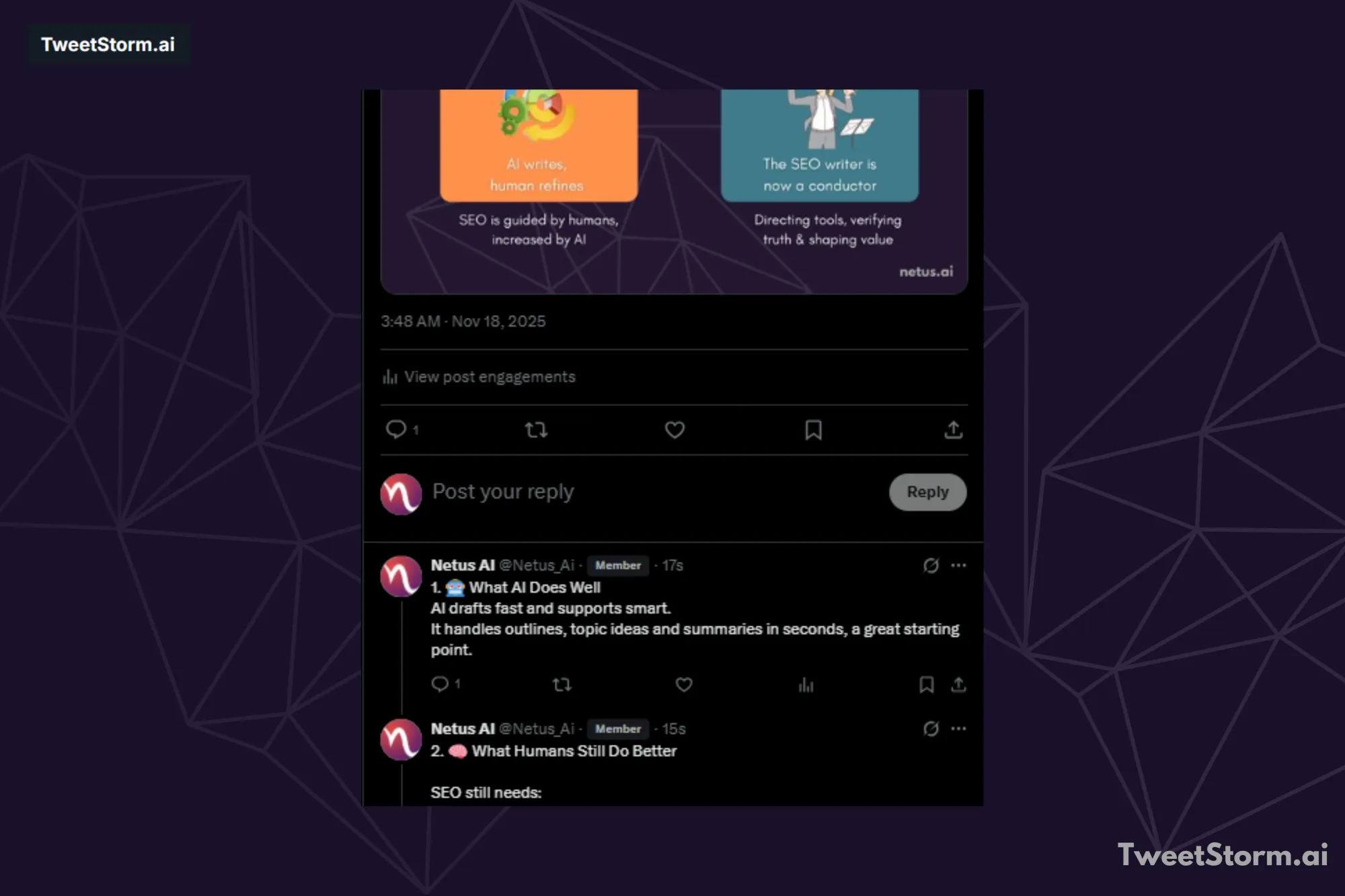
Numbering ideas boosts engagement. After publishing, include a call-to-action inviting comments or shares.
3. To increase the engagement of your threads, incorporate images, GIFs and videos
Use visuals (images, GIFs, videos) in long Twitter threads to maintain engagement and clarify points. Memes, infographics or poll-style images work well (like Oreo's).
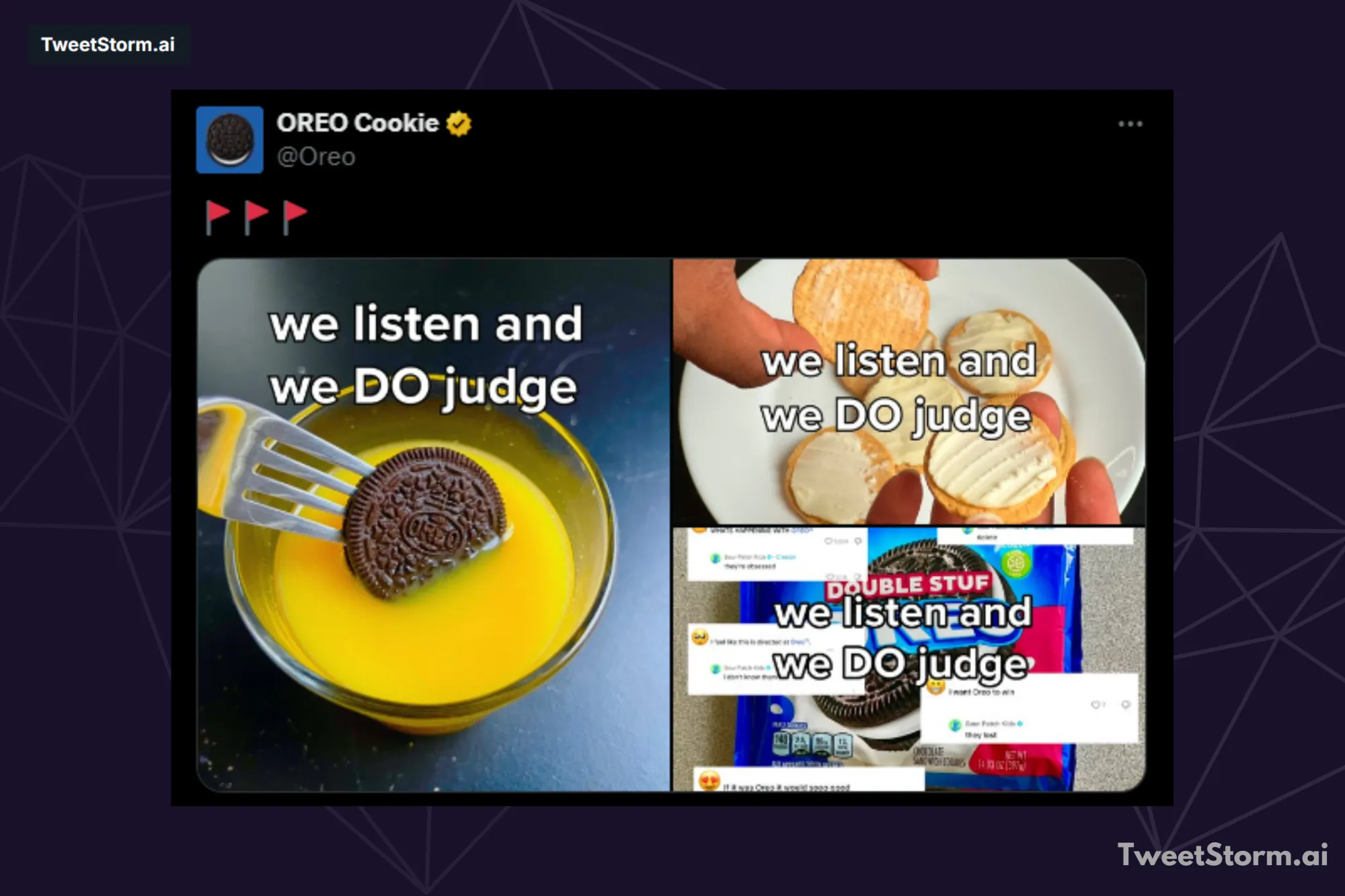
Engaging text combined with relevant visuals increases impressions, resulting in higher shares and replies.
4. Connect tweets with storytelling
Good Twitter threads follow a narrative: state the problem/question in the first tweet, then use subsequent tweets to develop the answer or resolution. This structure keeps readers engaged. For example, IndexPlease.
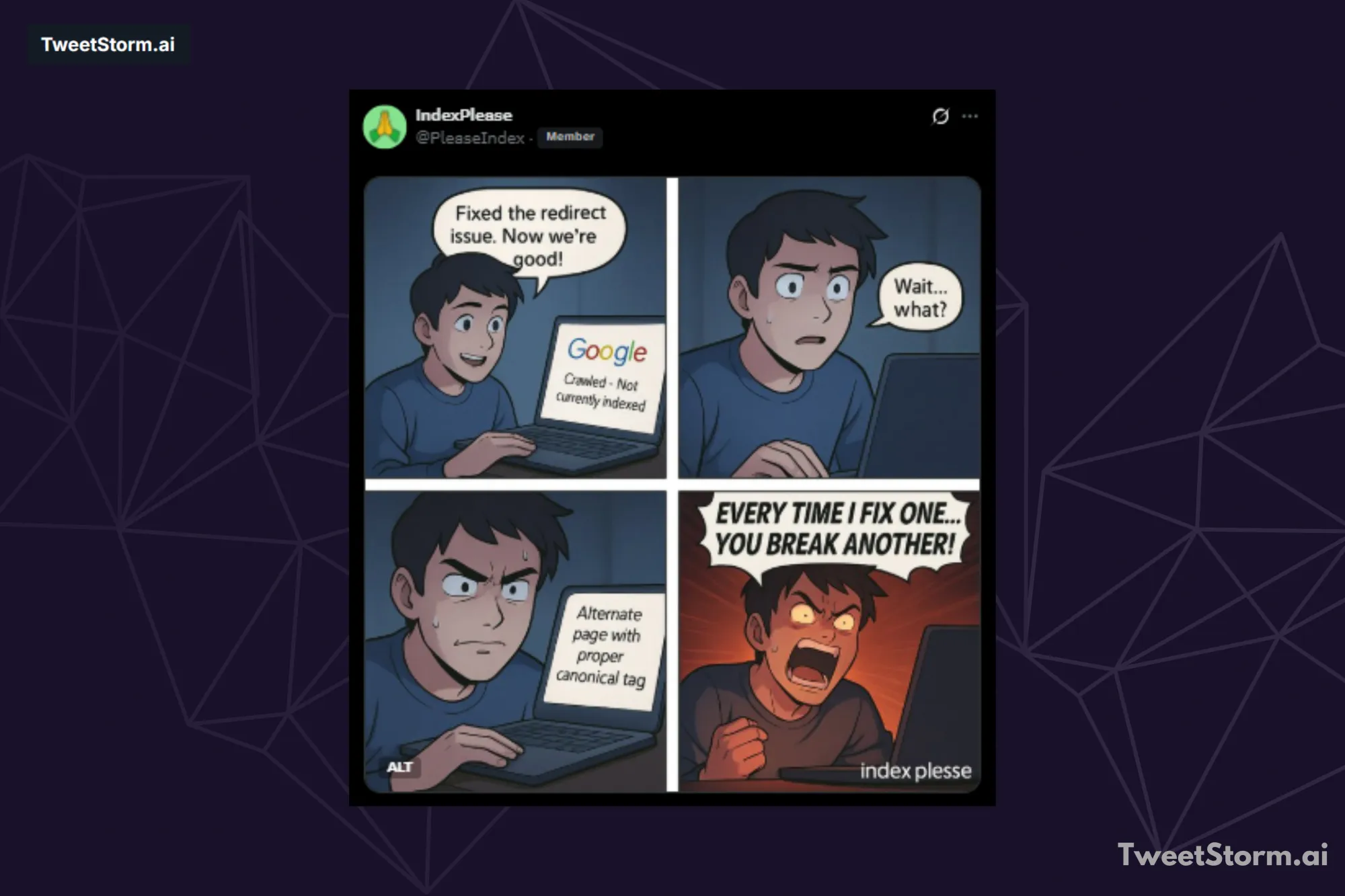
A good thread flows, not just tweets. Fancy graphics aren't required, a story-like approach keeps people engaged.
5. Schedule your threads to be posted when your target audience is most engaged
The thing is, getting the timing right for your threads on X can really boost how visible they are and how well they do overall. People tend to miss out if you post when no one is paying attention. Even solid content ends up flopping in those cases.
Key timing insights:
- Audience activity: You need to figure out the best times when your particular audience tends to be online. Professionals usually scroll through their social feeds right around lunchtime. Other groups often get more involved later on. Evenings work well for them.
- Optimal days and times: Usually, the top times for posting on X, which used to be Twitter, fall during the workweek from Monday to Friday. Engagement peaks in that late morning to early afternoon window, pretty much from 9 AM right up to 3 PM.
6. Respond actively to comments within your discussion thread
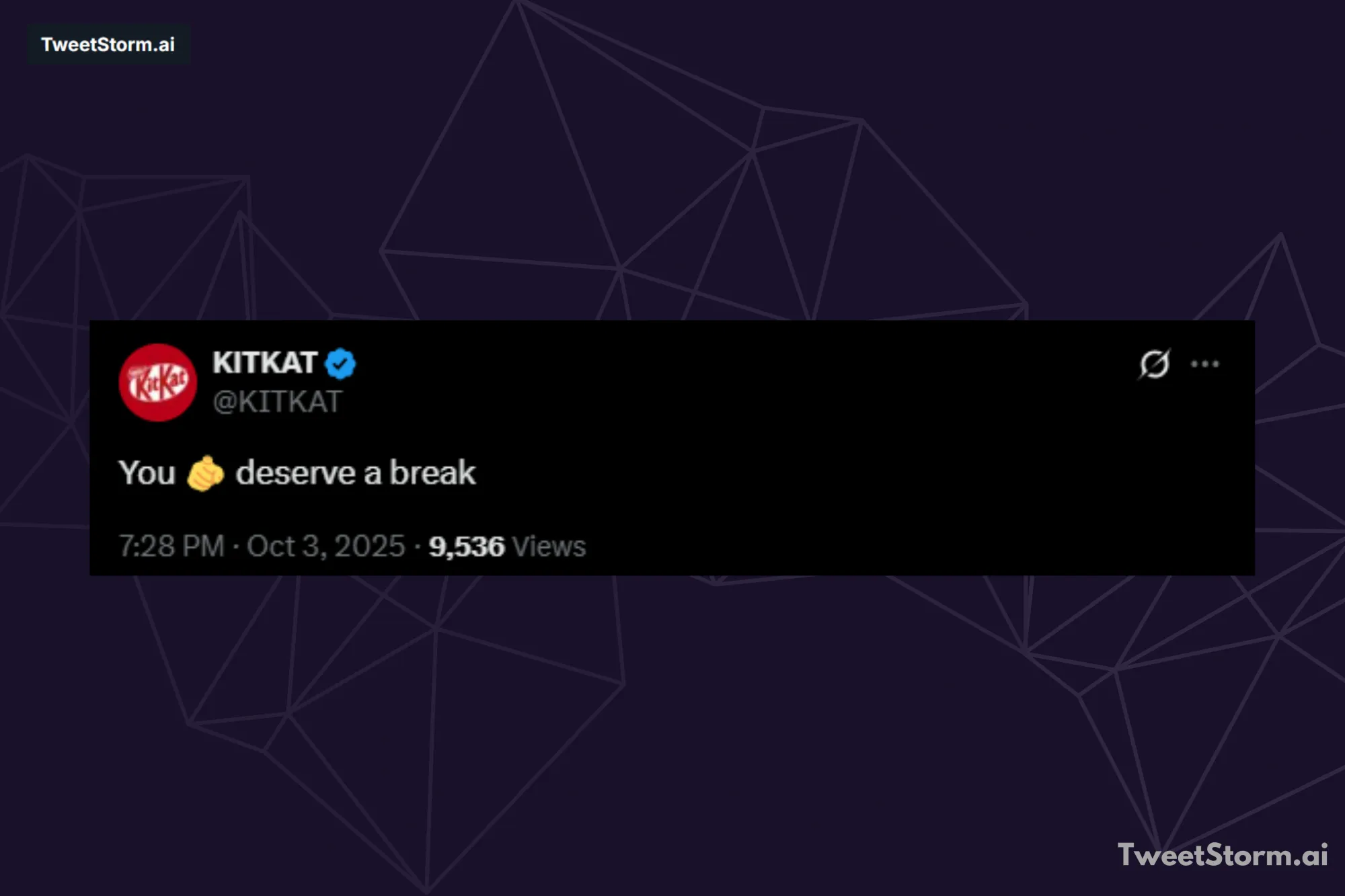
Don't just post a thread; engage in the replies. Answering questions is key, but playful replies, like KitKat's jokes, maintain momentum and encourage more engagement.
View these interactions as chances to befriend new followers, connecting with them personally rather than as mere users.
7. Short tweets: One idea per thread
Keep your X/Twitter thread clear, concise and easy to read. One idea per tweet, logical flow, simple language and each tweet should function independently while advancing the main narrative.
Leveraging AI for thread creation and engagement
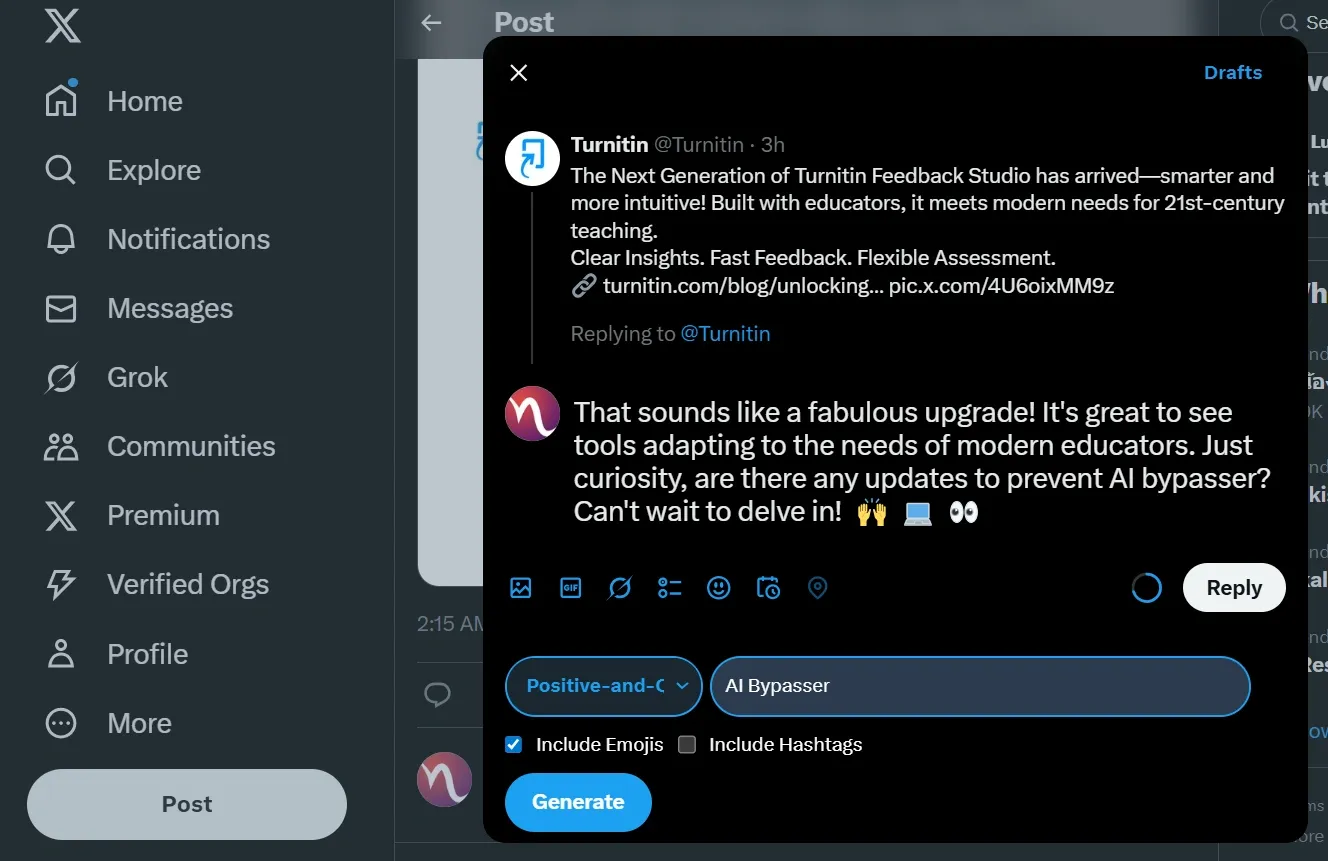
Creating high-quality, engaging Twitter threads consistently can be time-consuming, but tools like TweetStormAI can significantly streamline the process.
TweetStormAI's AI tweet generator is designed to help users quickly draft compelling content, making it easier to implement the best practices discussed, such as writing a strong hook and ensuring each tweet focuses on a single, clear idea.
By leveraging the AI to generate well-structured, concise tweets, creators can save time while maintaining the high narrative quality required for viral threads.
Furthermore, the need for active engagement, a crucial tip for success, is addressed by TweetStormAI's browser extension, which includes an AI replier. This feature allows users to quickly generate relevant and playful responses to comments within their threads, helping to maintain momentum, foster connection with followers and keep the discussion alive, all without requiring manual drafting for every interaction.
Final thoughts
A good X/Twitter thread, really pulls together a solid story that keeps people hooked. It goes beyond just stringing out a bunch of lengthy posts. To get it right, begin with something that grabs attention right away.
Throw in some images to help things along. Number your main ideas so they flow clearly. Weave in a personal tale to make it all connect. The thing is, you need a plan for it to work well. Time your posts for when your followers are online and checking feeds. Jump into replies on comments to build that interaction.
Tools such as TweetStormAI make it simpler to create posts and increase interactions. They handle the drafting part pretty well. Threads that work effectively let you grow your audience, show your expertise and form stronger connections with people. You can go beyond those tight character restrictions.
FAQs
What is an X/Twitter thread?
People often use threads on X, the platform formerly known as Twitter, to link up several separate tweets into one bigger piece. This setup lets users put out longer material, like in depth breakdowns or full stories and guides, without running into that usual 280 character cap on just one tweet.
How do I start a new thread on X/Twitter?
You start by putting together your very first tweet. After that, you click the plus button sitting right below what you have written so far. This lets you add the next tweets to build out the full thread. You handle all of this before you finally publish the entire thing.
How do I publish a complete thread?
Once you finish writing every single tweet in your series, go ahead and pick the Post All option. That way, you can get the full thread out there all at the same time.
Can I add more tweets to a thread after I've published it?
Yes. If you want to add fresh content to a thread that's already live, just reply straight to the final tweet in that published lineup.
What is a key strategy for making a thread easy to follow?
People often suggest turning to numbers for laying out ideas in writing. For instance, something like 1. Idea one, 2. Idea two. That approach helps guide folks through the material step by step. It adds a bit of structure right where it's needed. In the end, everything comes across clearer for readers picking it up.
Newsletter
Never miss a post
One email a week with everything new on the TweetStorm blog.