X/Twitter video posting guide
Ejaz Ahmed
29 Dec 2025 | 6 min read

Video content is generally recognized as being short form content than other forms of social media posts across various platforms.
Video shows up a lot on sites like Instagram and Facebook already. X, the one that was Twitter before, has gone through a pretty big growth in video stuff lately. Take video views on Twitter for example. They jumped 62 percent from 2019 to 2020.This guide will cover the essentials: How and why you should be posting videos on Twitter (now X)?
The importance of video content on X/Twitter

Benefits of Sharing Videos on Twitter/X:
- Diversify your content stream.
- Communicate more extensive messages (videos bypass the standard character limit).
- Boost overall engagement.
Video breaks up content, jumps out, and auto-plays as users scroll.
They're a clever way to bypass the character limit. X/Twitter videos have a maximum length of two minutes and twenty seconds. That seems pretty short on the surface. In the fast pace of social media though, it ends up feeling like a long stretch.
Posting videos on Twitter/X can boost your engagement metrics quite a bit. Things like impressions go up as a result. This enhances your social media marketing in general.
Video is a powerful engagement tool on X, formerly known as Twitter, and the data supports this:
- Tweets that include video currently achieve 10 times more engagement than those without.
- Users consume 2 billion videos on the platform every day.
- X has hosted over 1,300 live-streamed events, with 80% of them reaching a global audience.
Are videos effective on X?

Videos up to 2:20 (MP4 or MOV) auto-play in feeds (without sound).
Supported video formats for X/Twitter
Twitter/X accepts MP4 or MOV videos. People run into upload errors that say "your media file could not be processed".
Those messages usually point to the video being too long or not in the right format. You might need to export it properly using some editing software. Mobile-shot videos tend to work without any trouble already.
Twitter video duration limit
Twitter video specifications
- Maximum length: 2:20 (two minutes and twenty seconds)
- Recommended length: 15 seconds
Maximum length: 2 minutes, 20 seconds. Recommended: ~15 seconds. Videos 60 seconds or less will loop.
Can I upload a video that exceeds two minutes in length on X/Twitter?
Right now, users cannot upload videos that go beyond the two minute twenty second maximum. That's the current limit they have to stick with.
Uploading videos to X (formerly Twitter)
You have 4 different options for sharing a video to X, formerly known as Twitter:
- Record
In-app X/Twitter video recording is quick and easy but sacrifices quality and options. To record, open X, tap the photos button in the Tweet composer and "record."

- Import
Record and edit video on mobile (phone/iPad). Select from your recent videos when tapping "photos" in the Tweet composer.
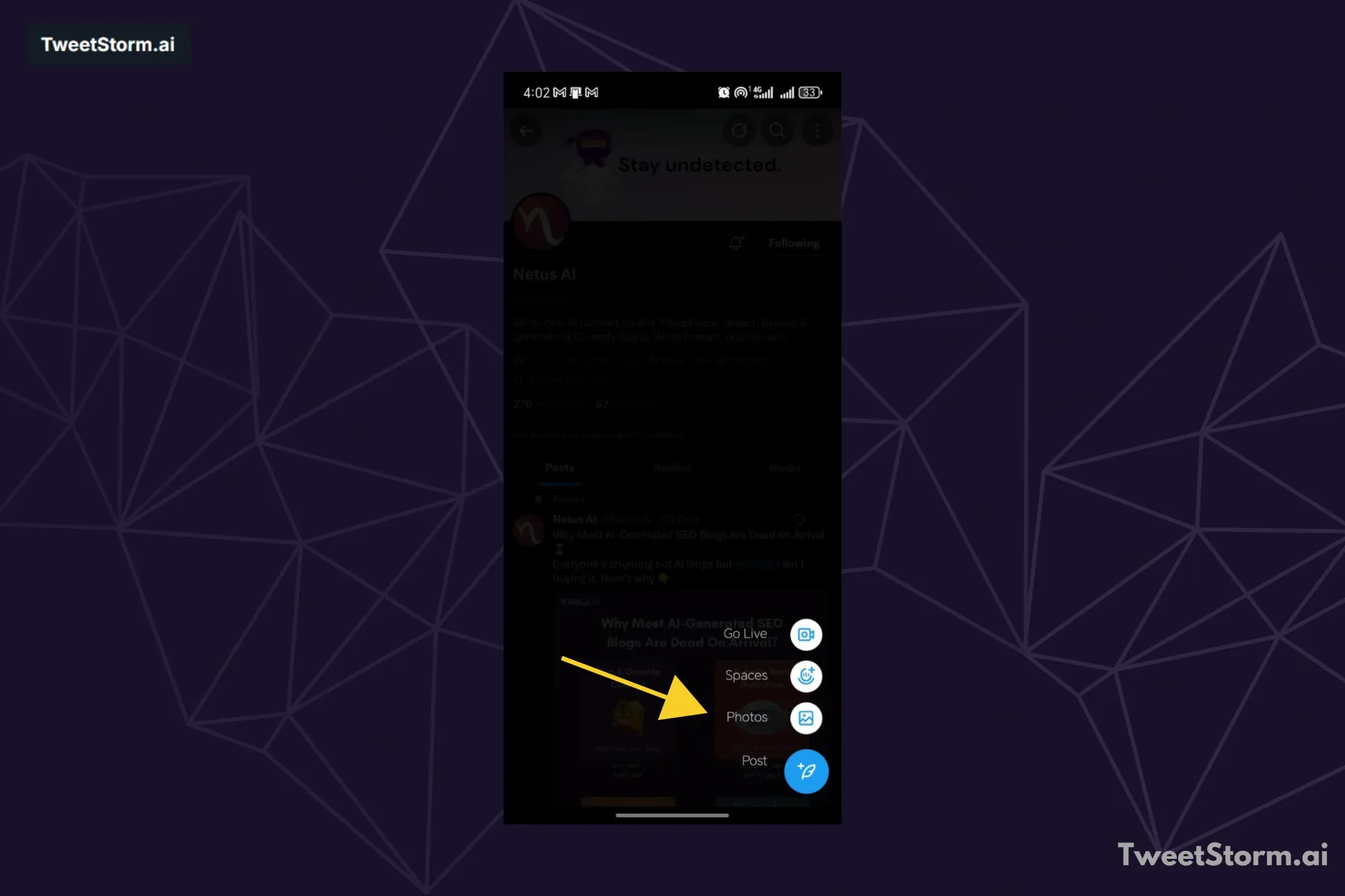
- Upload
To upload a video, choose “Post" from your photo app on mobile. The X/Twitter app will open, allowing you to compose your Tweet.
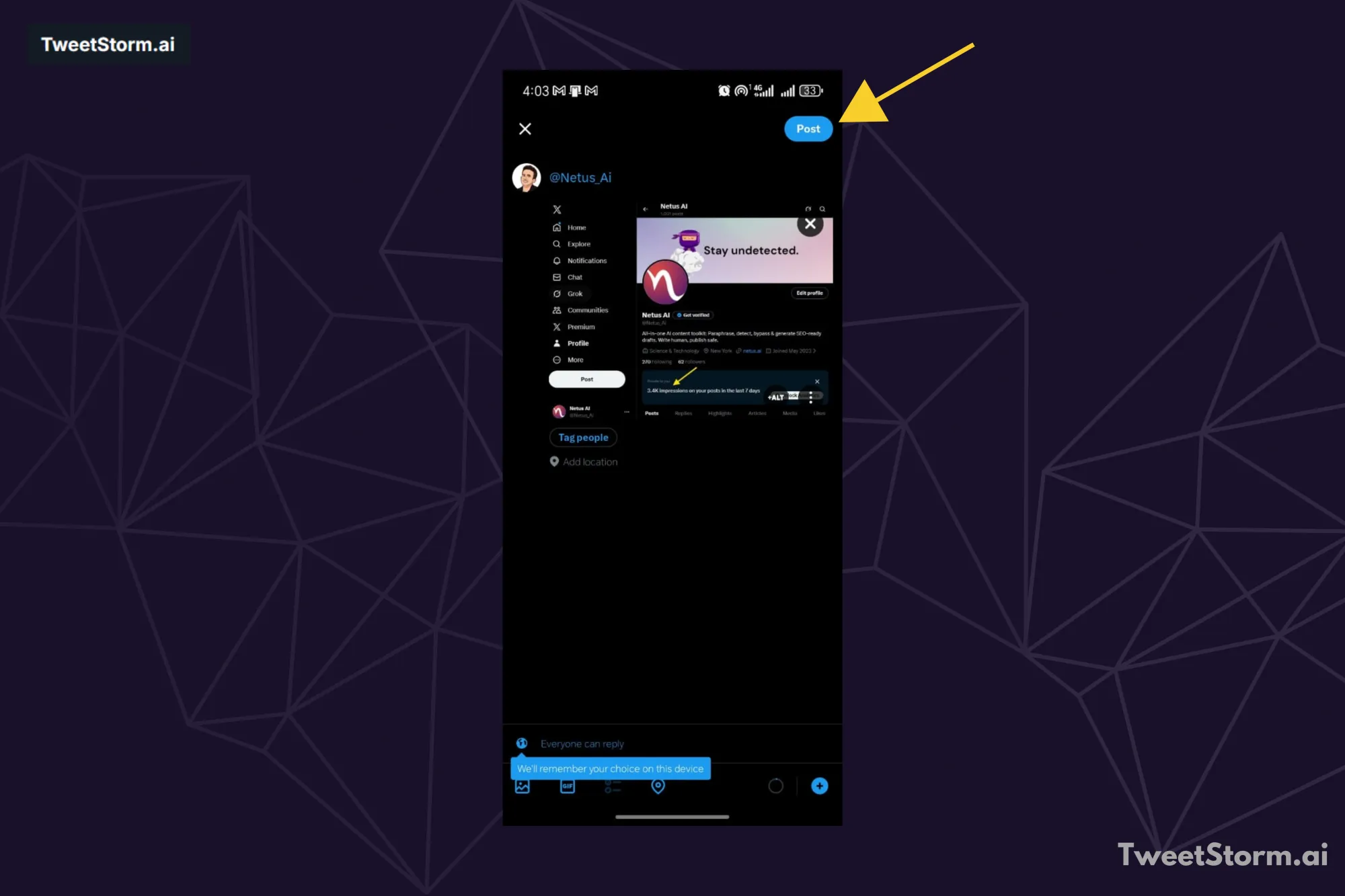
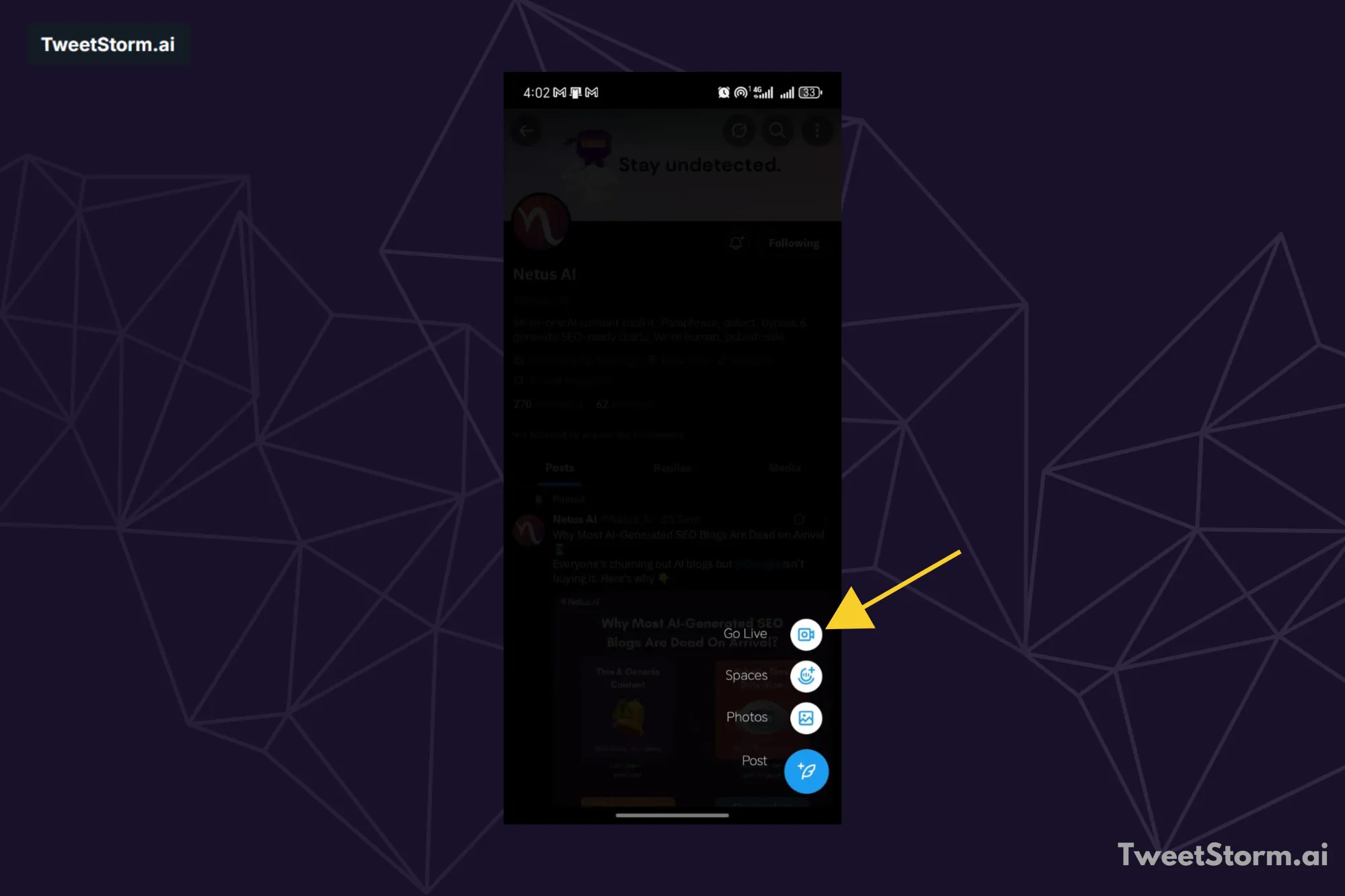
- Twitter live
X/Twitter now supports Live video, accessible via the camera icon in the Tweet composer.
(Source: Twitter Help Center)
Twitter videos: Best practices
What can you do in 2 minutes to captivate and engage scrollers? Here are 4 key best practices for X/Twitter video content.
- Design for silent viewing
Use captions and clear visuals since videos on X/Twitter are muted by default. Avoid busy or complex visuals. - Ensure your logo or product is visible within the initial 3 seconds
Be clear, concise, and attention-grabbing to stand out. For example, Tesla Europe & Middle East.

-
Copy/text for the post should be brief.
Keep video post copy short (13% higher recall). Use emojis for visuals. Use strategic hashtags for discoverability.
- Broaden your definition of “video”.
Twitter videos for ads or promotions don't need to be complex or have sound. Videos 60 seconds or less loop.
Are X/Twitter video viewers visible?
Video view counts are visible, but individual viewer names or handles are not, for you or other users.
Downloading X/Twitter videos
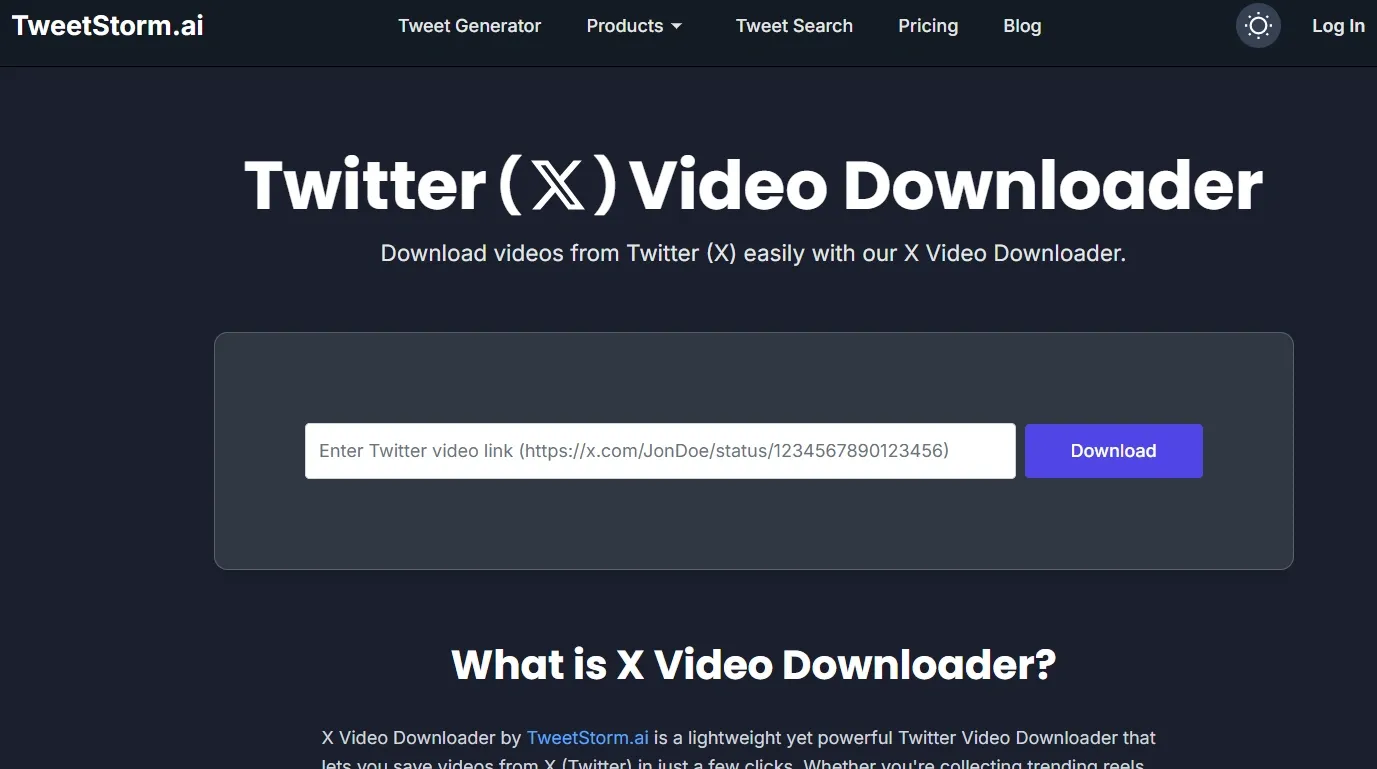
While Twitter/X doesn't offer a native way to download videos posted by other users, the TweetStorm.ai’s X/Twitter Video Downloader provides a simple, fast solution to save video content directly to your device.
The tool allows you to:
- Archive content: Save trending clips, campaign videos, or research insights from favorite creators for offline access and trend study.
- Repurpose media: Download clips for quoting, editing, or repurposing into your own content (ensuring proper credit is given).
- Save in high quality: Get clean MP4 files in top available quality, supporting high-definition downloads.
- Use watermark-free: Download videos without any intrusive watermarks.
The process is straightforward: just paste the tweet URL into the TweetStorm, click "Download," choose your preferred quality/resolution, and save the video directly to any device (desktop, mobile, or tablet) without signups or limits.
It integrates seamlessly with the broader TweetStormAI toolkit for a unified content creation and management workflow.
Final thoughts
Brands have to use video content if they want real growth on X, the platform once known as Twitter. You get a handle on its key specs, like that two minute twenty second cap on length and why silent viewing counts so much.
Then you put together stuff that pulls people in deep. It skips right past the old character limits. Plus it can push your engagement stats up by ten times or so.
Keeping up with regular posts and dealing with more interactions from your audience gets pretty tough sometimes. Smart tools step in right there to make things easier. TweetStormAI works to smooth out your whole content process.
It keeps your video plans strong without leaving you wiped out. You could grab videos fast to check out trends using the TweetStorm.ai’s X/Twitter Video Downloader. Or turn to AI tools that create solid text to go with your video shares. It speeds up how you connect with people.
You hold onto your brand style even when scaling up big. Get comfortable with video content. Bring in a solid set of tools like TweetStormAI. Your brand will start doing really well on X.
FAQs
Why should I post videos on Twitter/X?
Video content pulls people in pretty well. It manages to get up to ten times more engagement than tweets that skip the video part. Videos also help mix up your overall content. They let you share longer messages without hitting the usual character limits. On top of that, videos start playing right away as users scroll along. All this really lifts your total engagement and impressions.
What is the maximum length for a Twitter/X video?
The maximum video length is 2 minutes and 20 seconds (2:20).
What video formats does Twitter/X support?
Twitter/X supports MP4 or MOV video files.
Are videos effective on Twitter/X?
Yes, videos turn out to be very effective for social media. They auto-play right in the feeds, and tweets that include video get significantly higher engagement. This means about ten times more interaction compared to tweets without video.
What is the recommended length for a Twitter/X video?
They suggest aiming for about 15 seconds in length for the video. Any video that runs 60 seconds or shorter will loop automatically.
Since Twitter/X videos auto-play silently, what is the best practice for design?
The best practice is to design for silent viewing by using clear visuals and captions. You should avoid busy or complex visuals.
How can I download a video posted by another user on Twitter/X?
Twitter/X does not offer a native download feature. However, tools like the TweetStorm.ai X/Twitter Video Downloader can be used to save the video content to your device.
Should my logo be visible in the video?
Yes, a best practice is to ensure your logo or product is clearly visible within the initial 3 seconds to immediately capture attention and establish branding.
Newsletter
Never miss a post
One email a week with everything new on the TweetStorm blog.