Advanced Twitter search vs. X search: What’s different now, and what is still useful?
Ejaz Ahmed
11 Feb 2026 | 6 min read
The platform previously called Twitter, now named X, changed drastically after it was bought.
Most visible shifts are the logo and title, but also some important changes happen with the main features, such as how to work with the platform. For users who use the Advanced Twitter Search feature a lot, marketers, journalists, and researchers, it is essential to understand what’s altered when going to X Search.
This instruction covers the main differences, the functionalities that you have lost and those that have changed, and most importantly, which search operators are still working properly in X now.
Rebranding movement: From Twitter to X
The movement from Twitter to X is not just about external looks. Its intention is to build an “everything app.” While this idea is not finished yet, the setup that powers features like search is updated over time, and some of these changes make an impact on how advanced search results work.
In older Twitter, advanced search was respected for many filtering options, letting users delve deeply into the platform to find information by date, reaction numbers, specific profiles, and even mood types.
What changed when moving to X search?
Even though X kept the main parts from the previous search system, some critical zones have changed or do not show the same consistency.
Naming system and user interface
The clearest difference is in the use of words. Every spot saying “Twitter” about search or filters has now been switched to “X” or just general terms. The Advanced Search page with a direct link can still be found, but how easily it is found or opened is not always reliable for every device or application version.
Search result ranking and trustworthiness
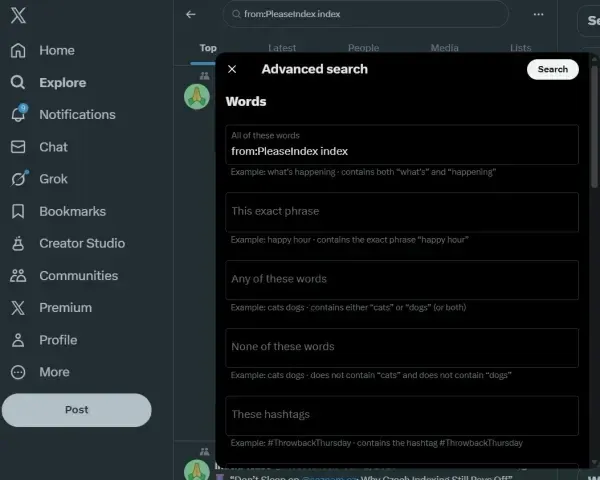
After the rebrand, many heavy users report that they have noticed changes in how relevant and ordered the search results appear.
Algorithm focus
The default search (particularly the “Top” tab) seems to prefer profiles that have more reach, are verified, or are highly active, which may push smaller or new profiles down, even if you pick specific keywords.
Chronological feed stability
Date filters like since: and until: work, but the “Latest” tab sometimes does not show results ordered strictly by time as before on Twitter.
Filters and special operators
Most search operators kept working; some rare or unsupported operators may break or quietly stop functioning.
What is still working: The main advanced search operators used in X
Luckily, almost all of Twitter’s best advanced search operators remain and work well in X. Using these operators is key to finding accurate information with less distraction.
Category | Operator | Function | Example |
1. Keyword and Phrase Matching | “exact phrase” | Only finds content with a precise phrase match. | “global warming solutions” |
word1 OR word2 | Returns posts with either word shown. | Musk OR Tesla | |
word | Ignores results which have word. | iPhone – Apple | |
keyword list: list name | Limits search only to tweets by members of a list. | marketing list: tech journalists | |
2. Accounts and People Filters | from:@username | Selects tweets sent by an account. | from:@NASA |
to:@username | Shows tweets that reply to or mention the selected account. | to:@SupportAccount | |
mentioning: @username | Shows tweets that mention a specific account. | mentioning:@Gemini | |
retweets | Puts retweeted posts in search results (usually included). | from:@newsaccount retweets | |
3. Engagements + Content Filters | min_faves:N | Picks tweets that have at least N likes. | AI min_faves:1000 |
min_retweets:N | Picks tweets with no fewer than N retweets. | breaking news min_retweets:500 | |
min_replies:N | Find tweets with high replies (minimum N). | debate min_replies:20 | |
filter:media | Shows tweets with images or videos posted. | product launch filter:media | |
filter:links | Selects tweets that include external links. | report filter: links | |
filter:news | Only tweets tagged as news. | filter:news | |
filter:safe | Leaves out content that may be sensitive. | filter:safe | |
4. Date/Time Specific Searching | since:YYYY-MM-DD | Finds tweets from or after the given date. | mars rover since: 2024-01-01 |
until:YYYY-MM-DD | Finds tweets from on or before a certain date. | election until 2023-11-30 | |
5. Tone/Mood Operators | :) | Finds tweets where a positive smiley is seen. | New service :) |
:( | Finds tweets showing a sad face. | Customer support :( | |
? | Searches tweets that have a question mark. | Travel plans? |
Method for getting the maximum out of X search
To achieve maximum effectiveness now with X search, use a mix of tactics.
Starting with the UI (best for basic searching)
For searching simple keywords, use the search bar and filters in the native Advanced Search box. Using it is the fastest way to apply date and user filters easily.
Refining by operators (for greater precision)
When you get basic results already, manually enter advanced operators straight into the search bar. Good for min_faves:, list:, and if you want complex OR combinations.
Double-check date orders
For checking specific events, flip to the “Latest” tab and strictly use the since: and until: filters, so you are sure the algorithm didn’t hide important low-visibility posts.
Mind data shortages
Know that data storage policies and API rule changes could make it hard to pull old or very viral tweets reliably.
To sum up, although the platform's name and brand have shifted, Advanced Twitter Search (now named X Search) still keeps its essential setup and works efficiently. Your real power comes from knowing which operator to use and carefully adding them to guide yourself through the platform's huge amount of content.
Increasing X search power with X/Twitter management tools
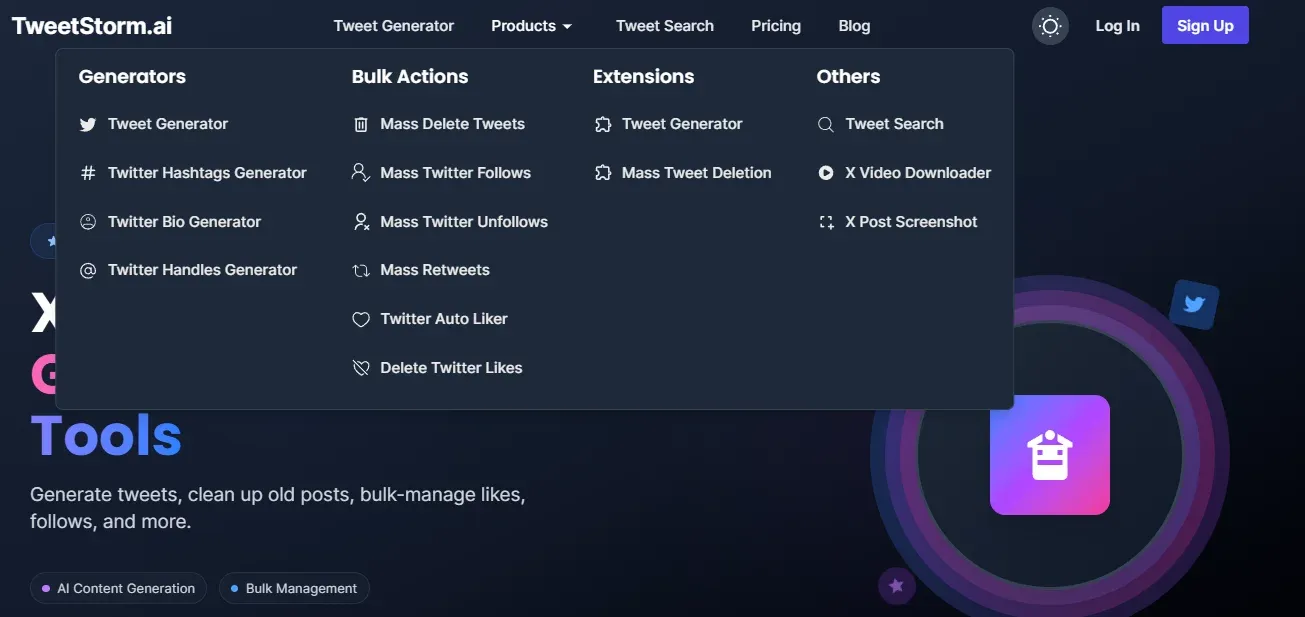
Even though knowing advanced search operators is important, using external instruments can improve the efficiency and depth of your X (original Twitter) search.
Tools provided by TweetStorm become very effective together with advanced search, even if a few options actually relate to the search itself.
Feature | Benefit |
This tool provides a user experience that is more friendly and offers extra features beyond the standard X Advanced Search interface, making complicated operator combinations easier to handle and providing access to past saved searches as well. | |
Sometimes marketers must “clean” test accounts or profiles that were used to collect data. Removing a large quantity of unrelated tweets ensures that future searches of those accounts will be cleaner. | |
Managing targeted followed accounts is very important. Removing unrelated followed accounts helps preserve integrity. |
Final reflections
Although the platform's name changed to X, core strengths with Advanced Twitter Search still lie in advanced search operators such as min_faves: and since:. Even though the UI and ranking algorithm bias (which pushes "Top" results to priority) have changed in different ways, operators are still important, particularly for professional users like journalists, marketers, and researchers, for bypassing some bias and navigating content more effectively.
Third-party solutions, like Tweetstorm, add X Search by providing a better user experience for complicated searches, and users may access saved searches plus important management options for accounts, such as bulk actions like mass delete for clearing "test accounts" and mass unfollow to maintain purity in searches that depend on followers/following lists.
FAQs
What makes Advanced Twitter Search and X Search different?
The biggest difference is that there is a major change in branding (Twitter vs. X) and changes to the user interface, plus an increased algorithmic focus. Even though core search operators remain mostly in use, X’s result ranking (especially the "Top" tab) now shows more accounts with higher reach or verified status, which causes visibility issues for smaller account profiles.
Is the advanced search feature completely gone from X?
No, the advanced search feature is not fully removed. Most advanced search operators still function, although advanced search pages are sometimes not reachable on certain devices and application versions.
Are previous search operators (like since:, min_faves:, from:@username) still usable in X?
Yes, most of Twitter’s advanced search operators still function in X. These are necessary to get more precise results in search.
Which particular operator for advanced search now works poorly or not at all?
The operator for location accuracy, geocode, was very hard to use and now reportedly does not work properly, possibly due to limitations with privacy regulations and less available data.
How does the change in search result ranking appear on X when compared to Twitter?
By default, search (the "Top" tab) in X gives priority to content from very active, verified (validated), or much higher-reach accounts. That may push posts from smaller profiles with less exposure further down. Even the "Latest" tab does not always sort results solely by time, as it did in the past.
What is an advised way to achieve a better outcome with X Search?
The advised way is mixing several ways: begin with UI filters that are native for simple searches, then adjust results by typing advanced operators (min_faves:, list: or complex mixes) directly inside the search box to raise accuracy. Make sure to check the "Latest" tab also when using date filters.
How do external tools like Tweetstorm raise X Search abilities?
Third-party tools may improve X Search by creating an interface with better usability for building complicated queries, access to more historical results than normal, and also by providing account features like deleting lots of tweets or unfollowing many, so your accounts stay clear for more careful data collection and specific searches.
Newsletter
Never miss a post
One email a week with everything new on the TweetStorm blog.