Maximizing your results with Twitter Advanced Search
Ejaz Ahmed
12 Feb 2026 | 5 min read
X, which was previously Twitter, has an Advanced Search that works more effectively for finding specific keywords, user accounts, types of engagement, and certain dates, going beyond the ability of a normal search bar.
With it, marketers can locate specific discussions, monitor their brand, check their competitors' activity, and view sentiment in posts.
Access: Log in to X with the website, click on the Explore icon (a magnifying glass), and then choose Advanced Search.
Mobile: The Advanced Search option can only be accessed through a mobile web browser, not app on phone.
Category | Search parameters |
Filters | Words or phrases, accounts (from, to, with mention), engagements (replies, questions), dates. |
Targeting | Keywords or hashtag, time period (from:YYYY-MM-DD until:YYYY-MM-DD), particular user (@userhandle), location (keyword near:city in:distance). |
Sentiment | Positive (:)) or negative (:(). |
Media | Posts with media (links, pictures, videos). |
Quick wins | Brand name without handle (mention without tag), questions in the industry (? and keyword and replies: 0), competitor activity with engagement filters. |
For tip: You can save common searches to bookmarks so you see them every day. By mastering Advanced Search, you are able to transform your monitoring style with respect to tracking what matters most on the platform.
Methods for getting more value out of X/Twitter Advanced Search
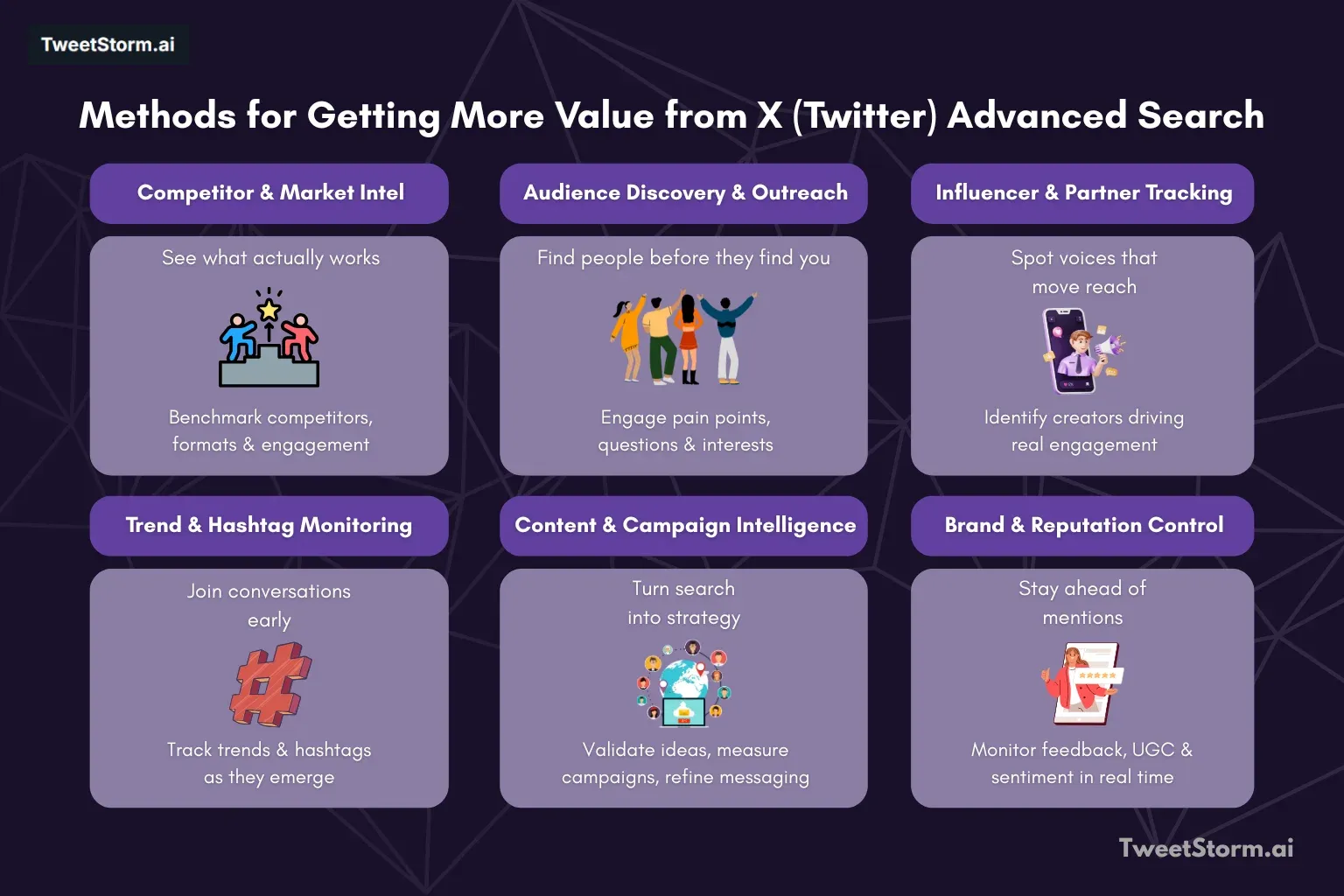
Now that you know how X/Twitter Advanced Search works, the following tactics will let you turn it into a hidden weapon for your business.
Competitor analysis plus creating benchmarks
Make use of X (Twitter) Advanced Search to monitor competitors closely. Analyze tweet posts, engagement rate numbers, and content plans.
Such info offers useful benchmarks for your X performance, helping you identify gaps and opportunities within your methods.
Engagement with the audience, plus doing outreach
The advanced search identifies audience interest, preferences, and pain points.
Engage the audience by talking meaningfully, answering audience queries, and building loyal followings. Twitter engagement rates always improve whenever the audience gets what they want and you engage with people, not just fans or customers.
Finding and working with influencers
You can find influencers from your sector by searching for particular keywords and hashtags. Partner with those influencers so your brand gains more reach and credibility.
Trends and seeing hashtags
Stay up-to-date with new trends and discussions by monitoring fitting hashtags. Engaging in conversations in a timely manner increases visibility to a broader audience.
Getting content ideas and creating them
Find out about content ideas by searching for popular subjects and discussions. These kinds of inspirations give your content calendar new fuel, keeping the audience engaged and informed.
Monitoring your own brand and managing reputation
Protect the reputation of the brand by monitoring mentions of the company and related topics. Responding quickly to both positive and negative comments helps to maintain a good image.
Campaign analysis, assessment
Analyze the effectiveness of your marketing campaign by tracking campaign-specific keywords and hashtags. The success of a campaign requires correct scheduling of execution with analysis, and this is more effective when using the correct tool for analysis and scheduling.
Measure engagement rate, sentiment, and reach in order to adjust X (Twitter) marketing, messaging, and strategies for content.
Search for what people's interests are
Gain knowledge of audience interests through keywords connected to your sector.
Make content and marketing efforts to suit these topics so that you catch the audience's interest.
Make your customer service better
You can provide better customer service by monitoring keywords related to products or services. Attend customer queries, solve user problems, and give exceptional service.
If you know what customers are saying and respond to them quickly (in real time or close to it) when a complaint is made on X (Twitter), this improves customer service and also increases loyalty.
Find user-generated content
See and engage with user-generated material featuring your brand and products.
You can motivate user-generated content creation by acknowledging and celebrating loyal customers.
Always track conversations about the company and its mentions. Attend feedback, give answers to questions, and show commitment to customer satisfaction.
Leveraging external tools: Tweetstorm for enhanced advanced search strategies
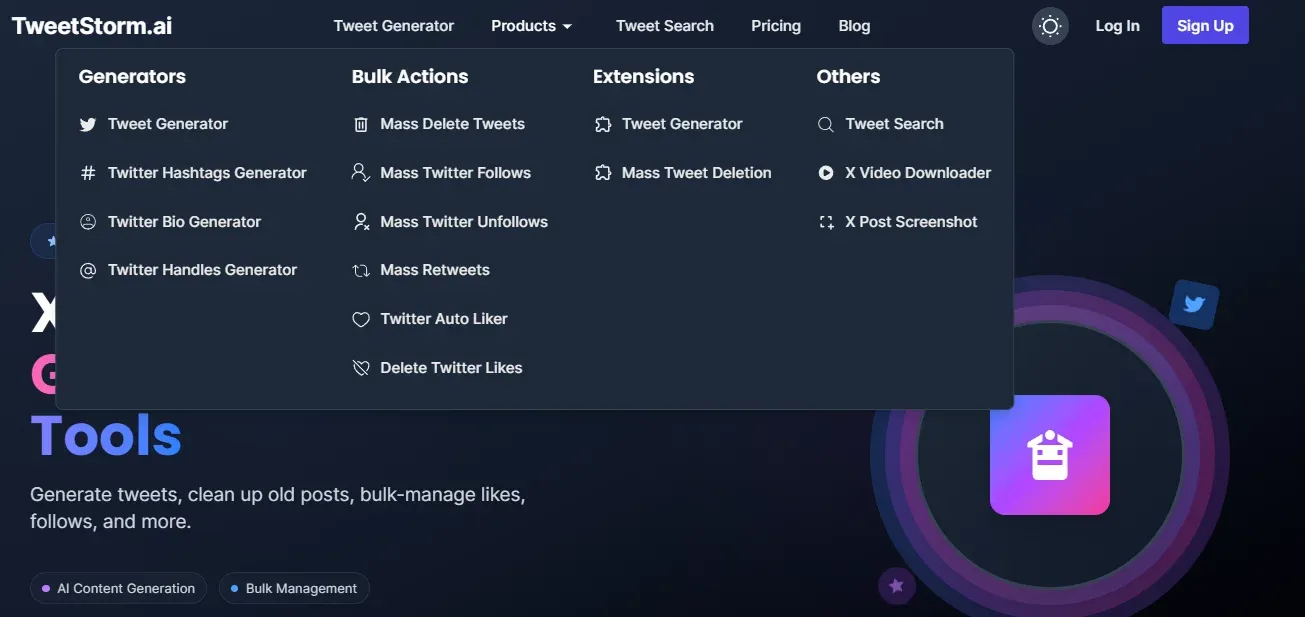
Even though being good at X (Twitter) Advanced Search will provide a strong basis for intelligence on markets and interaction, X/Twitter tools really make it even better, especially when you work on results.
Tweetstorm, along with a variety of features, supports strategies explained before, as it assists users in handling, enhancing, and taking forward the observations produced by Advanced Search.
Related Tweetstorm features
These Tweetstorm features are especially valuable when connected to the strategies made possible by X (Twitter) Advanced Search:
Strategy | Relevant Tweetstorm Feature | What It Does |
Analyzing Competition | Provides an extra and improved searching interface for more complex searches, allowing you to save and track competitor-based searches much better than basic bookmarks in Twitter. | |
Brand Monitoring | Removes fast, old, off-subject, and negative posts found. | |
Better Customer Service | Make feedback and answers from users louder and more positive to highlight commitment and increase transparency. |
Final thoughts
Mastering X (Twitter) Advanced Search changes the platform from an ordinary social feed into real-time market knowledge and engagement tools. You can filter millions of tweets for keywords, creators, emotions, or time frames, which gives an important edge in many major business areas, such as analyzing competitors, finding trends, and taking control of reputation and customer service processes.
Even though the original Advanced Search tool provides an unmatched base, you can increase value further by using outside software together. Tools like Tweetstorm make it possible to manage and optimize large amounts of collected data, and businesses are enabled to act quickly on the insights gained by these methods.
FAQs
What is X Advanced Search on Twitter?
X Advanced Search, previously Twitter Advanced Search, is a tool for finding more specific posts than a simple search bar, letting users search tweets by keywords, phrases, user accounts, engagement levels, dates, and sentiment.
How do you access Advanced Search in X (Twitter)?
To use Advanced Search, log in to the website of X, then click the Search icon that looks like a magnifying glass, and select the Advanced Search option made available.
Can I access Advanced Search inside the X (Twitter) mobile app?
No, you cannot enter Advanced Search directly in the X mobile app; it only opens in the mobile web browser version.
What kinds of filters are usable within Advanced Search?
Filters available: specific words or sentences, mentions from and to user accounts, engagement such as replies or questions, time period (from YYYY-MM-DD until YYYY-MM-DD), location, and feelings (positive: :)) or negative: :().
How is Advanced Search helping with competitor analysis?
With this, you monitor the post activity of close competitors, engagement rates, or content strategies, supplying valuable benchmarks for analyzing your own approach. You can also identify what is missing or find new opportunities in your methods.
How do I use Advanced Search on customer support improvement?
By keeping an eye on keywords close to your offers, you can attend to customer questions, solve problems quickly, and provide better service, thereby raising customer loyalty.
What are some "Quick Wins" with Advanced Search?
Examples include searching for mentions of your brand without a handle, discovering questions in the area by using the "?" and "replies:0" filters, or monitoring competitor actions filtered by high engagement rates.
How do I save searches for daily checks?
Saving regular or vital searches in your bookmarks can allow easy access and daily checks.
How does Advanced Search help you in reputation management?
It helps with monitoring your company mentions and related subjects, quickly responding to both positive and negative feedback to maintain a good brand impression.
What part do external tools, like Tweetstorm, play in Advanced Search?
Outside tools like Tweetstorm are complementing Advanced Search, assisting with management, optimization, and responses to gained insights. For example, Tweetstorm offers functionality for mass deleting content with problems found through brand monitoring searches or mass retweeting supportive feedback from customers.
Newsletter
Never miss a post
One email a week with everything new on the TweetStorm blog.