Finding viral tweets using Twitter Advanced Search
Ejaz Ahmed
12 Feb 2026 | 6 min read
Knowing about topics people discuss and what content is trending is very important if you are a marketer, owner of a small business, or simply searching for useful ideas.
Viral tweets that become shared, get many likes and comments, are a fast way of seeing what brings excitement for your chosen group.
In this guide, we will explain how to utilize Twitter’s Advanced Search option to locate viral events in different topics or particular niches, so you can discover inspiration, main keywords, and possible partners.
Why are viral tweets important (even when SEO is not something you know)?
Knowing what makes posts go viral on social media brings benefits directly to anyone creating content:
Ideas for content anytime
When a tweet generates significant engagement, it indicates that there is an unanswered question or a missed subject in the content. These can turn into new blogger video ideas or product highlights.
Actual language
Language and phrases shown in viral tweets and responses are used with the actual audience. If you use this same language, the content could be viewed as authentic and more relatable.
Discover the main people
Who is the author of the viral tweet? Who are prominent accounts who comment on the tweet? Those people will become your contact list for possible teamwork, interviews or only for following so your progress is observed.
Seeing new trends before others
If you catch a trending subject when it starts on Twitter, you can quickly create relevant and high-quality content and be the first to speak about the subject.
How can Twitter Advanced Search be used?
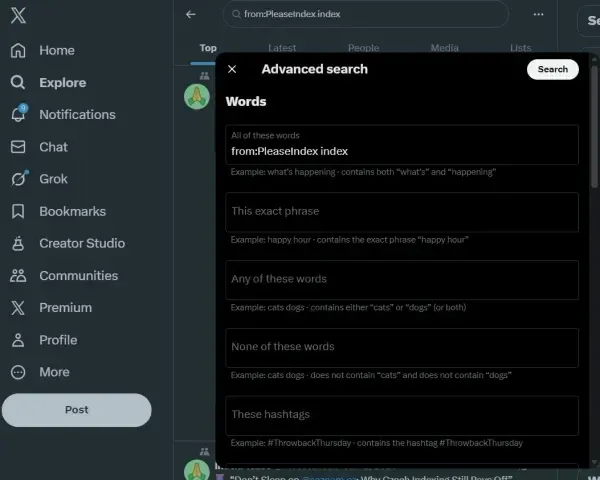
Normal Twitter search is helpful, but for focused research, you want an Advanced Search function. Advanced Search lets you filter results for more exact and useful content.
Steps for accessing Advanced Search
Go to the regular X/Twitter search bar and enter simple topic words.
After the results load, locate the "Advanced Search" hyperlink; they provide a direct access link in the X/Twitter interface.
Step-by-step method for finding viral stuff in a niche
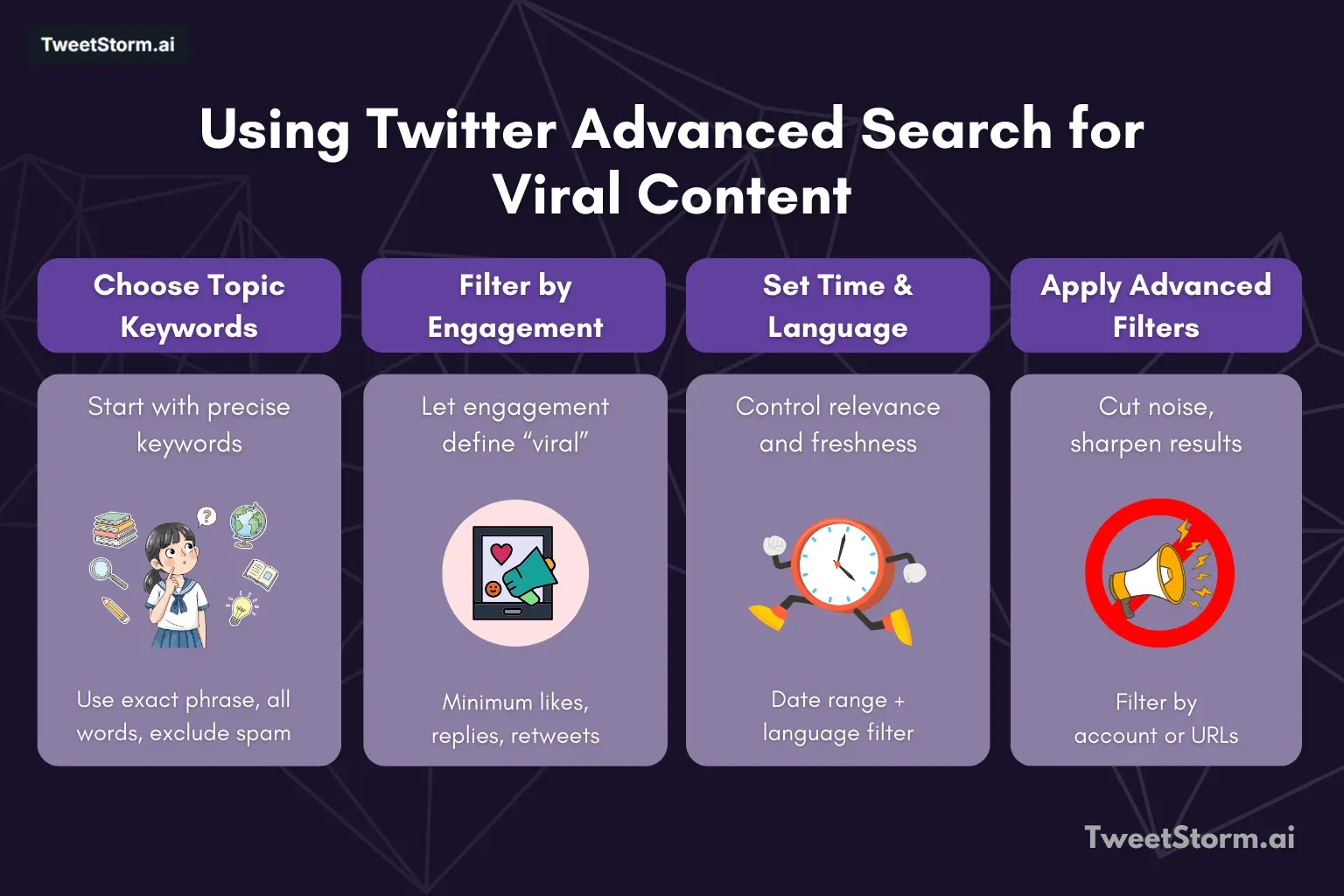
Apply these filters in Advanced Search to develop a targeted search for your own niche.
Choose a topic with keywords
Be as specific as possible.
Search bar | How to type | For what purpose? |
Exact phrase | Put phrases in quotation marks (such as "handmade soap benefits"). | This guarantees the tweet includes the entire exact phrase. This is important with special niche terms. |
All words | Type all important keywords (for example, eco-friendly OR vegan). | Gets tweets with every word you typed. "OR" means to also get similar words. |
None of those words | Put a minus before the word (-job, -sale, -hiring). | Removes spam, such as hiring posts or business ads. |
Sort by large engagement (the “viral” criteria)
This task matters most. Viral tweets are shaped by high engagement, not just views. Set minimums for engagement numbers.
Filter label | Advanced search bar | Recommended starting number | Why is it important? |
Min Replies | Minimum number of answers. | 25 | Shows that debate or questions are happening and that interest is high. |
Min Likes. | Minimum number of likes | 300 | Means lots of people felt good about the tweet. |
Min retweets | Minimal retweet count. | 75 | The tweet is interesting enough that the audience shared it. |
Trick: If the niche you have is very tiny, choose lower counts (maybe 5 replies and 50 likes). For a bigger topic, boost the minimums much higher.
Pick a timeframe and language
Date Range (From/To): Viral pieces depend on recent timing. To get the newest trends, search within the last 7–30 days. For always relevant topics, search over one year.
Language: Mention language audience uses (for example, English, French).
Advanced filters are used for greater precision
These filters can help reduce searches based on the source or the type of tweet.
From single accounts
Use from:username (e.g., from:nytimes, from:techcrunch) and results show only tweets from a certain person or group.
Has a URL
Put url:"yourdomain.com" so you can see if one website or content gets shared often.
How to analyze viral search results?
When Advanced Search gives a list of tweets, it becomes a gold mine of what the audience thinks. You should not just read tweets; look at comments and the discussion.
Figure out the main subject
What special challenge, question, or different view is the tweet presenting? Making this next blog title is possible.
See what tone exists
Are tweets angry, cheering, giving instructions, or confused? This mood will decide how you write your own content.
Get more keywords
In replies, people sometimes ask the following questions. These work very well as long keywords or can be headers for blog sections.
Examine outside sources
In case a tweet links to an article or survey, you should inspect the source. Are you able to create content that is better, more current, or has higher authority?
Utilizing Tweetstorm to analyze viral tweets and actions
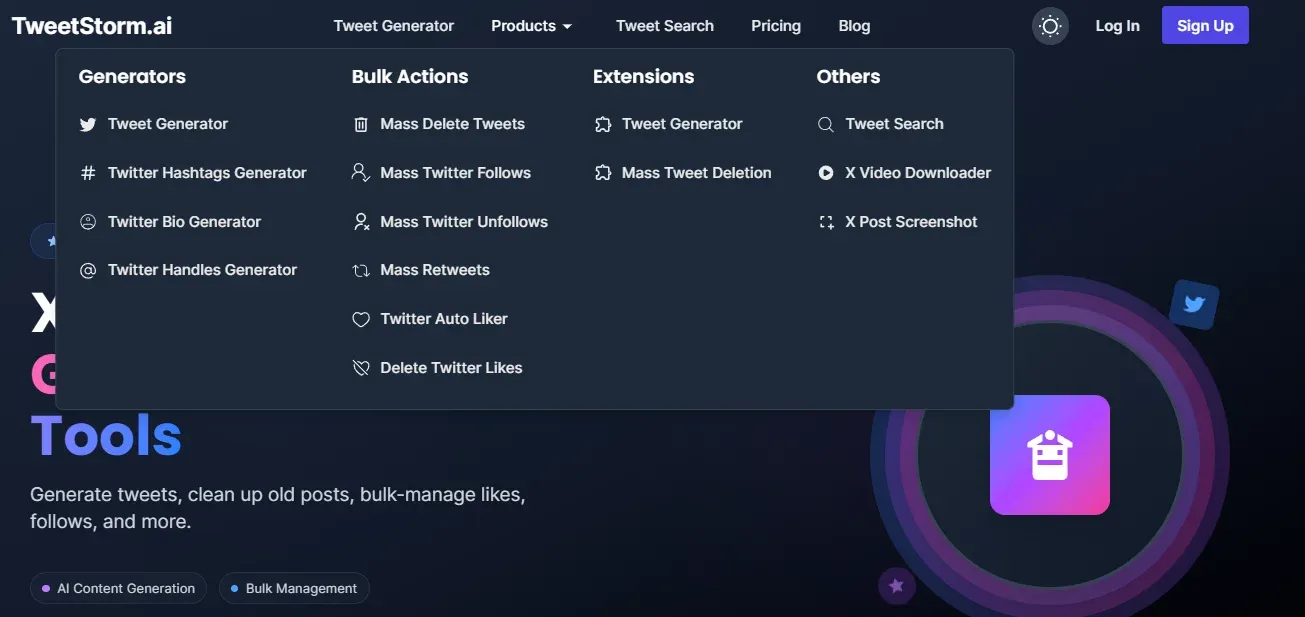
Although Twitter’s Advanced Search is essential for discovering viral tweets, some external tools can analyze those results and help you take action based on the insights you gain. Tweetstorm provides numerous features in addition to advanced search workflows, allowing you to maximize the use of the data you collect.
Tweetstorm functions that matter
Function | Assistance from you with finding or using viral tweets |
This feature directly supplements Twitter Advanced Search and makes improvements with a clearer interface and more filters to identify highly interactive content more quickly, and it also lets you save searches. | |
When you find some viral topics and tones, Tweet Generator helps draft new tweets rapidly using those insights. Users can create versions of viral messages to ensure the post remains relevant, optimized, and increases engagement. | |
Most viral tweets use certain popular hashtags. Hashtag Generator provides analysis of language and theme in viral posts to recommend trending, high-population hashtags, so your newly crafted tweets can reach a larger audience. | |
Tool lets you easily capture and save pictures from viral tweets. It is helpful for report generation in analysis, trend reporting, and referencing original viral posts with your own reply and with attribution given. |
Final remarks
Twitter Advanced Search works as a powerful method for seeing what competitors do and also for learning about good content. With it, users can set filters such as keywords, engagement, or dates so that they can find very specific matching content and understand who they are talking to.
When you analyze tweets that go viral, they provide useful tips you can use, similar to small surveys about the tone of the message and topics. You can use applications like Tweetstorm to turn such ideas into your own impactful posts.
Knowing advanced search for viral results is important for creators, businesses, and marketers if you want to grab attention. Do not just guess; let viral information guide your plans.
FAQs
What does "viral tweet" mean here?
A viral tweet on Twitter (X) is a post that reaches a high level of engagement. This means having a lot of replies, likes, and retweets, which shows that the content resonated strongly with the audience.
Why is getting viral tweets important for marketers or content creators?
Viral tweets give reality-based and instant data for:
New topic ideas are highly engaging.
The actual language and words your target group is using.
Capable partners (writers and top commenters included).
Upcoming trends before entering the mainstream.
How to enter the Twitter Advanced Search feature?
Start by using a regular Twitter search box and typing a simple keyword on the topic. Then, when results appear, look for a hyperlink to "Advanced Search" that often appears beside the search results or directly in the Twitter design.
Once viral tweets are found, how should they be analyzed to produce content?
Do not just look at the tweet sentence. Examine:
Main subject: What problem or viewpoint are they planning?
Is it a teachable way, angry, applause, or questioning? It shapes your content format.
Replies, in part. Comments usually contain long-tail keywords and follow-up questions from the audience, and could be used as headings in articles.
Outside resources: If a tweet links to an article, read the article. Also, see if you can create better, newer, and more authoritative content on the same topic.
How are Twitter management tools like Tweetstorm useful?
Although Advanced Search retrieves content, Tweetstorm and similar tools help to make insights operational. Tweet Creator drafts new tweets in the right viral style and topic. Hashtag Maker recommends high-performing hashtags for analyzed posts.
X Post Screenshot allows easier capture of viral tweets for reporting or reference.
Newsletter
Never miss a post
One email a week with everything new on the TweetStorm blog.