Mastering Twitter/X: A professional's guide
Ejaz Ahmed
27 Nov 2025 | 6 min read
Twitter is a popular platform for famous people, influencers and business leaders to get updates and reach more people.
This post offers tips for both personal and business accounts, teaching even rookies how to tweet like a pro.
Creating your professional Twitter/X account
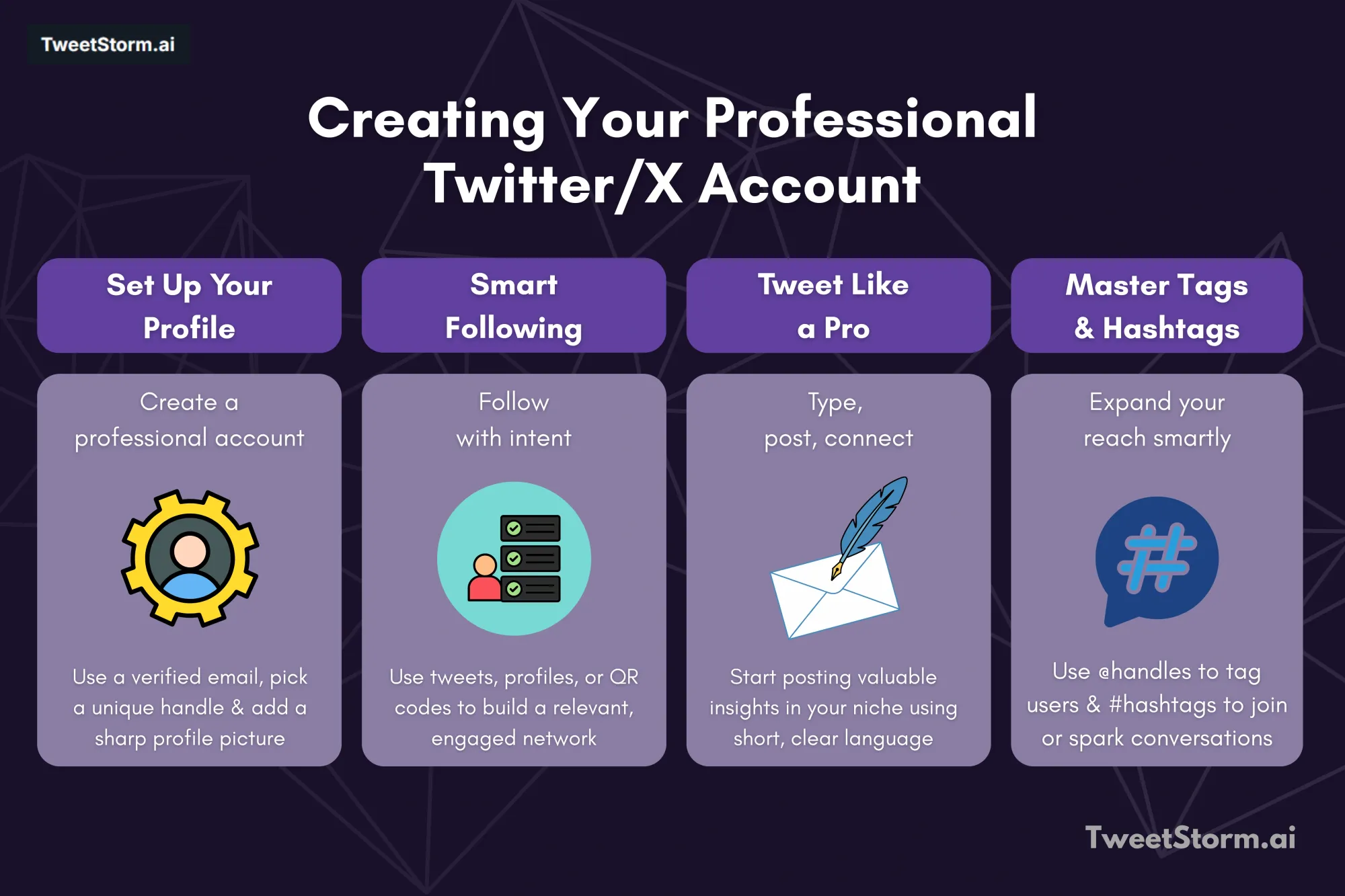
To become a Twitter/X pro, set up an account at twitter.com by clicking "sign up." Link your account with an email or phone number and verify it.
Choose a unique username, customize your profile (e.g., add a profile picture) and then start tweeting.
Following users on Twitter
Twitter features help users connect with like-minded individuals.
By following, mentioning and using hashtags, users create communities around trending topics.
Following Twitter/X accounts that align with your interests is super easy, too. There are 3 main ways to follow a user on Twitter:
- From a tweet (use your mouse or tap the ∨ button, then click or tap “follow”)
- From an account’s profile page (click the profile of the account and then click or tap “follow”)
- From a QR code (access your profile in the mobile app to do this)
For more on how to follow users on Twitter, click here.
Tweeting effectively
Tweeting is easy as can be. Type your message in the composition box, then click "Post." Your tweet will be posted to your profile!
Handles and hashtags
To expand tweet reach and address users, learn tags and hashtags. Handles (@username) identify users.
Hashtags (#topic) categorize tweets, boosting visibility for those interested in specific subjects, e.g., #coffee for coffee-related posts.
Advantages of using Twitter
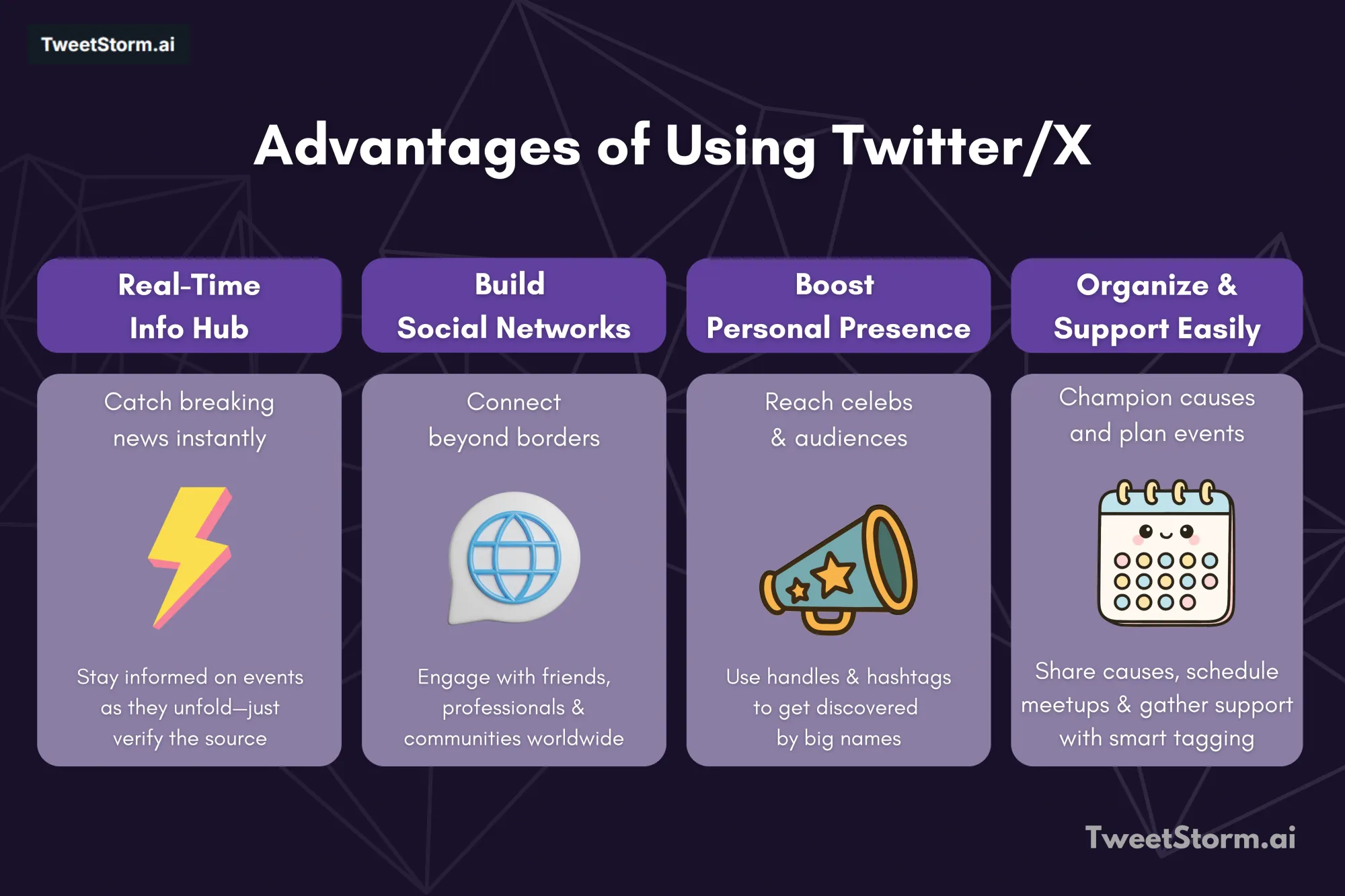
Using Twitter/X can be advantageous both personally and professionally. It connects us personally and serves as a professional marketing tool for inbound traffic.
Check out these innovative and practical uses:
-
Socializing and networking
Twitter provides instant global access to news, connecting you with personal and professional networks anytime.
Easily exchange contact information by searching for handles in the app, eliminating the need for physical notes.
-
Real-time updates: Stay informed on breaking news and live events
Social media, particularly Twitter, is a primary source for breaking news, reaching millions rapidly through live-tweeting and retweeting.
However, users must verify legitimate news accounts to avoid misinformation, as objective facts can be obscured by comments.
Twitter also hosts fan communities for various interests, from sports to TV shows.
-
Elevate your presence: Connect with celebrities
Twitter is ideal for connecting with influential people, from celebrities like Neil Patel to local figures.
You can follow them, but to boost your profile, tweet often and use hashtags and handles to distribute your posts.
-
Streamline your life, champion causes and organize events
Twitter optimizes social and personal time with travel, fashion and entertainment trends.
It simplifies supporting causes and making donations through embedded links on organization profiles.
Additionally, Twitter/X facilitates event planning by connecting participants and encouraging remote engagement with strategic hashtags.
Tips for tweeting

Though Twitter/X strategies vary, certain actions can make your account stand out.
- Take advantage of the character count. Once upon a time, tweets were limited to characters.
Now, the character limits have increased. Use these extra characters to add depth and context to your tweets. - Add images and video to your tweets. Make your tweets more noticeable by including images, helping them stand out in a timeline often filled with text-heavy posts.
- If you want to grow your reach and engage your followers, consider asking questions in your tweets.
This will encourage responses and foster conversation between your followers. - Share compelling content. If content interests you, it will likely interest others. Share a blog post, a news article or a re-tweet of something that struck your fancy.
- TweetStormAI's AI Tweet Generator creates engaging, character-optimized tweets for consistent, interactive content.
Embedding videos in tweets
Adding videos to tweets is easy, though the method varies by source.
For YouTube, use the share option or paste the link. To share a video from another tweet without retweeting, copy the link to maintain control over your tweet's appearance.
All you have to do is:
- Access the original tweet/video from the Twitter/X mobile apps for iOS and Android.
- Tap and hold on the video for a second or two.
- Select “tweet video” when it appears on the bottom of the screen.
- A new message box will open with the video URL. All you have to do is compose your message in that box like normal, hit tweet when finished and you’re all set.
Deleting past tweets
To delete an old tweet, go to your profile, find the tweet, click the down arrow and select "delete tweet."
For older tweets, use Advanced Search to find them by keyword, phrase, hashtag or date. You cannot delete multiple tweets simultaneously; each must be deleted manually.
How to use Twitter/X for business?

Building a business following on Twitter/X is crucial for brand growth.
With 2 billion social media users, businesses must leverage Twitter/X marketing to reach target audiences.
To boost your business on Twitter:
- Set up a Twitter/X card for standing out.
- Build engaged, targeted followers using tools like TweetStormAI.
- Use influencers to drive traffic and broaden reach.
- Use strategic, short, simple hashtags (1-2 per tweet).
- Interact with tweets about your business by replying, liking and retweeting.
- Create a content plan and tweet often, scheduling tweets for organization and sharing links multiple times daily.
Twitter can seem daunting, but with these tips, you're ready to start tweeting and grow your followers today!
Elevate your Twitter/X game with TweetStormAI
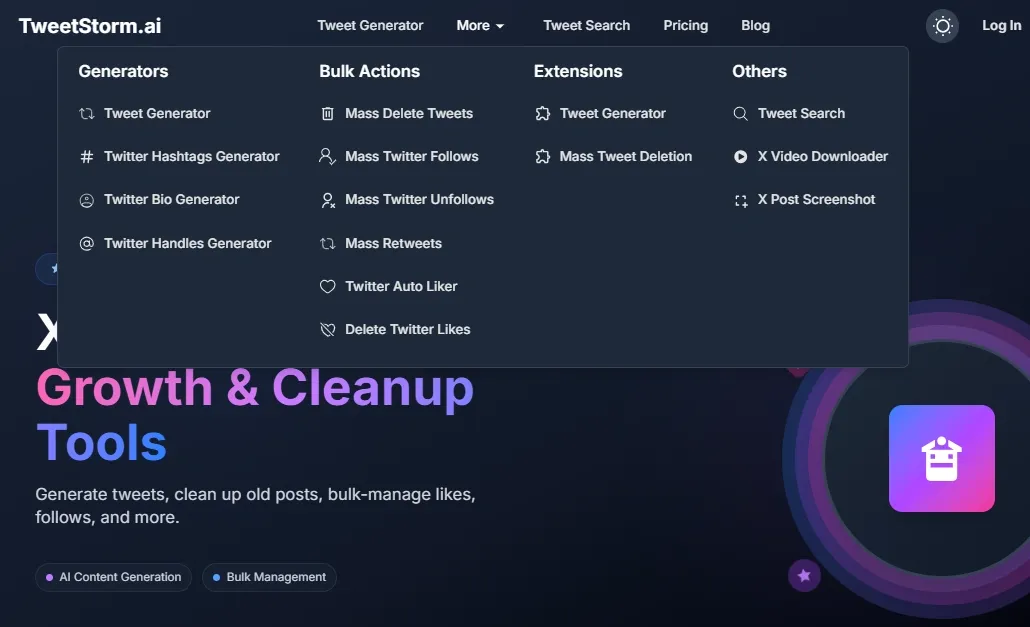
As highlighted throughout this guide, establishing and maintaining a strong Twitter/X presence requires consistent effort and strategic actions. TweetStormAI directly addresses many of these needs, making it an invaluable tool for both personal and business accounts:
- Content creation: The AI Tweet Generator overcomes writer's block, ensuring a steady stream of engaging content for effective tweeting.
- Profile optimization: The Bio and Handle Generators optimize your Twitter/X profile for discoverability and impact, aiding in professional account creation.
- Audience growth: Use mass follow/unfollow features to manage your audience.
- Engagement & reach: The Hashtag Generator helps with the "Handles and hashtags" strategy. Mass Retweets and Tweets Auto Liker improve interaction for "Interact with tweets about your business."
- Profile management: Mass Tweet Deletes and Delete Twitter/X Likes simplify maintaining a professional and relevant Twitter/X profile.
Integrate TweetStormAI into your Twitter/X strategy to enhance efficiency, grow reach and master the platform.
Final thoughts
Twitter/X is a dynamic platform offering vast opportunities for personal and professional growth. Mastering Twitter/X enables professionals to expand their reach and influence through effective feature utilization, account configuration, content creation and audience engagement.
TweetStormAI can greatly enhance and accelerate Twitter/X mastery. Embrace the platform's potential, stay consistent and watch your influence grow.
FAQs
How do I create a new Twitter/X account?
To create a new account, visit twitter.com, click "sign up," and link your account with an email or phone number. Verify your account, choose a unique username, customize your profile (e.g., add a profile picture) and then start tweeting.
What are the different ways to follow users on Twitter/X?
Follow a Twitter/X user directly from a tweet, their profile page or by scanning a QR code in the mobile app. You can also follow users by texting a short code phone number.
What are handles and hashtags and how do I use them?
Handles (@username) are used to identify specific users and address them in tweets. Hashtags (#topic) categorize tweets, making them discoverable by people interested in specific subjects (e.g., #coffee for coffee-related posts). Using them helps expand your tweet's reach and visibility.
What are the main advantages of using Twitter/X?
Twitter/X provides numerous benefits: global networking, real-time news, celebrity connections, trend integration, advocacy and event organization. It also serves as a professional marketing tool for inbound traffic.
What are some tips for tweeting effectively?
Tweet effectively: use available characters, add images/videos for visibility, ask questions to boost engagement and share compelling content.
How do I delete old tweets?
To delete an old tweet, go to your profile, find the tweet, click the down arrow and select "delete tweet." For older tweets, use Advanced Search to find them by keyword, phrase, hashtag or date. You must delete each tweet manually as there isn't an option for bulk deletion.
How can TweetStormAI help me master Twitter/X?
TweetStormAI offers a suite of AI-powered Twitter/X tools. These include features for generating tweets, bios, handles and hashtags. Additionally, the platform provides functionalities for mass follow/unfollow, retweets, auto-liking and bulk tweet/like deletion. It automates tasks, saves time and enhances your overall Twitter/X strategy.
Newsletter
Never miss a post
One email a week with everything new on the TweetStorm blog.