Reply faster on Twitter with AI-powered tools
Ejaz Ahmed
28 Jul 2025 | 6 min read
X, the site once known as Twitter, puts a big emphasis on real conversations and replies when figuring out algorithmic reach these days.
Success really hinges on the depth of your involvement plus how fast you jump into the reply threads. Handling a bunch of those meaningful replies by yourself gets tough to scale up.
AI Tweet Generators end up as key helpers in that setup. They make engagement quicker and sharper overall.
Why Twitter (X) replies matter more than ever in 2025: The conversation imperative
People still talk about how prioritizing replies on X really helps with growth and building a community there.
Replies act as fuel for the algorithm. They spark conversations that get amplified, which means more impressions and overall growth for your account. When you make replies personal, it builds trust and loyalty among followers. That turns them into real advocates over time. The community expands one thoughtful reply at a time.
Even hours or days later, a reply can reignite an old thread. It extends the lifespan of that conversation and keeps engagement going strong. Insightful replies help establish you as an expert. They go beyond just your main posts and show thought leadership in a natural way.
By jumping into relevant threads with active participation, you put yourself in front of new audiences. Those folks are already engaged and interested in the topic. In the end, your reply game serves as the main engine for growth. It also forms the cornerstone of your community on X.
The crushing burden of manual Twitter replying: Why humans struggle to scale

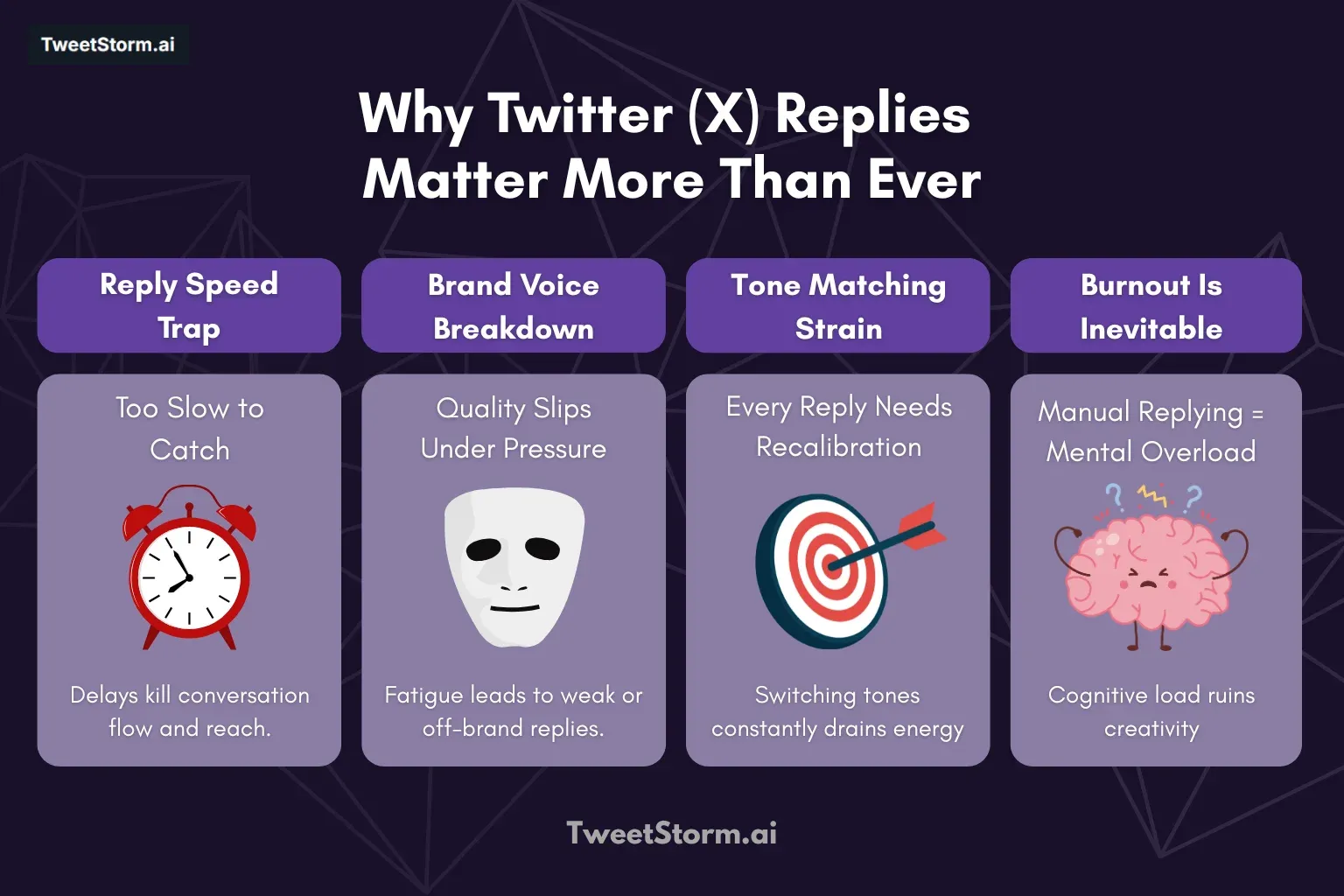
Manual replying on X, formerly known as Twitter, runs into several real problems. Slow responses often mean you miss out on those high-engagement moments when things are buzzing.
It gets tough to keep a consistent brand voice going, especially with all the volume piling up or when fatigue sets in after hours of it. Adjusting the tone for every different kind of tweet feels like walking a tightrope and doing it constantly wears you down. The mental load from handling so much leads to overload and burnout, which in turn causes disengagement or just plain low-quality replies that do not help.
Even when you push hard to scale up your efforts, it ends up forcing responses that sound generic and robotic, which defeats the whole point. Valuable stuff like potential leads or useful feedback slips right through because you cannot catch everything in time.
In the end, sticking with manual replies turns into a real bottleneck that holds back overall engagement and growth.
Anatomy of a killer Twitter reply: What soars and what sinks
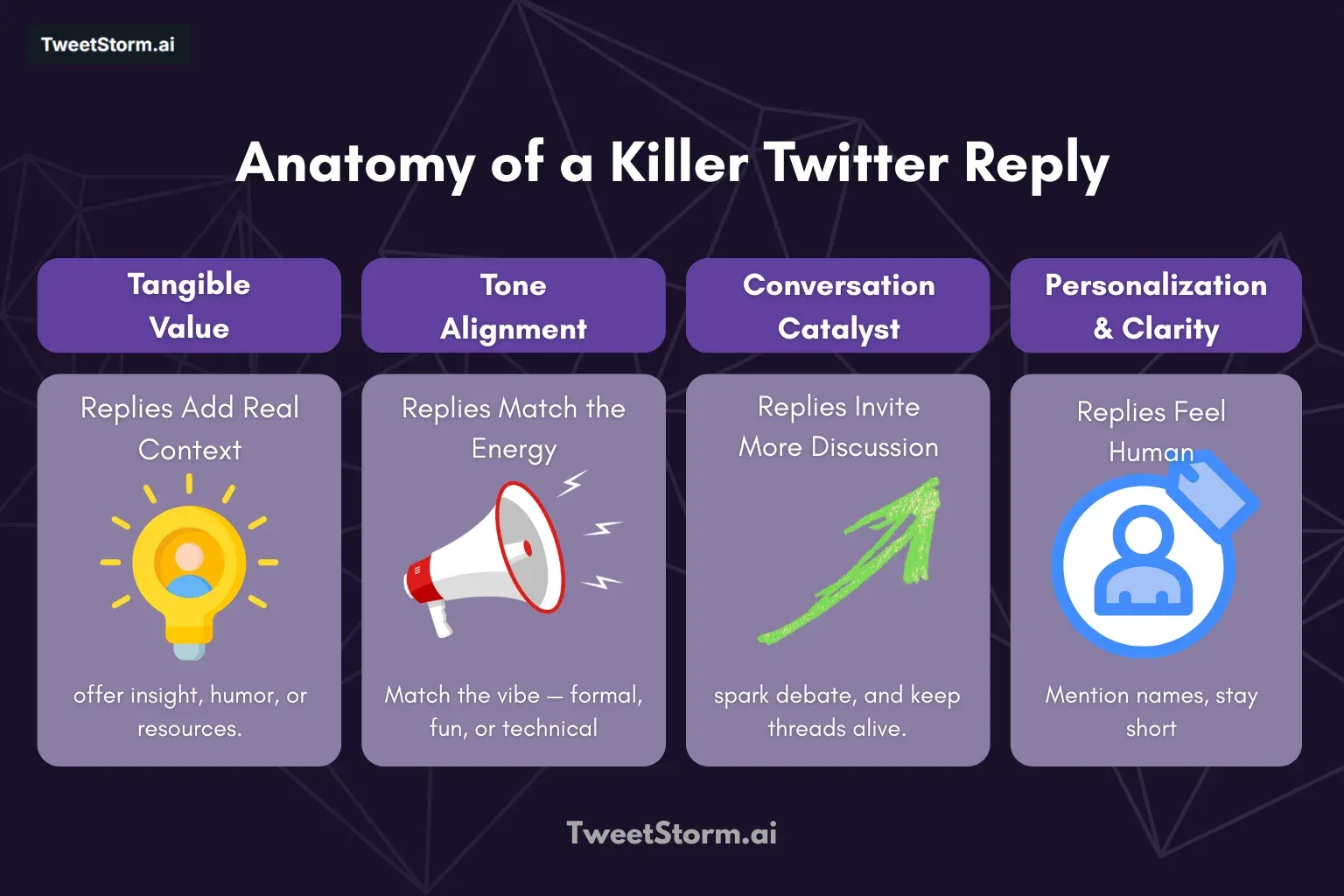
People still talk about what makes a reply truly great. It is that engagement gold thing. You want to add some real value there.
That means giving insight or context. Or just a straight answer to the point. Maybe throw in relevant humor if it fits the brand. A helpful resource works too. Or show empathy and support when it counts.
The tone has to match perfectly. Mirror the energy from the original tweet. That keeps it authentic and real.
Always open the door for more talk. End with an open-ended question. Or ask for clarification on something. Invite differing viewpoints to keep the conversation going.
Make it personalized where you can. Use the handle if it fits. Reference specific details from the tweet. Tailor the response to show you are actually paying attention.
Keep it concise and scannable. Get to the point fast. Use short paragraphs. Add breaks for easy reading.
How to customize reply tone without losing your voice
One big reason automated replies end up feeling so robotic is this. They all come across exactly alike. Using the same basic words over and over.
Following that identical rhythm every time. Bringing the same kind of "Hi there!" cheer for everything. TweetStorm turns things around in a different way though.
It comes with more than 19 tone presets built right in. You can adjust any reply to fit your personal style. Or to line up with your brand's voice. Even to reflect whatever mood you happen to be in.
This is how the whole thing operates:
-
Choose your style, not just your words
People go for different styles in their replies, like professional or funny, casual, sarcastic or geeky ones. TweetStorm tweaks the phrasing and rhythm, plus the vocabulary, to fit each reply just right. It is not only surface level stuff. It really feels different.
-
Avoid the “Bot voice”
Most bots default to safe, bland language. But a sarcastic “Yeah, because that’s never gone wrong before” lands way better than “Interesting point!” in the right context. Tone presets make that possible, without you lifting a finger.
-
Mix in custom keywords
You’re not limited to presets. Want every reply to reference SEO, indexing or growth tactics? Add your brand’s language to the keyword targeting field. TweetStorm weaves it in naturally, making each reply feel tailored.
-
Keep It consistent across replies
Whether you’re replying to 3 tweets or 30, your voice stays consistent, without you writing everything manually. It’s automation that sounds handcrafted.
-
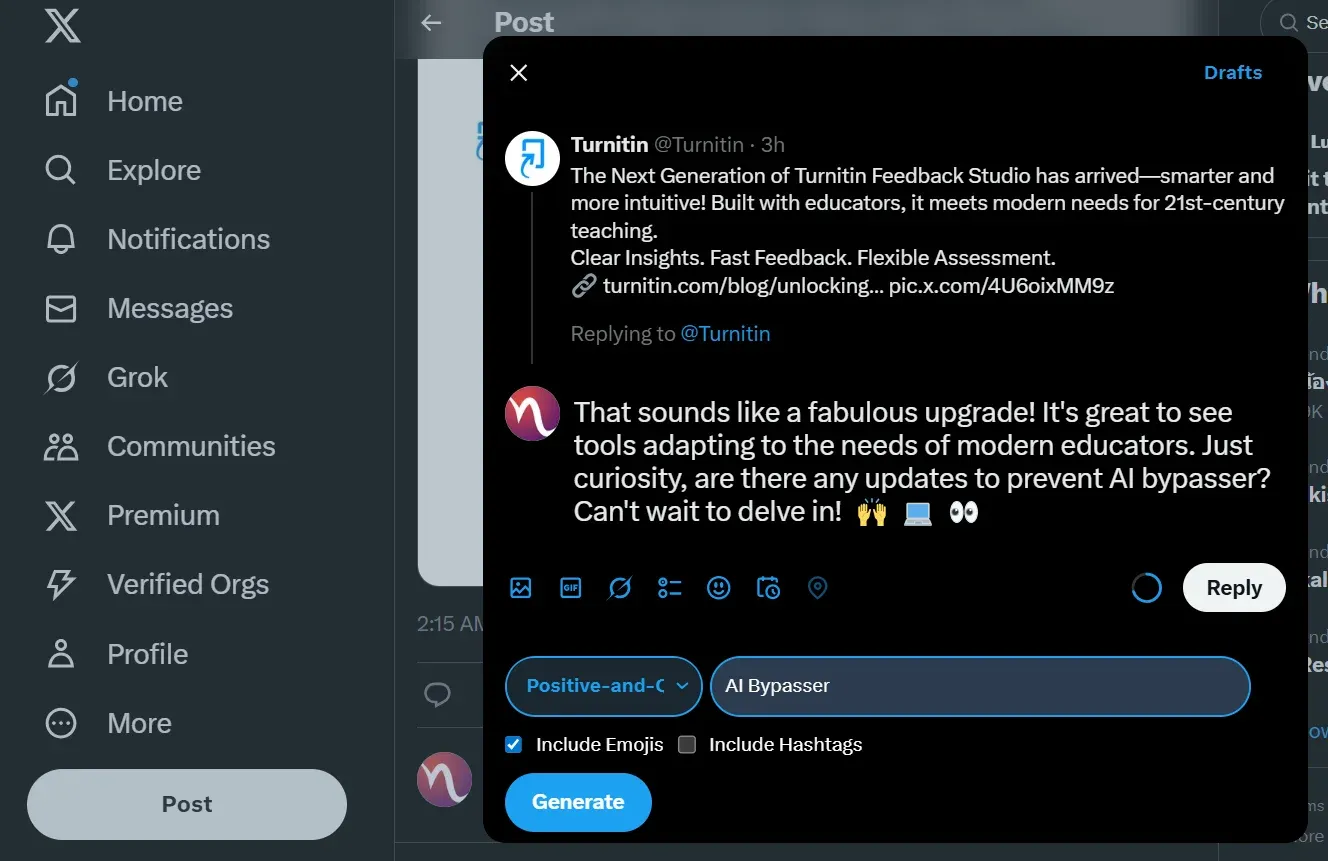
Tested on live tweets
TweetStorm’s reply generator works seamlessly on real tweets, not just drafts. The tool has been tested across Chrome and Firefox and during testing, no spam flags were triggered. Just smooth, contextual responses in one click.
Final thoughts
You can’t fake engagement anymore. On X, the real power isn’t in the post, it’s in the reply. Every comment, quote, tweet and follow-up isn’t just an interaction, it’s a trust signal. A growth trigger.
A reputation builder. And in the current algorithmic climate, replying fast and meaningfully is your most valuable move. But scaling personalized replies across threads, DMs and mentions, without losing your tone or burning out? That’s where most creators stall.
TweetStormAI changes the game. With smart tone presets, contextual AI reply generation and keyword targeting, it helps you sound like you, just faster, sharper and at scale. This isn’t about automation vs. authenticity. It’s about building relationships without the burnout.
FAQs
1. Why do Twitter replies matter more than tweets in 2025?
Because the X algorithm rewards conversations over impressions. Replies signal real engagement, trigger extended visibility and build community, unlike passive likes or one-off posts.
2. What is an AI reply generator for Twitter?
It’s a tool that helps you instantly draft and customize replies using artificial intelligence. Tools like TweetStormAI let you match tone, inject keywords and respond faster, without losing your personal voice.
3. How do faster Twitter replies impact algorithmic reach?
Timely replies increase the chances of keeping threads alive and resurfacing them into more feeds. Speed = visibility. The algorithm boosts content that sparks extended discussion.
4. Can AI-generated replies actually feel human?
Yes, if the tool supports tone presets and context-based replies. TweetStormAI offers 19+ tone options, casual, sarcastic, professional, geeky, etc., plus keyword targeting for personalized, on-brand responses.
5. What tone should I use when replying on Twitter?
It depends on the original tweet. Reply tone should mirror the energy, funny, serious, technical or empathetic. AI reply tools help automate this tone-matching process with high accuracy.
6. How does TweetStormAI help scale Twitter replies?
TweetStormAI lets you:
- Generate replies in multiple tones
- Add custom keywords
- Maintain consistent voice across threads
All while saving time and avoiding burnout.
7. Are there risks to automating Twitter replies?
That issue comes up only when people handle it without much thought. Stay away from those bland spam messages, pointless links that nobody needs and replies that just dont connect. AI tools are meant to support real human conversations, not take over the whole thing.
8. What’s the difference between good and bad replies?
Good replies:
- Add value or humor
- Match tone
- Invite further engagement
Bad replies are vague, copied, spammy or robotic. Use AI to scale quality, not shortcuts.
9. How do I avoid sounding robotic in automated replies?
You should pick tools that give you the ability to tweak the tone, structure and vocabulary as needed. TweetStormAI comes with tone presets and keyword targeting. These features make sure your replies come off as personal and genuine. They steer clear of that generic, templated vibe.
10. What’s the best AI tool for fast Twitter replies in 2025?
TweetStormAI leads the pack with:
- 19+ tone presets
- Real-time reply generation
- Keyword targeting
- Seamless testing across real threads
It helps you engage faster, stay relevant and sound human at scale.
Newsletter
Never miss a post
One email a week with everything new on the TweetStorm blog.