Product updates

Changelog

New features, improvements and fixes shipped to TweetStorm, in order. See what changed and when.

    1. Bio, hashtag and handle generators are now free

      Three of the dashboard tools no longer cost anything to run:

      • Twitter bio generator
      • Hashtag generator
      • Twitter username generator

      Generate as many bios, hashtag sets and usernames as you need without touching your AI credits. Save your credits for tweets, threads and voice remixes.

      Two things to know: results from these three tools no longer show up in My Generations, so copy what you like when you see it. And paid plans get results from our more capable model.
      • Improvement

      Saved tweet searches: edit them, and a plan change

      • Edit saved searches. Open any saved search from My Tweet Searches, rename it or change its filters, and save. No need to delete and recreate.
      • Saving is now a paid feature. Running an advanced search stays free for everyone. Saving searches and viewing your saved list is now available on paid plans. This also fixed a bug where some saves failed to go through.
      • Clearer pricing tables. Bulk tweet deletions, unlikes and unfollows now read "per month" everywhere, so it is obvious that those allowances reset monthly.
      • Improvement

      Live chat support

      • Live chat. A chat widget now sits in the corner of every page. Ask a question and a human gets back to you. It shrinks out of the way on phones.
      • Fixed the scheduler composer's full-screen mode sitting behind other elements.
      • New feature

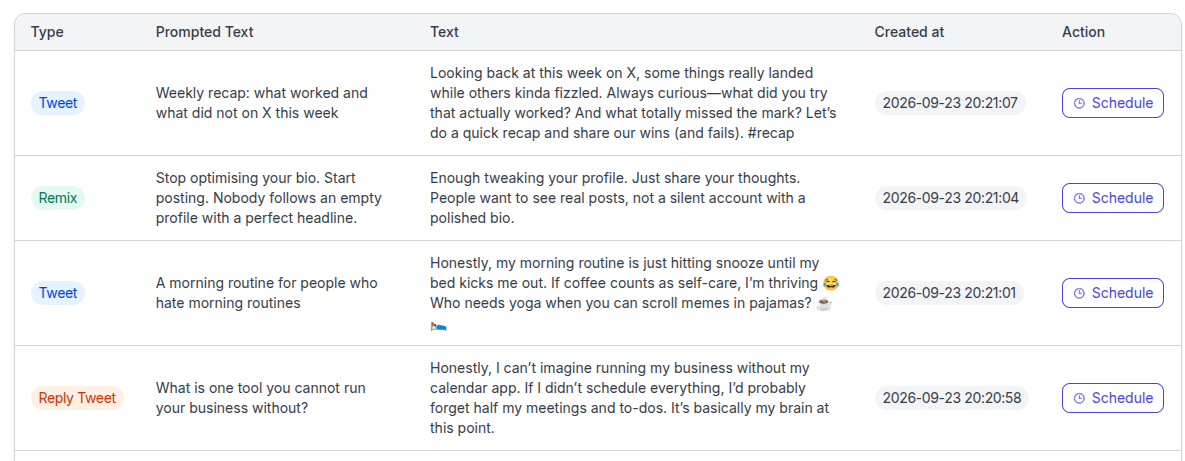
      Schedule tweets straight from your generation history

      Generated a tweet last week and want to post it tomorrow? Open My Generations, hit Schedule on the row, pick the X account and choose one of three options:

      • Next available drops it into your next open posting slot.
      • Set date and time for an exact moment.
      • Publish now to post right away.
    1. Credit cost update for long AI tweets

      Long tweets from the AI tweet generator now cost 6 credits per generation, up from 5. Short tweets stay at 1 credit and medium tweets at 3.

      The cost breakdown on the generator page and in the FAQ has been updated to match.

      • Improvement

      Scheduler: drag to reorder threads, editable posting goal

      • Drag to reorder. Grab any tweet in the composer and drop it where it belongs in the thread. Media and text move together.
      • Editable posting goal. Your weekly posting goal is now a live control on the slots screen. Nudge it up or down and TweetStorm saves the change and adds slots to match. If you already have enough enabled slots, it says so instead of adding more.
      • Cleaner slot input. Adding a posting time is quicker and the time zone picker is searchable.
      • Improvement

      Bookmark search update

      • Two search modes. Bookmark search on the free plan matches whole words. Paid plans get full-text search across tweet text, names and handles. The search box tells you which mode you are in.
      • Outdated extension check. If you sync bookmarks from an old version of the Chrome extension, the app now tells you to update instead of failing silently.
      • Improvement

      Faster video downloads

      The Twitter video downloader has been rebuilt. It now pulls video data straight from X's public endpoints instead of a logged-in browser session.

      Public videos that used to fail with "requires authentication" download fine, and results come back faster.

      • New feature

      Voice Remix: turn any tweet into your own

      The AI tweet generator learned a new trick. Instead of writing in a generic tone, it can now write like you.

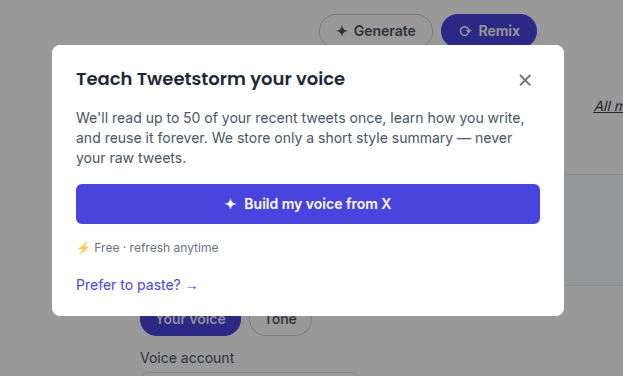
      Teach TweetStorm your voice

      Connect your X account and TweetStorm reads your recent tweets, learns your tone, sentence length, emoji and hashtag habits, and keeps only a short style profile. No X account handy? Paste a few of your tweets instead. Setup takes about ten seconds and you can reset your voice at any time.

      Remix anything

      • Paste a tweet you liked, pick one of your saved bookmarks, choose one of your published or generated tweets, or type a raw idea.
      • Choose my voice or one of the existing tones, toggle emojis and hashtags, and get a fresh tweet that makes the same point in different words.
      • Remix lives in the AI tweet generator and in the scheduler's AI assistant, so a remixed tweet drops straight into the composer to be scheduled.

      Remixes use AI credits like any other generation. Voice cloning is available on paid plans.

      • New feature

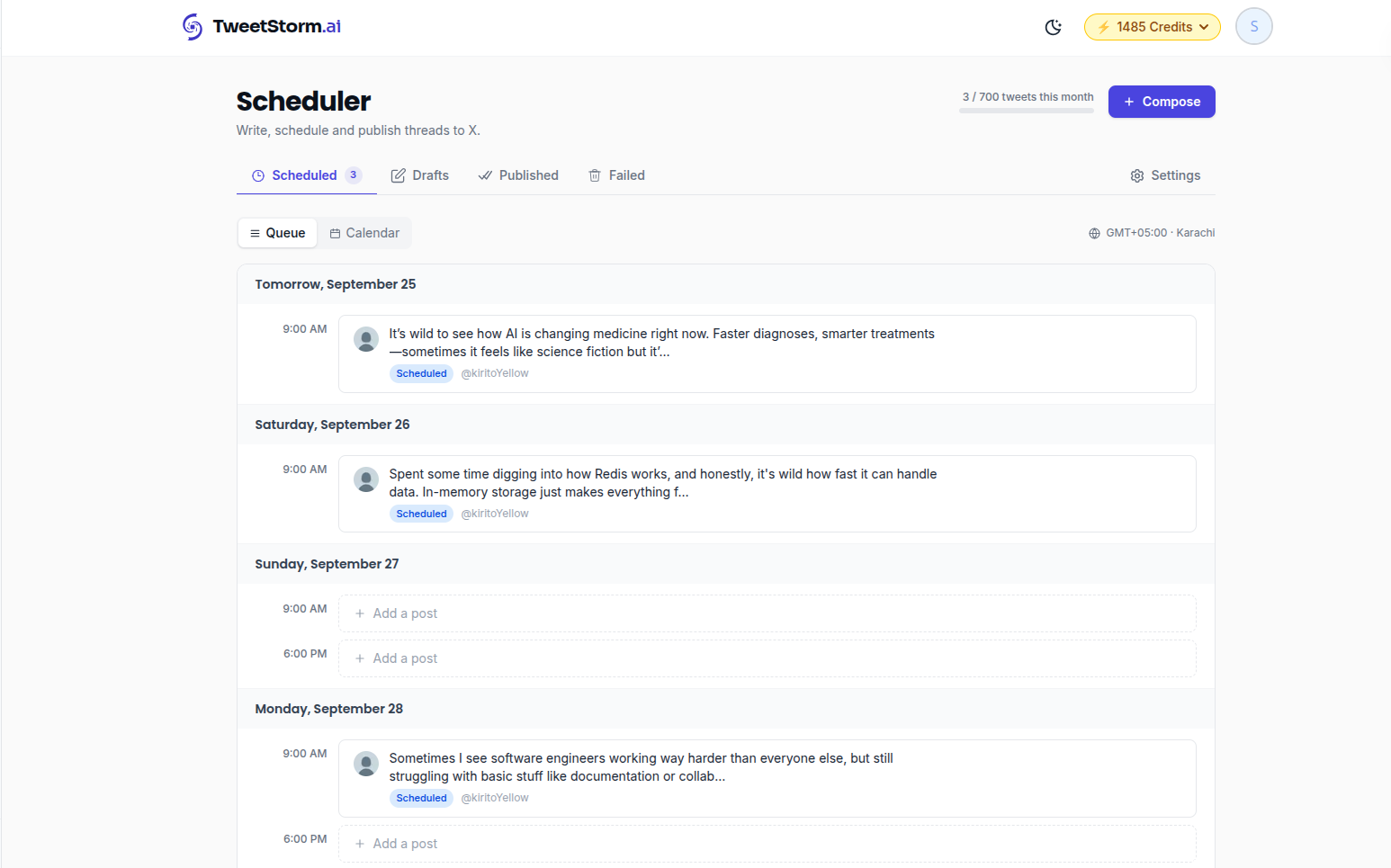
      Tweet Scheduler is here

      You can now schedule tweets and threads from TweetStorm and let them publish while you are away.

      What you get

      • Threads up to 25 tweets. Write a single tweet or a full thread in one composer, with photos, a video or a GIF, an emoji picker and ready-made starter templates.
      • Weekly posting slots. Set the days and times you want to post. Hit Next available and the composer picks the next open slot for you, or choose an exact date and time.
      • Calendar and list views. See everything queued, plus separate views for drafts, published and failed posts.
      • Post now. Skip the queue and publish immediately.
      • Honest about failures. If X rejects a post you see it in the app and can retry with one click.
      • Your login, never your password. Connect your X account through X's own sign-in. TweetStorm only asks for the permissions it needs to publish.

      On paid plans

      • A weekly posting goal that fills your slots for you.
      • Prioritize a thread to move it to the front of the queue.
      • Email alerts when a post fails.
      • Tweets with links, more scheduled tweets per month and more connected X accounts.

      The scheduler is included on the free plan. Open it from the dashboard or read more on the tweet scheduler page.

      • New feature

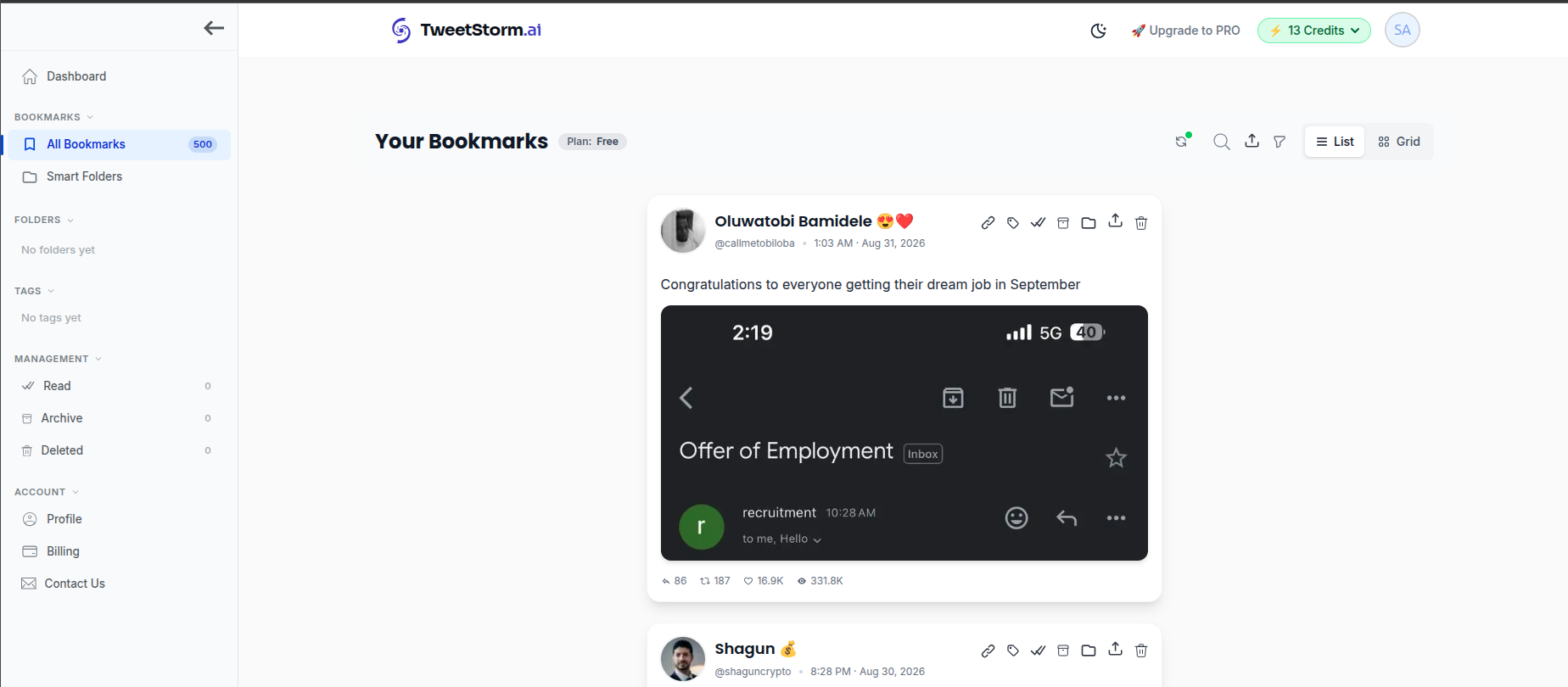
      Bookmarks: import, organise and search your X bookmarks

      X bookmarks are a black hole. TweetStorm now pulls them out and gives you a real manager for them.

      Import

      Connect your X account and sync. The Chrome extension can push bookmarks in as well, and tweets you unbookmark or that get deleted on X are marked for you.

      Organise

      • Folders, nested up to three levels. A bookmark can live in more than one.
      • Tags you define, with counts.
      • Smart folders that fill themselves from tags, an author or keywords, plus a set of pre-built ones.
      • Archive, mark as read and a trash you can restore from.

      Find and clean up

      • Search across text, names and handles, and filter by author, media, date and more.
      • Switch between a list and a grid layout.
      • Delete a tweet from your X bookmarks without leaving TweetStorm.

      Bookmarks come with their own plans. Pro syncs up to 3 accounts (50 latest per sync) and Agency up to 5 (100 latest per sync). Details on the bookmark manager page.

      • Improvement

      Screenshot tool: quoted tweets, full text and video previews

      • Quoted tweets now render as a card inside the screenshot, with their media.
      • Full text. Long tweets are no longer truncated. Expand the text to show all of it.
      • Links, cashtags and mentions display as they do on X, with the real destination instead of a t.co link.
      • Video previews show a play or pause button so a video tweet reads as a video.
      • Copy and export buttons moved to the top of the editor. Font family is a paid option.
      • Fixed a case where downloading the screenshot failed.
      • New feature

      New filters in Twitter advanced search

      The advanced search builder gained a few filters X hides behind operators:

      • Verified accounts only.
      • Content type: everything, original posts only, only retweets or only quotes.
      • Media type: everything, only images, only videos or only GIFs.
      • Links from a domain, for example youtube.com or github.com.

      Comma-separated fields are trimmed and normalised, so #dev, #code and #dev,#code give the same result.

    1. Fixes: tweet URLs with tracking params, cut-off generations

      • Screenshot tool. Links copied from the X share sheet carry tracking parameters like ?s=20. Those now work without editing the URL.
      • AI generation length. Fixed the output-length calculation that occasionally cut off long tweets, especially from the Chrome extension.
      • Improvement

      Video downloader: quoted tweets and live broadcasts

      • New download engine. Downloads are served through a dedicated route that is faster and more reliable for large files.
      • Quoted tweets. If the video lives in the quoted tweet, the downloader finds it.
      • Broadcasts. Recordings of X live broadcasts can now be downloaded.
      • Stricter URL checks so a mistyped link fails fast with a clear message.
    1. Newer AI models and clearer errors for private posts

      • Newer models. The tweet, bio, hashtag and handle generators, plus the Chrome extension, now run on newer OpenAI models. Same credits, better output.
      • Private and restricted posts. The video downloader and screenshot tool now tell you when a post is private, age-restricted or deleted instead of a generic error.
      • New feature

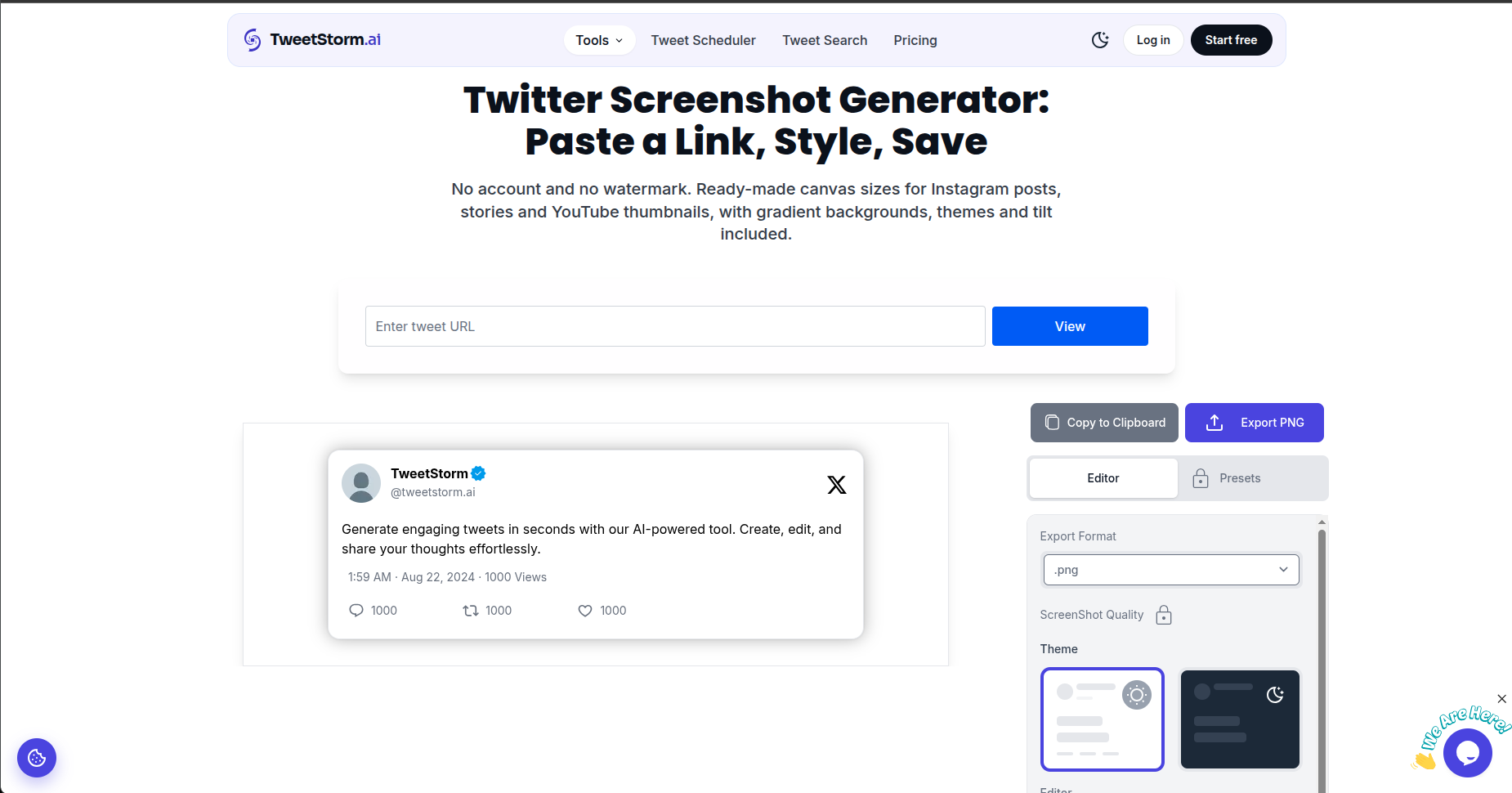
      X post screenshot tool

      Paste a tweet URL and get a shareable image of it, styled the way you want.

      Editor controls

      • Canvas size and tweet position on the canvas.
      • Padding, corner roundness and shadow.
      • Solid colours or gradients, with a set of ready-made gradients.
      • Font size and font styles.
      • Show or hide metrics like likes, replies and views.
      • Keep or drop the tweet's media.
      • Export quality selector.

      On paid plans

      • Upload your own background image.
      • Add a custom watermark or link to the image.
      • Save your setup as a preset and reuse it in one click.
      • New feature

      Twitter video downloader and a new dashboard

      Twitter video downloader

      Paste the link to any public X post that contains a video or GIF, pick a quality, and download it. No login on X, no browser extension.

      Dashboard

      Signing in now takes you to a dashboard that lists every tool, with the video downloader, generators and history in the sidebar. Your profile page has been tidied up too.

    1. Fix: duplicate accounts when signing in with Google or X

      Signing in with Google or X could create a brand-new account instead of reusing yours, so credits and history looked like they had vanished. Social sign-in now matches on your email and logs you into the existing account.

      If you ended up with a duplicate account, contact us and we will merge them.

      • Improvement

      More ways to pay

      Checkout is no longer card-only. Stripe now offers whatever local payment methods are available in your country, such as wallets and bank-based options, at both first purchase and when you update your payment method on the billing page.

      • New feature

      Reply tones in the Chrome extension

      The TweetStorm Chrome extension can now generate replies with a specific stance, not just a rewrite.

      • Reply tones. Agree, Disagree, Neutral, Questioning, Critical, Informative, Professional, Casual, Thankful, Serious, Empathetic, Enthusiastic, Playful, Humorous, Sarcastic, Positive sarcasm and Angry.
      • Tweet generation in the extension gets the same tone, length and keyword controls as the web app.
      • Extension generations show up in My Generations with the tone you used.
      • New feature

      Pick a tone: more control in the AI tweet and bio generators

      The AI tweet generator and bio generator now let you steer the output instead of taking whatever comes back.

      AI tweet generator

      • Tone. Pick from more than 25 tones, including Neutral, Positive, Funny, Professional, Casual, Informative, Serious, Curious, Controversial, Sarcastic and Thank-you. Or leave it on No Tone.
      • Length. Short, medium or long.
      • Keywords. Add words or phrases the tweet must include.
      • Character counters on the prompt and keyword fields so you know when you are near the limit.

      Bio generator

      • Bio type. Tell it whether the bio is for a Person, Business, Influencer or Brand and it adjusts accordingly.
      • The same tone and keyword controls as the tweet generator.

      The free, logged-out generators on the site get the same options. Everything you pick is stored with the result in My Generations so you can see what settings produced it.

Try the latest TweetStorm

Every update here is live in your dashboard the moment it ships. Sign up free and see what changed.