Free X (Twitter) Video Downloader

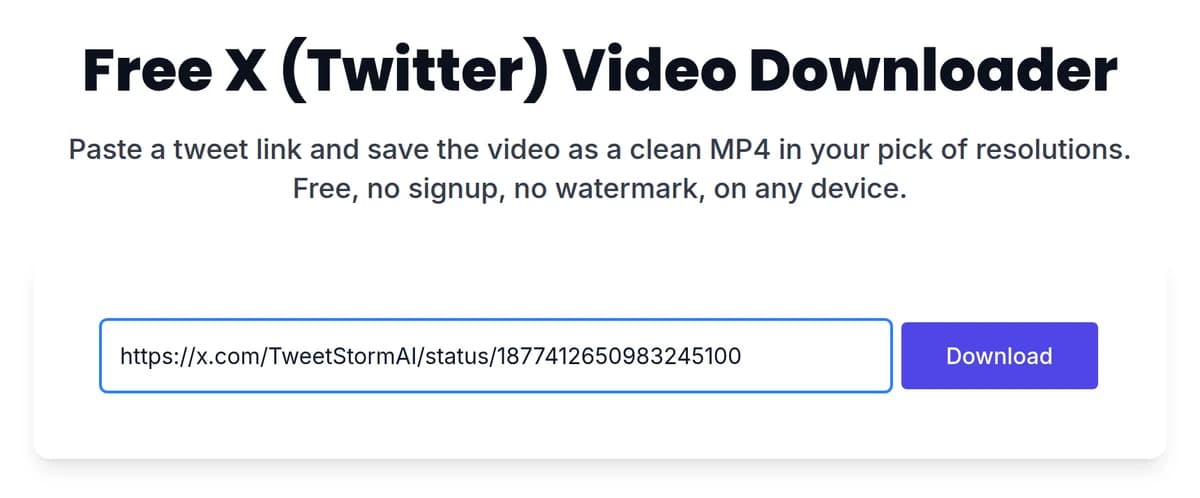
Paste a tweet link and save the video as a clean MP4 in your pick of resolutions. Free, no signup, no watermark, on any device.

  • Free, no account
  • Straight from X, nothing added
  • MP4 up to 1080p

What you get

What this X video downloader saves

This free Twitter video downloader takes any public post link and gives you the video as an MP4, in every resolution X stored it in. No account, no app and no watermark. Pick the quality you want and the file opens straight from X, ready to save.

  • 0

    accounts, apps or extensions needed

  • 3

    resolutions on a typical post, up to 1080p

  • MP4

    the format X already stores, so nothing is converted

How it works

How to download Twitter videos in three steps

STEP 1

Copy the post link

On the post with the video, tap the share icon and choose Copy link. On desktop you can also copy the URL straight from the address bar.

X share menu with Copy link highlighted on a post with video
STEP 2

Paste it above

Drop the link into the field and hit Download. The post appears with every file X has for it.

A post link pasted into the TweetStorm video downloader field next to the Download button
STEP 3

Pick a resolution and save

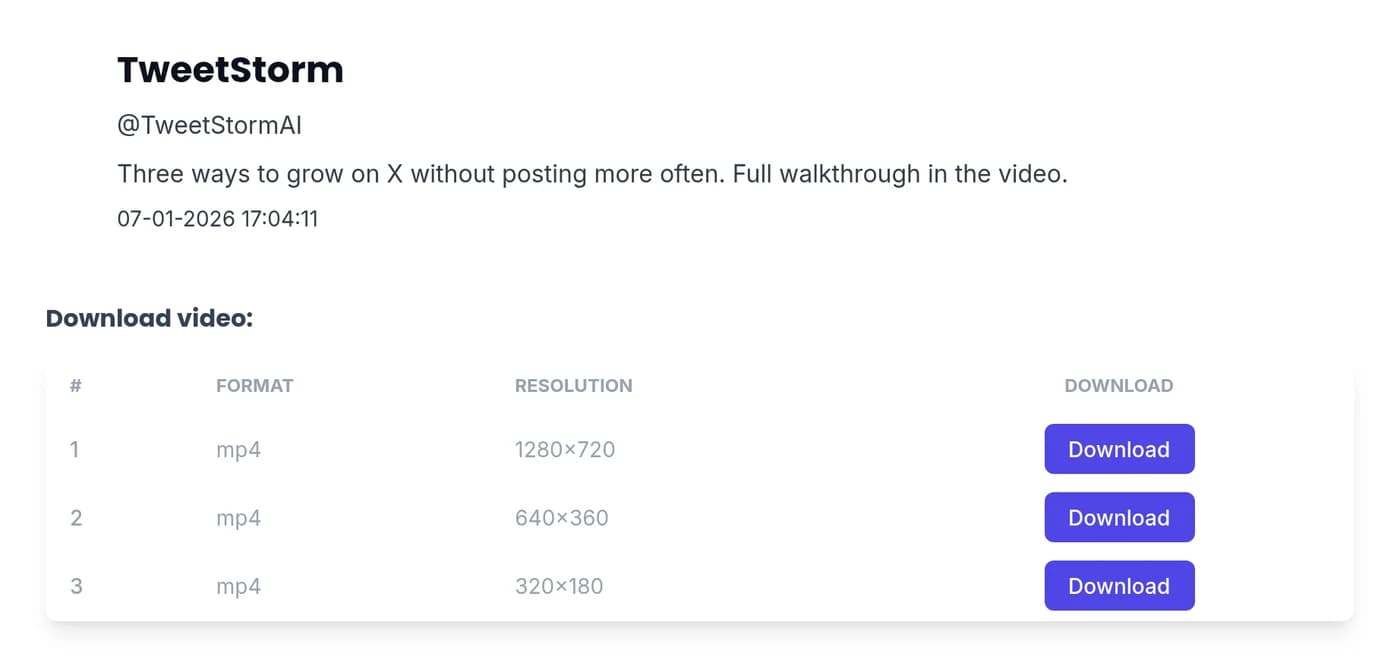
Hit Download on the row you want and the video opens in a new tab, playing straight from X. Save it from there with your browser: right-click and choose Save video as on a computer, or tap and hold the video on a phone.

Download results showing the post author, its text and MP4 rows at 1280x720, 640x360 and 320x180

Coverage

Works on retweets, quote tweets and threads

Wherever the video sits

A video in a retweet, a quote tweet, or partway down a long thread saves exactly like a standalone post. Copy the link to the post the video is playing in, paste it, and pick a resolution.

GIFs

X stores GIFs as short silent videos, so a GIF comes back as an MP4 you can post anywhere.

Clips and reels

Short-form video in the For You feed uses the same post links, so it saves the same way.

Every stored resolution

You get the full list X kept for that upload, not one file someone else picked for you.

Any browser

Chrome, Safari, Firefox or Edge, phone or desktop. It runs in the tab you already have open.

Files

HD MP4, exactly as X stored it

When you pick a resolution, the file opens straight from X's own servers. Nothing is re-encoded, nothing is compressed a second time, and no logo or watermark is added on the way through. A 1080p upload gives you a 1080p MP4.

  • MP4, H.264: the format X already serves, so there is no conversion step and no quality loss.

  • Every resolution offered: typically three on a standard post, so you can trade file size against sharpness.

  • No watermark: the file is X's original, not a re-render with branding on it.

Example result

Jon Doe

@JonDoe

Shot this on a walk home last night.

11:48 AM · Jul 8, 2025

Download video:

FormatResolutionDownload
mp41280x720Download
mp4640x360Download
mp4320x180Download

Safety

What this tool never asks for

This runs in the browser tab you already have open, with nothing to sign into and nothing standing between the link you paste and the file you came for.

  • No X login, ever. You paste a public link. The tool never sees your password and never connects to your account.

  • No download but the video. The page does the whole job in your browser, so the only file that lands on your device is the MP4 you picked.

  • No ads in front of your download. TweetStorm is paid for by the rest of the toolkit, so this page does not need to sell your attention before it gives you the file.

  • Public posts only. If a post is protected or the account is private, the video is not available to us either, and we do not work around that.

Devices

Downloading videos from X on iPhone, Android and desktop

iPhone and iPad

Copy the link from the X app’s share sheet, paste it here on this page in Safari and tap Download on the resolution you want. The video opens in a new tab; tap and hold it and pick the save option Safari offers, and the MP4 lands in Files, ready to move to Photos.

Android

Share the post, choose Copy link, paste it here in Chrome and tap a resolution. The video opens in a new tab; tap and hold it, or use the download button in the player, and the MP4 goes to your Downloads folder.

Desktop

Copy the URL from the address bar, paste, and click a resolution. The video opens in a new tab; right-click it, choose Save video as, and the file saves wherever your browser puts downloads.

Next steps

The video is one piece of the post

TweetStorm handles the rest of what you might want from it.

  1. 1

    Save the post as an image

    The X post screenshot tool turns the same link into a styled image sized for Instagram, stories or a thumbnail.

  2. 2

    Write the post that reuses it

    Draft your caption with the AI tweet generator, in your own tone.

  3. 3

    Queue it for the right time

    The X tweet scheduler publishes it automatically at your best posting times.

See what the paid plans add

Explore more Twitter tools

Try powerful Twitter/X tools to automate, clean up and optimize your account.

X video downloader FAQs

Copy the link to the post that has the video, paste it into the field at the top of this page, and click Download. You will see every resolution X has for that video. Click the one you want and the video opens in a new tab, playing from X; save it from there with your browser. No account and no app at any step.

Because the file comes straight from X’s own servers, and a browser plays an MP4 served from another site rather than saving it by itself. Once the tab is open, right-click the video and choose Save video as on a computer, or tap and hold it on a phone. That tab is the file itself, so nothing is added to it on the way to you.

Yes, completely. There is no account, no card and no trial. The tool is free because TweetStorm makes its money from the rest of the toolkit, not from this page.

No. The file you download is X's original MP4, served from X's own servers, so nothing is added to it and nothing is re-encoded. A 1080p upload downloads as a 1080p file.

Yes. A video in a retweet, a quote tweet, or inside a thread downloads the same way as one in a standalone post. Copy the link to the post the video is playing in, paste it into the field above, and pick a resolution.

Yes. X stores GIFs as short silent MP4 videos, so a GIF downloads the same way a video does and arrives as an MP4 file you can post or edit.

No. The tool only reaches posts that anyone can see without logging in, and it does not work around privacy settings. If the video is your own and the account is protected, request your data from X's archive download, which includes the videos you attached to your posts.

This one is safe in the ways that matter: it never asks for your X login, it runs entirely in your browser tab, and no ad or redirect stands between you and the file. The general rule holds for any downloader you try: if a site wants your password, an app install, or permissions beyond the download itself, close the tab.

Neither. This page works on its own in any browser. An account is only worth creating if you want the rest of TweetStorm, like the scheduler or the bulk cleanup tools.

Saving a public video for personal use is generally accepted, but the video still belongs to whoever made it. Get the creator’s permission before reposting or using a clip commercially, and follow X's Terms of Service. TweetStorm is not a lawyer and this is not legal advice.

Grab the video while the post is still up

Posts get deleted. Paste the link and keep the clip as an MP4, free and without an account.

Download a Video