X (Twitter) Tweet Scheduler

Batch your tweets and threads once a week and let them publish themselves at your best times, in each account's own time zone.

  • Single tweets and threads up to 25 tweets, each tweet with its own media
  • Set a few send times a week and your queue fills them in order, per account
  • Queue, calendar, drafts, published, and failed, all in one dashboard
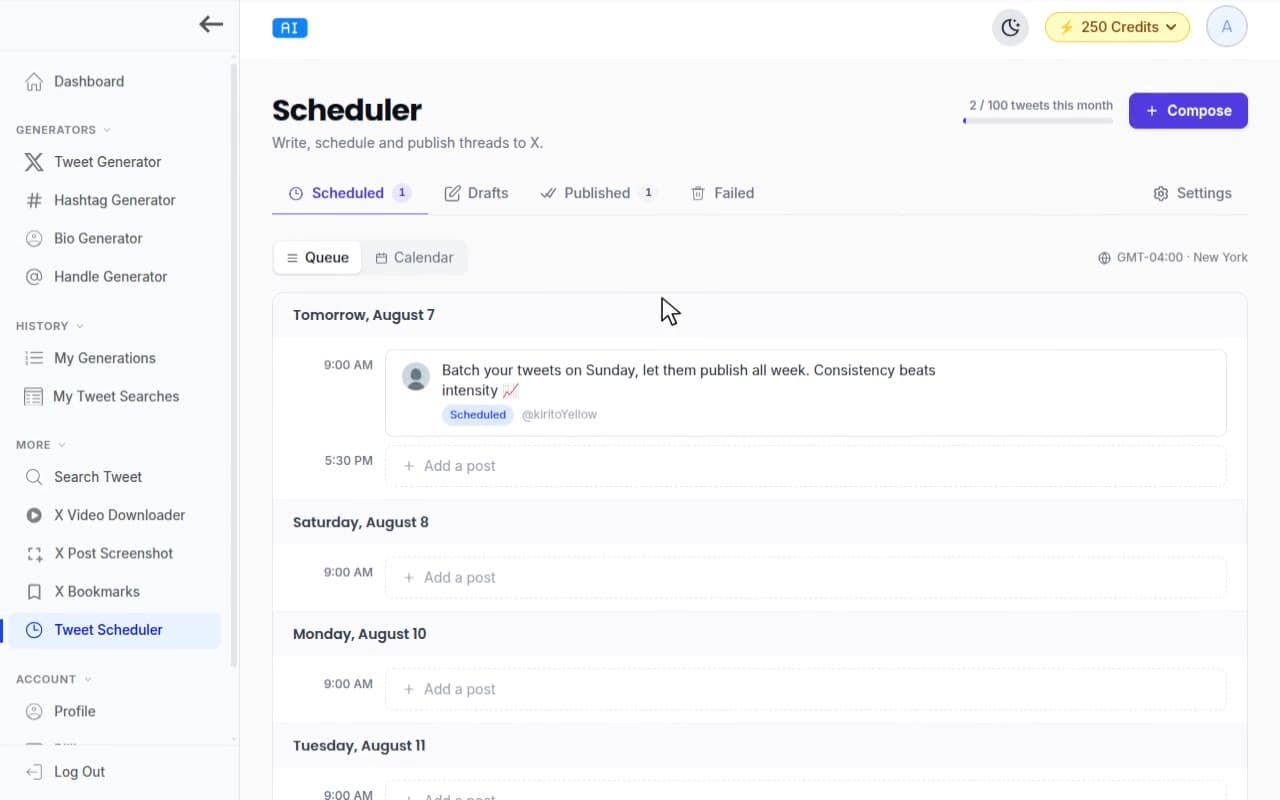
TweetStorm tweet scheduler queue with posting slots, scheduled tweets, and calendar toggle
  • 10 scheduled tweets a month free
  • Threads up to 25 tweets, media on each
  • Official X login, no extension

Schedule tweets and threads, then walk away

TweetStorm's tweet scheduler queues single tweets and threads up to 25 tweets long, then publishes them to X at the times you pick, whether you're online or not. Start free: 10 scheduled tweets a month on 1 connected X account.

X's own composer schedules one post at a time, from the web only: no queue, no thread scheduling, no scheduling button in the phone app. TweetStorm gives each connected account its own posting slots, weekly goal, and calendar, and drops queued tweets into the next open slot in order.

10

scheduled tweets a month on the free plan

25

tweets per thread on paid plans

4

photos per tweet, or 1 GIF, or 1 video

8

starter templates in the composer
Posting slots

Set your times once, the queue does the rest

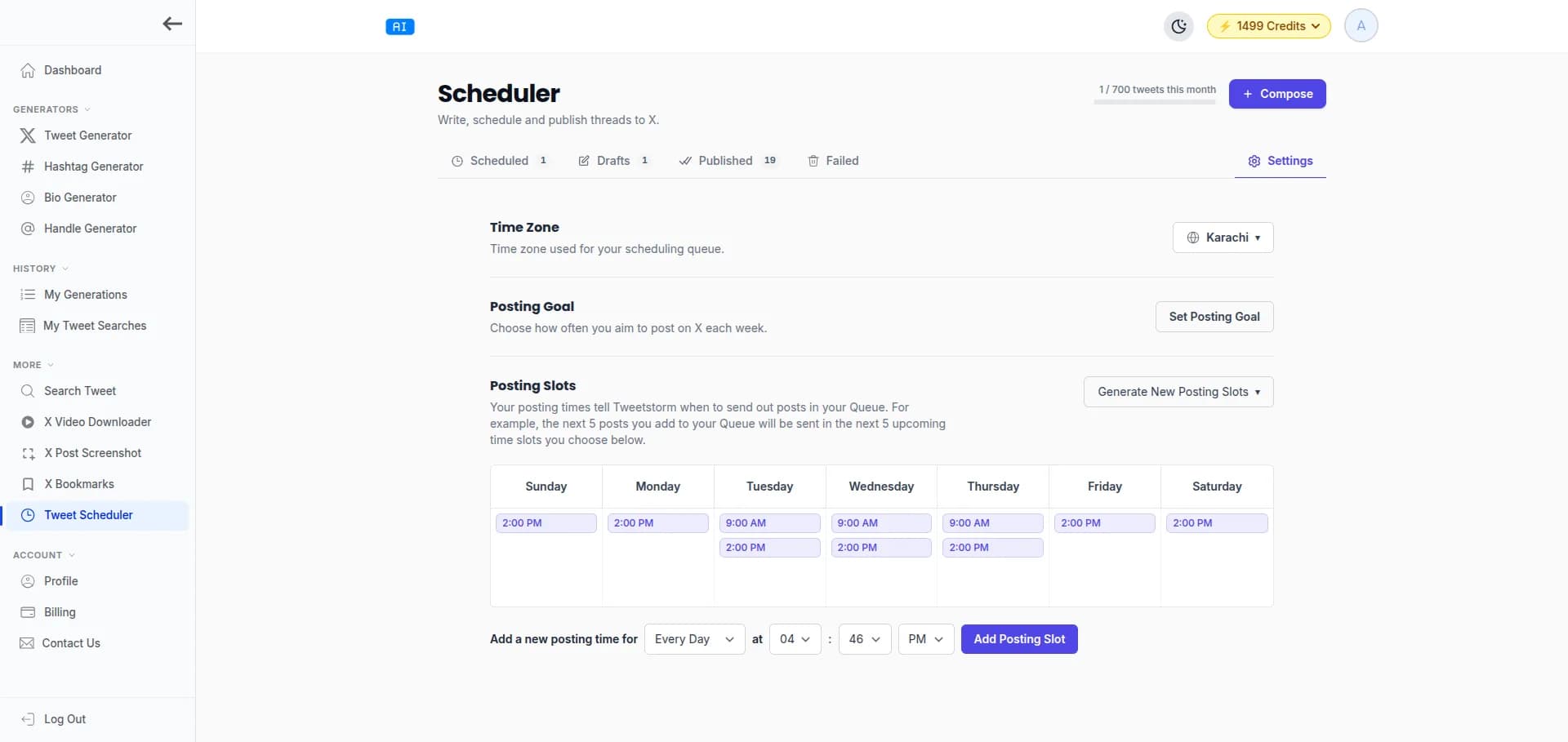
Posting slots are the send times in your week. Fill the queue and each tweet takes the next open slot, so a consistent schedule stops depending on you being awake for it.

Not everything needs a slot: schedule any tweet to an exact date and time, post it now, or bump it to the front of the queue with Prioritize on paid plans.

Threads

Schedule Twitter threads, up to 25 tweets long

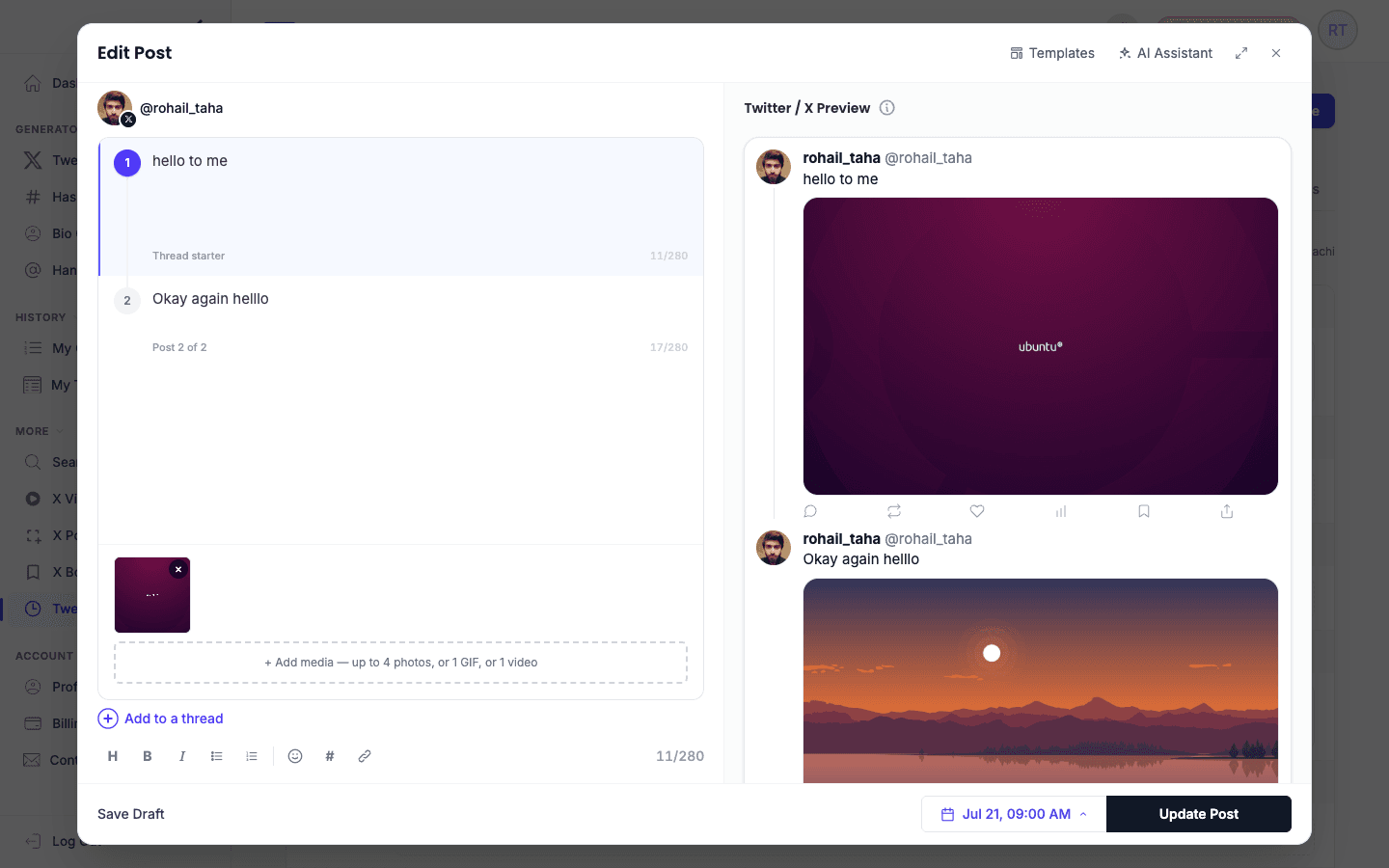
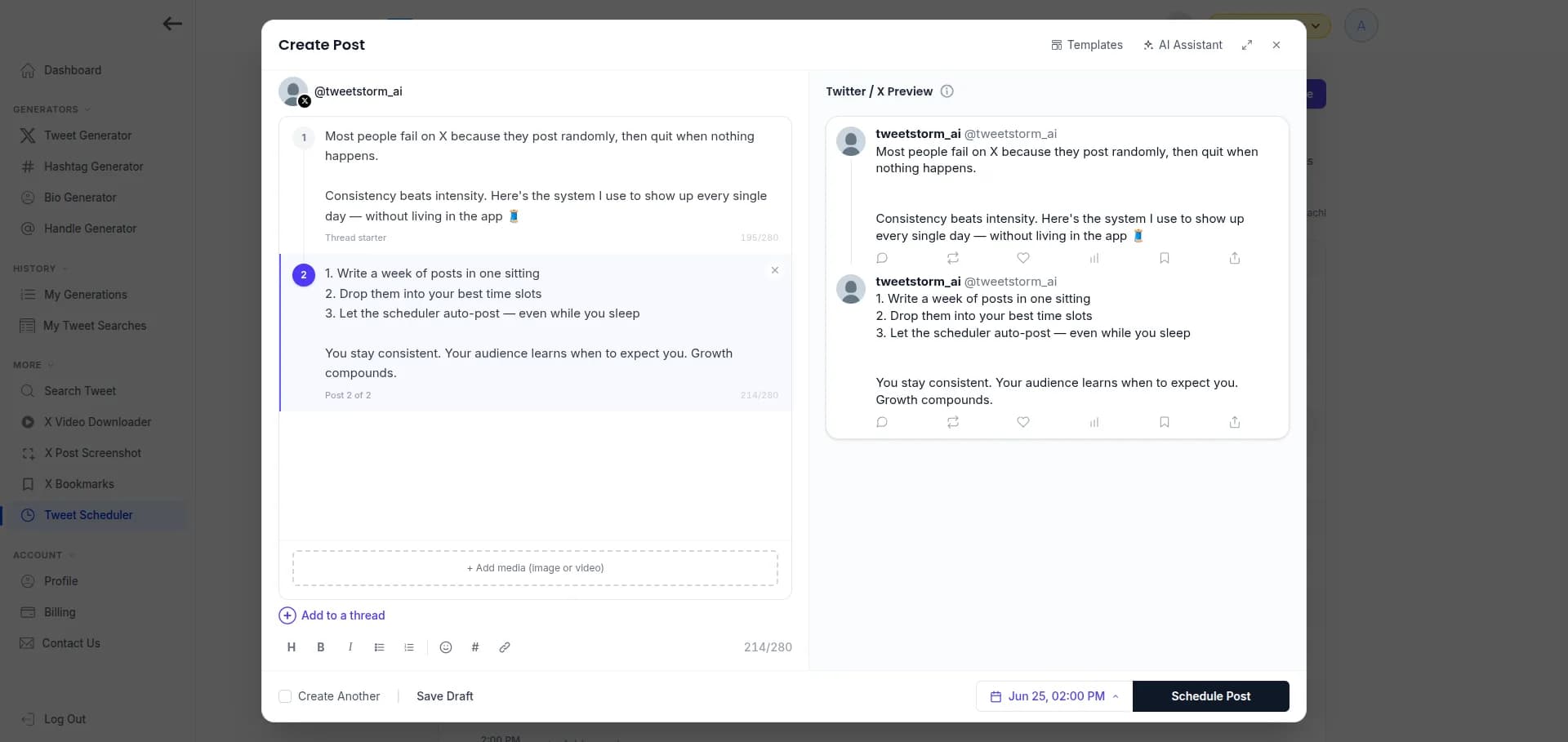
Write the whole thread in one composer: reorder tweets by dragging, give each tweet its own images or video, and check the live preview of exactly how it will read on X. At the scheduled time, the thread publishes in sequence on its own.

Free accounts schedule threads up to 5 tweets; every paid plan raises that to 25.

Scheduling a Twitter thread in TweetStorm with media on each tweet and a live preview
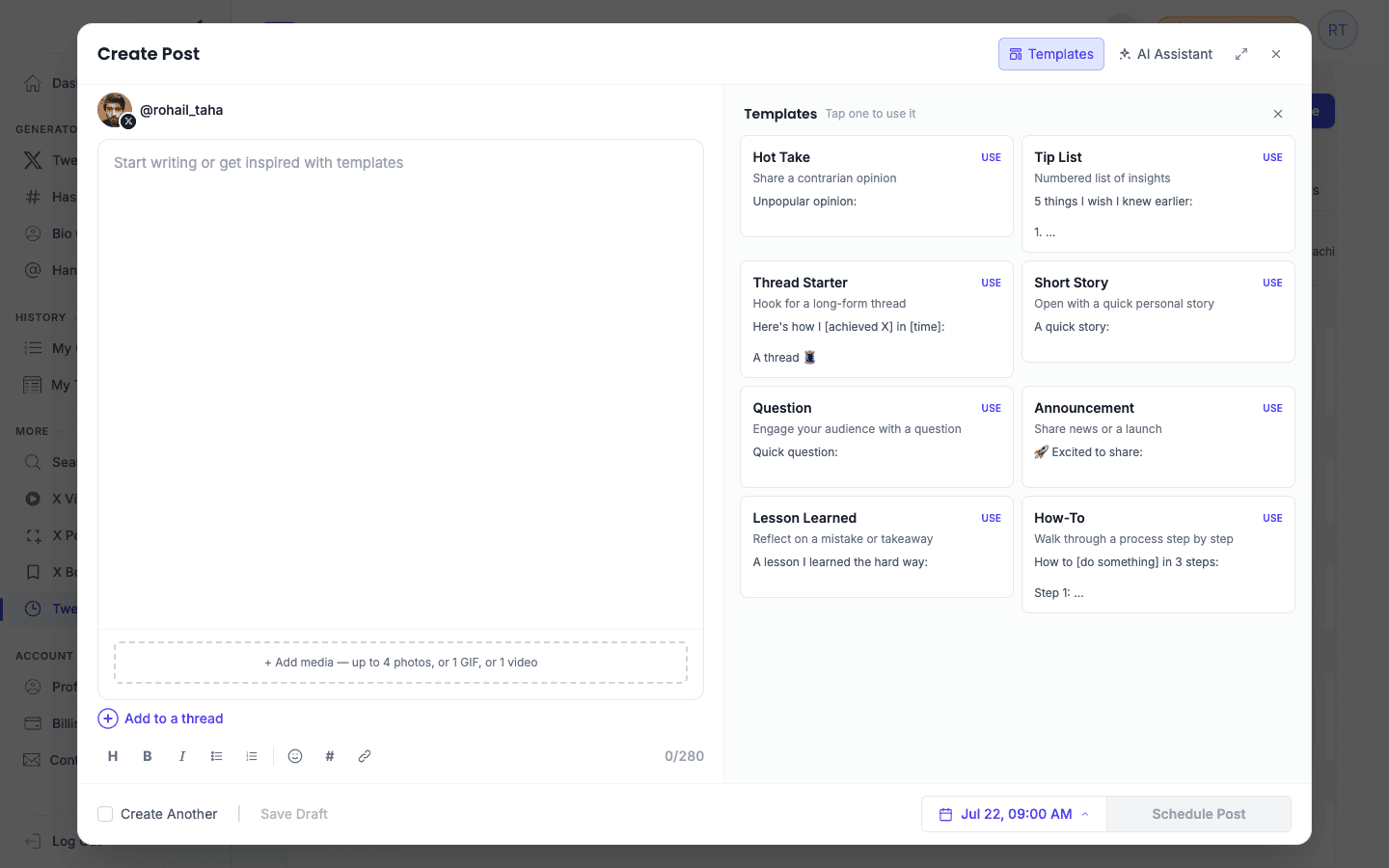
TweetStorm composer templates panel with all 8 starter templates

Composer

Write it, remix it, schedule it in one place

The composer carries a rich-text toolbar, a live X preview, and a character counter, plus three shortcuts for the days the words don't come:

8 starter templates. Hot Take, Tip List, Thread Starter, Short Story, Question, Announcement, Lesson Learned, and How-To. Insert one, replace the placeholders, schedule it.

The AI assistant. Turn a rough idea into a tweet without leaving the composer, or remix something you already have: pasted text, one of your own AI-generated tweets, or a saved bookmark. Pick the tone it lands in. Each generation costs 1 credit, and the free plan includes 20 a month.

Your voice, not a chatbot's. Voice cloning learns how you write from up to 50 of your own tweets, then writes new ones in that voice. Paid plans carry 2 to 10 voice profiles, so a personal account and a brand account can each sound like themselves. Refresh a voice as your style moves.

Plans

Scheduler limits on every plan, in the open

The scheduler is part of every TweetStorm core plan, the free one included. Full plan details live on the pricing page.

FreeProfessionalAgencyElite
Price$0$12/month$29/month$49/month
Scheduled tweets / month10100300700
Link (URL) tweets included0102575
Tweets per thread5252525
X accounts for scheduling125Unlimited
Prioritize (bump the queue)Not includedIncludedIncludedIncluded
Failed-post email alertsNot includedIncludedIncludedIncluded

A link (URL) tweet is any tweet whose text contains a link, the way X counts it: “just shipped this: netus.ai” is a link tweet. Each plan includes a set number of them inside its monthly total; tweets without links only draw from the overall quota.

Setup

How to schedule tweets on X with TweetStorm

STEP 1

Create your account

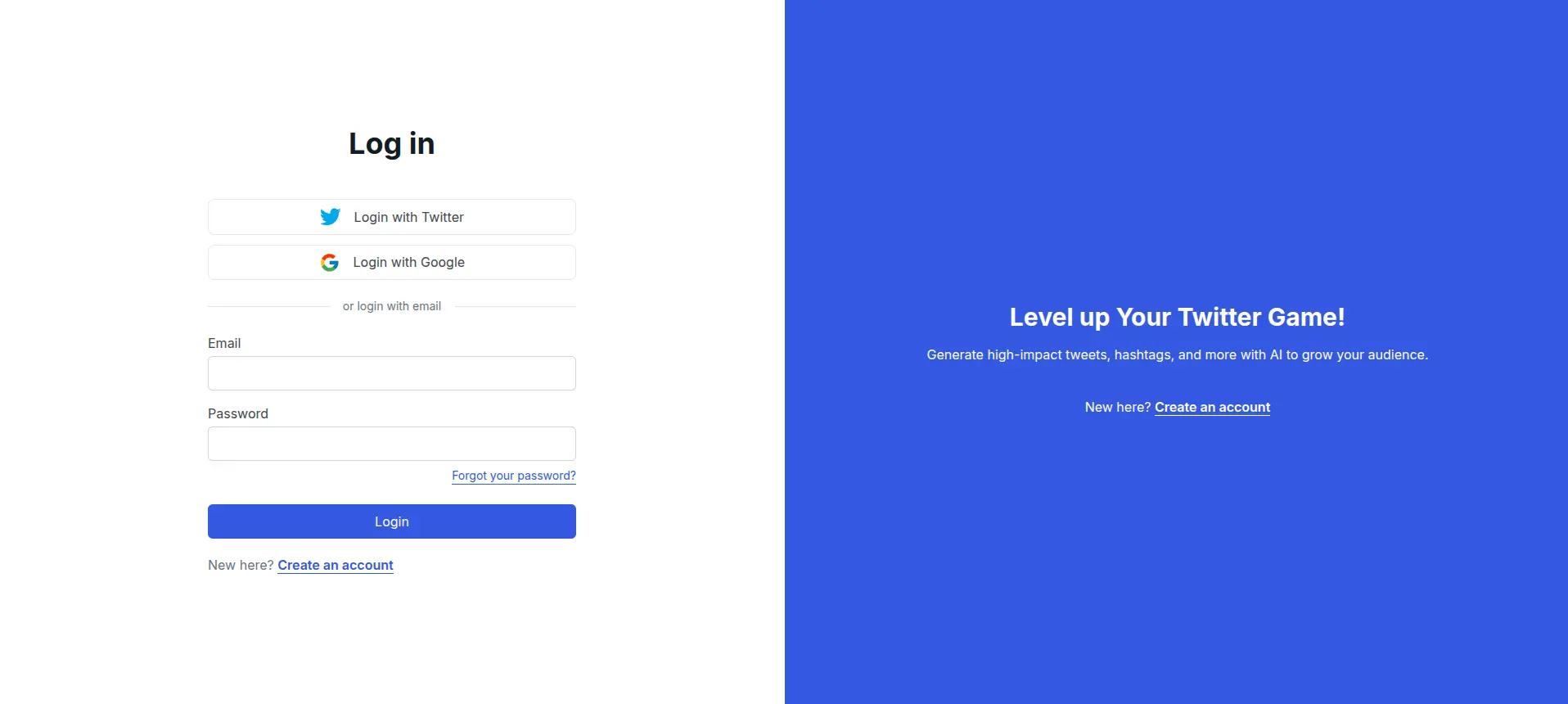
Create a free account or log in. Under a minute, no card.

TweetStorm login screen with X, Google, and email sign-in options
STEP 2

Connect your X account

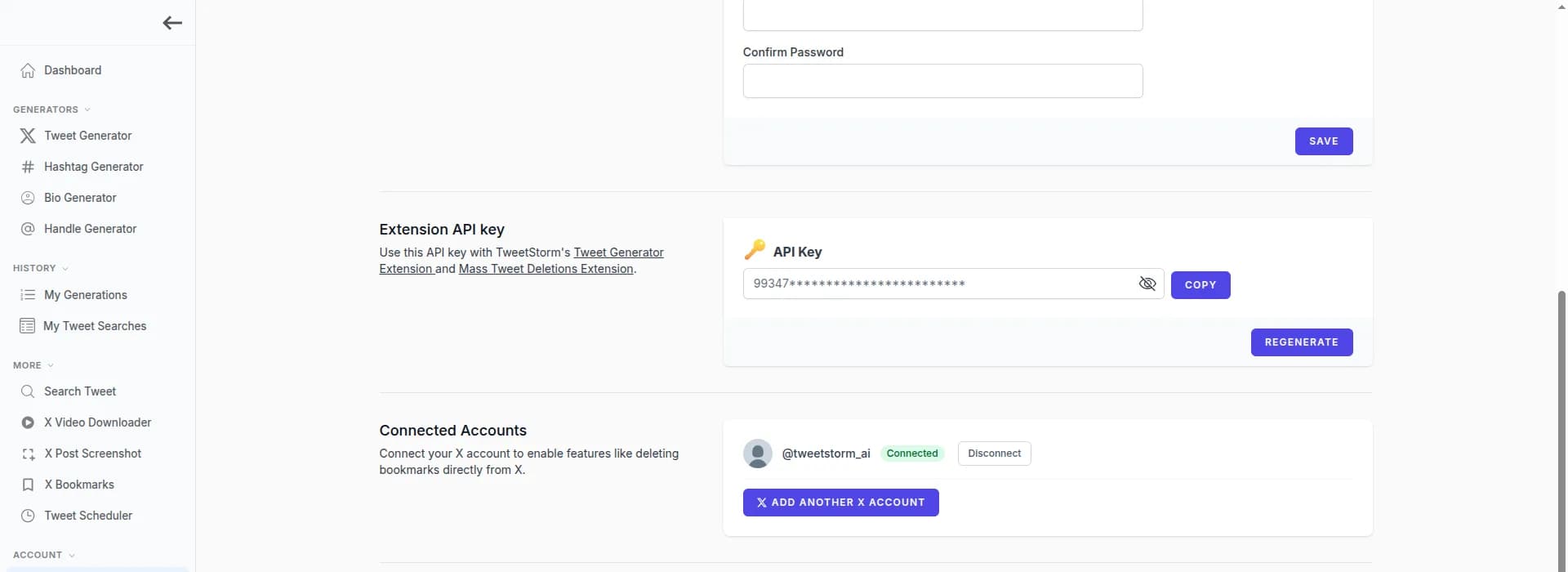
Open your profile and select Connect account. You authorize TweetStorm through X's own login screen, so your password never touches TweetStorm and there are no API keys to paste. Connect as many accounts as your plan allows and switch between them with the account picker.

Connecting an X account to the TweetStorm scheduler with X's official login
STEP 3

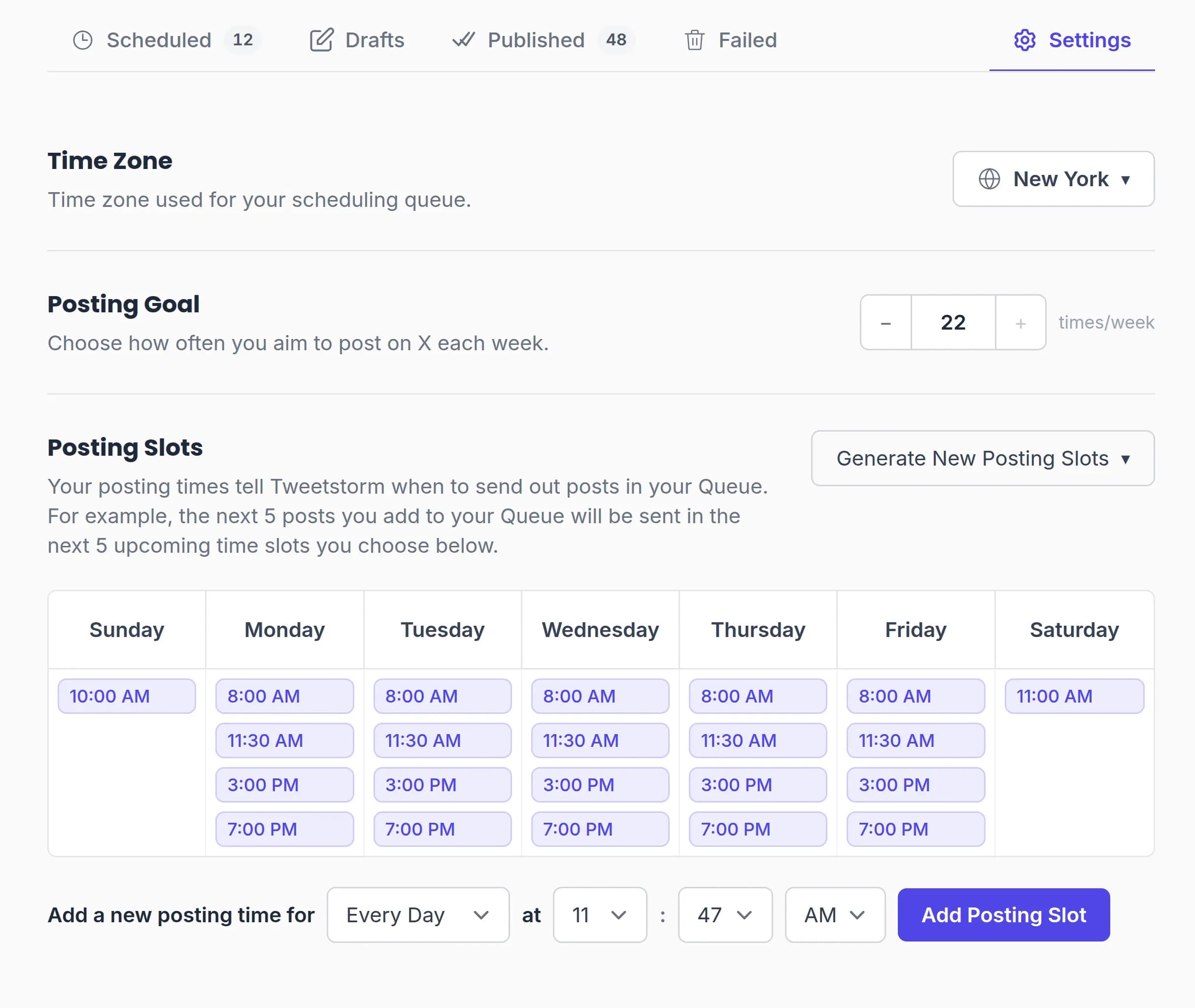
Set your slots, time zone, and goal

In scheduler settings, pick the account's time zone, set a weekly posting goal, and add posting slots: manually, generated from the goal, or from the recommended times.

Scheduler settings with posting slots grid, time zone, and weekly posting goal
STEP 4

Compose and schedule

Write a tweet or a full thread, attach media, and pick how it goes out: the next available slot, an exact date and time, right now, the front of the queue with Prioritize, or saved as a draft for later.

TweetStorm composer with a thread, attached media, and scheduling options
STEP 5

Let it publish, then check it on X

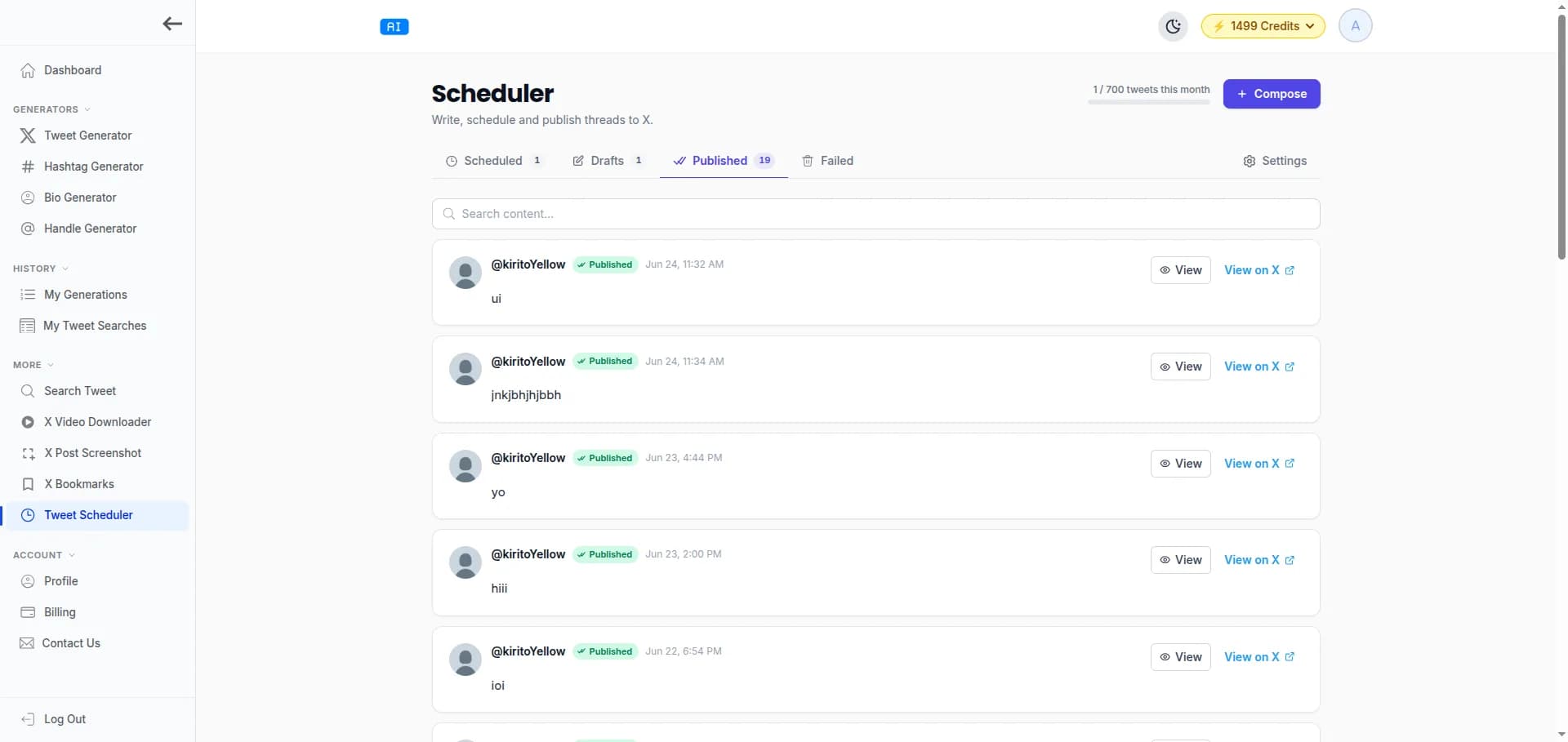
Tweets go out automatically at their times. Follow everything in the Queue, Drafts, Published, and Failed views; every published tweet keeps a link to itself on X, where its replies and analytics live.

TweetStorm scheduler queue and published tweets with status for each post

Account safety

Connected through X's official login

Your login, never your password

Scheduling runs through X's official login (OAuth), so posting happens on X's own API and TweetStorm never sees your password. The scheduler needs no browser extension and no API keys to set up.

Scoped to publishing

The connection requests the permissions needed to publish your scheduled tweets and media, and that's what it's used for.

Publishes without you

Posting happens from TweetStorm's servers at the scheduled minute. Laptop closed, app closed, phone off: the tweet still goes out.

Honest about failures

A tweet that can't publish lands in the Failed view. When the connection itself is the problem, an expired or revoked X login, TweetStorm says so and asks you to reconnect the account. Reschedule any failed tweet in a couple of clicks, and paid plans email you when a post fails.

Compare

TweetStorm vs X's built-in scheduler

X can schedule a post by itself. Here is where that stops and a real tweet scheduler starts:

X's built-in schedulerTweetStorm
Single tweetsYes, from the web composerYes
ThreadsNo thread schedulingThreads up to 25 tweets, media on each
On your phoneNo scheduling in the X appWorks in the phone's browser
Queue and posting slotsPick a date per post, one at a timeWeekly slots, goal auto-fill, next-open-slot queue
Multiple accountsSwitch accounts by handPer-account queues, slots, and time zones
Drafts and templatesDrafts on the webDrafts, 8 templates, and an AI assistant
When a post failsNothing tells youFailed view, reschedule, email alerts on paid plans

For one account and the occasional tweet, X's built-in scheduler is enough. The moment you plan threads, run several accounts, or queue a week at a time, it isn't.

On the go

Schedule tweets from your phone

The X mobile app has no scheduling option. TweetStorm doesn't need one: open tweetstorm.ai in your phone's browser, queue tweets or full threads, and they publish from TweetStorm's servers whether your phone is awake or not.

Who it's for

Built for accounts that post every day

Creators and solopreneurs

Batch a week of tweets on Sunday night. The Tuesday 9 AM slot fires while you're mid-commute, and the streak your followers expect survives your calendar.

Founders and marketers

Stage a launch: the announcement thread at peak hour, follow-ups queued behind it, and Prioritize to jump the queue when timing changes.

Agencies and teams

Every client account keeps its own queue, slots, goal, and time zone. Switch between them with the account picker instead of logging in and out; Agency runs 5 accounts, Elite has no cap.

FAQ

X tweet scheduler FAQ

A tweet scheduler (or Twitter scheduler) is a tool that publishes tweets you write now at a time you choose later. TweetStorm's adds a queue with posting slots, thread scheduling up to 25 tweets, per-account time zones, and drafts, and it starts free with 10 scheduled tweets a month.

Yes, within limits: the free plan schedules 10 tweets a month on 1 X account, with threads up to 5 tweets and the full queue, calendar, and drafts. Paid plans raise that to 100, 300, or 700 scheduled tweets a month across 2, 5, or unlimited accounts.

Yes. Compose the whole thread, reorder tweets, attach up to 4 photos, 1 GIF, or 1 video to each one, and the thread publishes in sequence at the scheduled time. Threads run to 5 tweets on the free plan and 25 on paid plans.

You stay in control: set posting slots yourself, generate them from your weekly posting goal, or start from TweetStorm's recommended times and adjust later. Queued tweets always fill the next open slot in order.

Yes, from the phone's browser: open tweetstorm.ai, compose, and queue. The X mobile app itself has no scheduling option, and none is needed, because TweetStorm publishes from its servers, not from your device.

No. The scheduler publishes tweets and threads only. Retweets, quote posts, and polls stay in the X app.

It moves to the Failed view. If the failure is the account connection, an expired or revoked X login, TweetStorm tells you to reconnect that account; otherwise, reschedule the tweet in a couple of clicks. Paid plans also send a failed-post email alert.

Open the scheduler's Queue view for the list of upcoming slots and tweets, or the Calendar view for the same week on an hourly grid. Drafts, Published, and Failed each have their own tab.

Scheduling itself carries no penalty flag: TweetStorm publishes through X's official API, and X labels the post's source app the same way it labels its own apps. Reach follows what you post and when, which is exactly what slots and posting goals exist to improve.

Any tweet whose text contains a link, the way X counts links. Plans include a set number per month: 0 on Free, 10 on Professional, 25 on Agency, 75 on Elite, all inside the plan's overall scheduled-tweet total.

From your TweetStorm profile, select Connect account and approve TweetStorm on X's own login screen. No extension, no API keys, no password shared; disconnect it anytime from the same place.

They can. The composer's AI assistant writes in a tone you pick, and on paid plans voice cloning learns your style from up to 50 of your own tweets and writes in that voice instead. Every generation is editable before it goes into the queue, so nothing publishes that you haven't approved.

Yes. Each connected account keeps its own queue, posting slots, time zone, and goal, and you switch accounts with a picker. The free plan connects 1 account for scheduling; Professional, Agency, and Elite connect 2, 5, and unlimited.

Explore more Twitter tools

Try powerful Twitter/X tools to automate, clean up and optimize your account.

Queue your first week of tweets tonight

Connect your X account, drop tweets into slots, and let them publish on time all week.

Schedule a Tweet Now

Free plan schedules 10 tweets a month on 1 X account. No card required.